
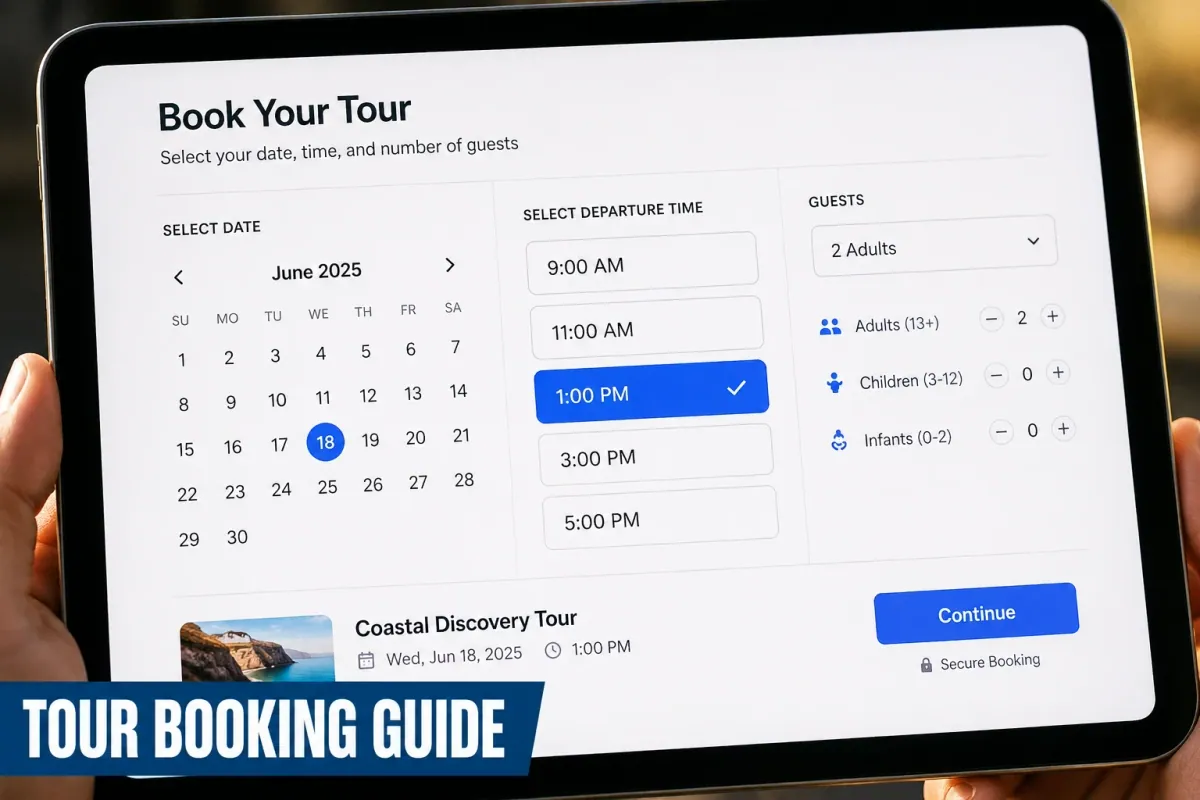
A boutique winery in Napa Valley offers walking vineyard tours with wine tastings capped at 12 guests per group. On a sunny Saturday morning, four walk-in guests purchase tickets at the tasting room counter while eight customers buy tickets on the website for the same 2:00 PM slot.
Ten minutes before the tour starts, two online customers arrive with confirmation emails, only to discover the group is completely full. The host has to apologize, issue manual refunds, and hand out complimentary bottles of Cabernet to smooth over the situation.
Selling tours, excursions, and group activities on Shopify requires a very different workflow than shipping physical merchandise. Physical products subtract from inventory permanently when purchased.
Tours require real-time capacity capping per departure, guide availability assignment, pickup location management, liability waiver collection, and automated calendar syncing across online sales and in-person check-ins.
This guide breaks down how to set up an automated tour booking engine on your Shopify store, protect your operational capacity, and choose the right software for your experience business in 2026.

Why tour booking management matters for Shopify stores
Adding tour bookings to Shopify allows experience businesses to combine activity tickets, merchandise upsells, and digital waivers inside a single unified checkout flow. Standard Shopify product settings cannot handle group departure caps or recurring weekly schedules without dedicated app integration.
When a store owner lists a guided kayak excursion as a basic physical item on Shopify, the system tracks overall inventory rather than date-and-time availability. If you set inventory to 100 tickets, a single customer could buy all 100 tickets for a Tuesday afternoon when you only have 10 kayaks in your fleet and one guide on duty.
Specialized booking software turns standard Shopify product pages into dynamic reservation portals. According to travel industry benchmarks, operators who move from manual inquiry forms or phone bookings to instant online scheduling increase total ticket sales by 24% to 35%, while cutting administrative scheduling work by more than half.
Automating your tour reservations also protects your operating margins. By locking in prepaid bookings through Shopify checkout, enforcing clear cutoff times, and sending automated SMS reminders, tour operators dramatically reduce no-shows and streamline daily check-in operations.
Key challenges when selling tours and excursions on Shopify
Tour operators face unique operational friction points that standard e-commerce software is not built to solve out of the box.
Managing group capacity and departure caps
Tours rely on strict safety and legal group limits. A whale watching boat cannot exceed its Coast Guard passenger limit, and a historical walking tour cannot exceed 15 participants without overwhelming city sidewalks.
Your booking system must track real-time seat counts across every single departure time and automatically mark timeslots as "Sold Out" the moment total capacity is reached.
Handling guide schedules and equipment limits
A tour requires both an available guide and functional equipment. If your top mountain bike guide is scheduled for a morning trail ride, they cannot lead a city tour at the exact same hour.
Similarly, if all 12 electric bikes are reserved for a 10:00 AM group, you cannot accept private bookings for that hour even if another guide is available.
Collecting traveler details and liability waivers
Tours often require collecting dietary restrictions, shoe sizes, emergency contact details, or signed liability waivers before departure.
Requesting this information manually via email after purchase leads to incomplete rosters and delays at the staging area. Collecting intake details directly inside the product booking widget ensures everything is completed before checkout.
Synchronizing walk-in sales with online reservations
If you operate a physical ticket booth or accept walk-up registrations alongside your online store, sales channels can easily conflict.
Without a system that bridges online purchases with your point-of-sale system, walk-ins will routinely displace guests who booked online weeks in advance.
What to look for in a Shopify tour booking app
Choosing the right booking software requires evaluating how well an app handles live schedule logic, customer intake, and pricing rules.
First, look for robust group booking support. The app must allow you to define maximum capacity per departure (e.g., 15 guests per slot) and handle group pricing tiers or custom participant options.
Second, check for two-way calendar synchronization. When a tour departure is created or modified in Google Calendar, your Shopify store availability should update immediately to prevent overbooking during staff holidays or weather delays.
Third, evaluate custom form capabilities and file uploads. Collecting guest names, hotel pickup locations, or signed agreement checkmarks during the initial booking step keeps your customer data clean and organized.
Fourth, verify seamless integration with Shopify native checkout. Redirecting customers off your domain to external booking software lowers conversion rates and breaks revenue tracking in tools like Klaviyo.
Fifth, scrutinize the pricing structure. Many third-party tour reservation platforms charge 2% to 6% per ticket in booking fees on top of high monthly subscription fees. Look for flat-tier pricing models that let you keep 100% of your ticket revenue.
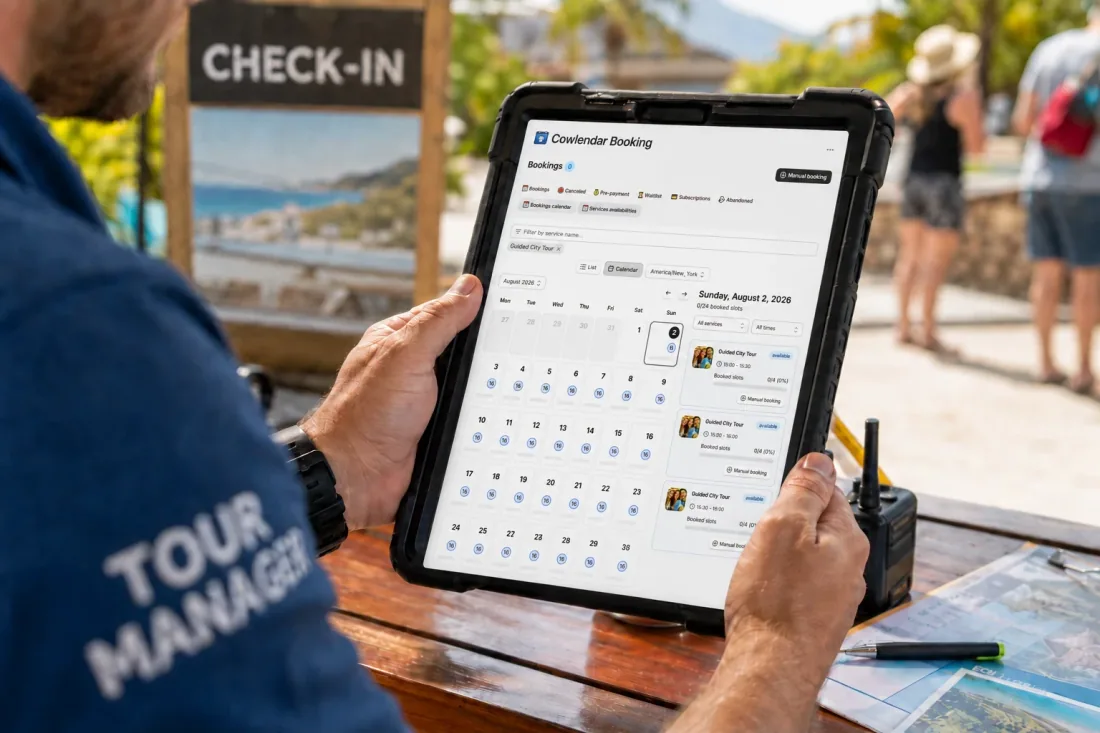
How to set up tour bookings on Shopify step by step
Setting up tour bookings on Shopify requires creating your base product listing first, then applying scheduling logic using a dedicated booking app.
If you want to see how to configure service and event bookings step-by-step inside Shopify, this quick walkthrough provides a helpful visual reference for navigating dashboard availability settings.
Here is the operational setup process for your tour store.
Step 1: Create the tour product in Shopify Admin
Log into your Shopify Admin dashboard and create a new product (e.g., "Historic Downtown Walking Tour"). Set your base ticket price (e.g., $45 per adult).
Under the Inventory section, set your inventory tracking to "Track quantity" and enter your total default capacity for a single session. Make sure to uncheck "Continue selling when out of stock."
Step 2: Install Cowlendar and attach your tour product
Open Cowlendar from your Shopify Admin dashboard. Click Create Service or Rental and select your tour product from the list.
Choose Group / Class Booking as your service type. This template is specifically designed for group activities where multiple individual customers book seats in the same timeslot.
Step 3: Set departure schedules and maximum capacity
Configure your weekly availability within Cowlendar:
Capacity per slot: Set your strict group size limit (e.g., 12 guests per departure).
Tour departure times: Create fixed daily timeslots (e.g., 10:00 AM and 2:00 PM).
Buffer / Lead time: Set a minimum advance booking window (e.g., require bookings at least 2 hours before departure so guides have time to prepare).
If you are offering private tours alongside public group departures, read our setup guide on how to manage rooms, classes and private sessions in a single system.
Step 4: Add guest intake questions and liability waivers
Navigate to the custom form settings within Cowlendar. Add required intake fields to capture guest information before checkout:
Dropdown for hotel pickup location or meeting point confirmation
Checkbox for liability waiver and safety policy acceptance
Short text box for dietary restrictions or medical notes
To make sure your terms are enforceable and minimize cancellations, review our operational guide on how clear policies cut no-shows and cancellations in Shopify.
Step 5: Test the booking widget on your live theme
Save your configurations and open your product page on your live site. The standard purchase button will now display an interactive calendar widget where guests choose their date, select their departure time, and enter guest details.
Complete a test booking to verify that seat inventory decreases correctly and that confirmation emails fire automatically. For a deep dive into embedding options, view our tutorial on how to embed a booking calendar in your Shopify theme.
Best Shopify tour booking apps in 2026
Selecting the right booking application depends on your group size, budget, and desired checkout experience. Here is an honest review of the top scheduling tools for Shopify tour operators.
1. Cowlendar
Cowlendar is built natively for Shopify, making it easy to turn standard product pages into high-converting tour reservation portals.
Key features: Native support for group bookings, recurring weekly departure times, two-way sync with Google Calendar and Outlook Calendar, custom intake form builder, automated email notifications, and Shopify POS integration for ticket desk checkout.
Strengths: All paid plans include ALL features identically. Cowlendar never gates essential features like calendar sync or intake forms behind higher price tiers. Pricing scales strictly by monthly booking volume or revenue limits, meaning small tour operators get full enterprise-level functionality from day one without paying commissions.
Limitations: While Cowlendar is ideal for daily guided tours and group activities, complex multi-vehicle fleet routing that requires assigning specific registration numbers to individual departures is best handled by high-end logistics ERPs.
Pricing:
Free Plan: $0/month, all features; see current usage allowance on the pricing page.
Starter Plan: €13.99/month (Up to $1,000 revenue or 50 bookings)
Basic Plan: €29.99/month (Up to $3,000 revenue or 200 bookings)
Growth Plan: €59.99/month (Up to $10,000 revenue or 500 bookings)
To learn more about setting up group activities, check out our guide on how to offer group bookings on Shopify and see how adventure brands succeed in how to setup a mountain bike company on Shopify.
2. BookThatApp
BookThatApp by Zuko Ltd is an established scheduling application with over 15 years in the Shopify app ecosystem.
Key features: Resource allocation rules, multi-staff assignment, automated SMS reminders via Twilio, deposit support, and custom calendar templates.
Best for: Tour operators that combine tour ticket sales with physical equipment rentals (e.g., renting a kayak along with a guided river tour).
Where it excels over Cowlendar: BookThatApp provides advanced resource pairing logic that links physical equipment availability directly to guided group capacity.
Limitations: The backend setup interface is technical and can feel intimidating for non-technical store owners compared to modern apps.
Pricing: Lite plan starts at $25/month for up to 50 bookings, with higher tiers reaching $110/month for larger volumes.
3. Sesami
Sesami is a popular booking framework built for service stores, retail experiences, and multi-location businesses.
Key features: Sesami SDK for custom developer builds, multi-language support, global time zone conversion, and deep Shopify POS integration.
Best for: High-volume tour companies operating physical booking kiosks across multiple locations.
Where it excels over Cowlendar: Sesami offers a dedicated developer SDK that allows digital agencies to build custom bespoke booking interfaces.
Limitations: Essential features like group appointments, customer cancellations, and Klaviyo integration are locked behind the Pro plan ($129/month) and Premium plan ($299/month).
Pricing: Starts at $19/month (Basic), $129/month (Pro), and $299/month (Premium).
4. Meety
Meety is a lightweight scheduling application designed for simple class bookings, events, and appointments.
Key features: Quick calendar widget integration, auto-generated video links via Zoom, waitlist capabilities, and customizable confirmation emails.
Best for: Independent guides offering simple walking tours or virtual workshops.
Where it excels over Cowlendar: Meety provides an easy-to-use interface specifically optimized for basic single-day event rosters.
Limitations: Lacks flexible buffer time controls and multi-day excursion routing necessary for multi-day tour operators.
Pricing: Free plan available; paid tiers range from $14/month to $47/month.

Operational tips for running successful tour bookings on Shopify
Setting up your booking software is just the foundation. Smooth daily operations require clear communication and smart revenue strategies.
1. Upsell equipment rentals and merchandise add-ons
Increase your average order value (AOV) by offering optional add-ons during the tour booking process. If a guest books a guided mountain bike trail tour, offer helmet rentals for $10 extra, a souvenir water bottle for $15, or Go-Pro rental packages.
Learn how to configure these revenue options in our guide on how to upsell add-ons during a Shopify booking and see real examples in how to boost adventure bookings with equipment add-on rentals.
2. Automate pre-tour SMS and email reminders
Pre-tour anxiety causes late arrivals and missed departures. Set up automated notification flows through Klaviyo or Cowlendar to keep guests informed.
Send a confirmation immediately upon booking, followed by an SMS reminder 24 hours before departure with parking instructions, weather dress codes, and Google Maps meeting links. Explore full setup strategies in our post on how to reduce no-shows with booking reminders.
3. Block out calendar dates for private charters or weather delays
When bad weather hits or a private corporate group books out your afternoon slot, you must update your public availability immediately.
Instead of manually editing your Shopify site, simply create a "Blocked" event on your synchronized Google Calendar. Cowlendar will instantly read the block and remove those timeslots from your Shopify product page. Read our detailed tutorial on how to prevent double bookings on Shopify with Google Calendar sync.
4. Create custom pricing for families and groups
Encourage larger group bookings by offering tiered or family package rates. Offering a discounted "Family Pass (2 Adults + 2 Kids)" alongside standard individual adult tickets makes your tours more competitive for vacationing families.
See how activity businesses structure group rates in our breakdown on how play centers can boost bookings with family and group rates.
FAQ
How do I stop overbooking tour slots on Shopify?
You prevent overbooking by installing a booking app like Cowlendar that connects your live product pages to real-time capacity limits. The app automatically tracks remaining seat availability per departure time and removes sold-out slots from your website calendar instantly upon checkout.
Can I sell tour tickets in person using Shopify POS?
Yes. Apps like Cowlendar integrate directly with Shopify POS. When your staff sells a tour ticket over the counter at your physical ticket booth or shop, the app subtracts that seat from your central inventory, preventing online visitors from booking the same spot.
How do I collect liability waivers for tour bookings on Shopify?
You can collect liability waivers directly on your Shopify product page by enabling custom intake fields within your booking app settings. You can require guests to check an agreement box, enter their full legal name, or fill out custom form fields prior to adding the tour ticket to their cart.
Can guests reschedule their tour booking online?
Yes. Booking apps allow merchants to send automated confirmation emails containing self-service management links. Customers can view their booking details and request to reschedule their departure time online according to your defined cancellation and rescheduling policies.
Conclusion
Adding tour bookings to your Shopify store doesn't have to mean managing messy spreadsheets, dealing with overbooked departures, or handling frantic last-minute check-ins. By moving from static product pages to an automated group scheduling engine, you protect your guide capacity and deliver a smooth booking experience for your guests.
Whether you run city walking tours, wine tastings, or ocean charters, setting up real-time departure caps, automated guest reminders, and instant calendar sync keeps your operations running efficiently.
Ready to streamline your tour reservations on Shopify? Install Cowlendar today to start accepting group tour bookings on your store in under 10 minutes.
Originally published on the Cowlendar blog. This article keeps its original publication history; the page layout has been refreshed.
Originally published Aug 2, 2026.




 Built for Shopify


