
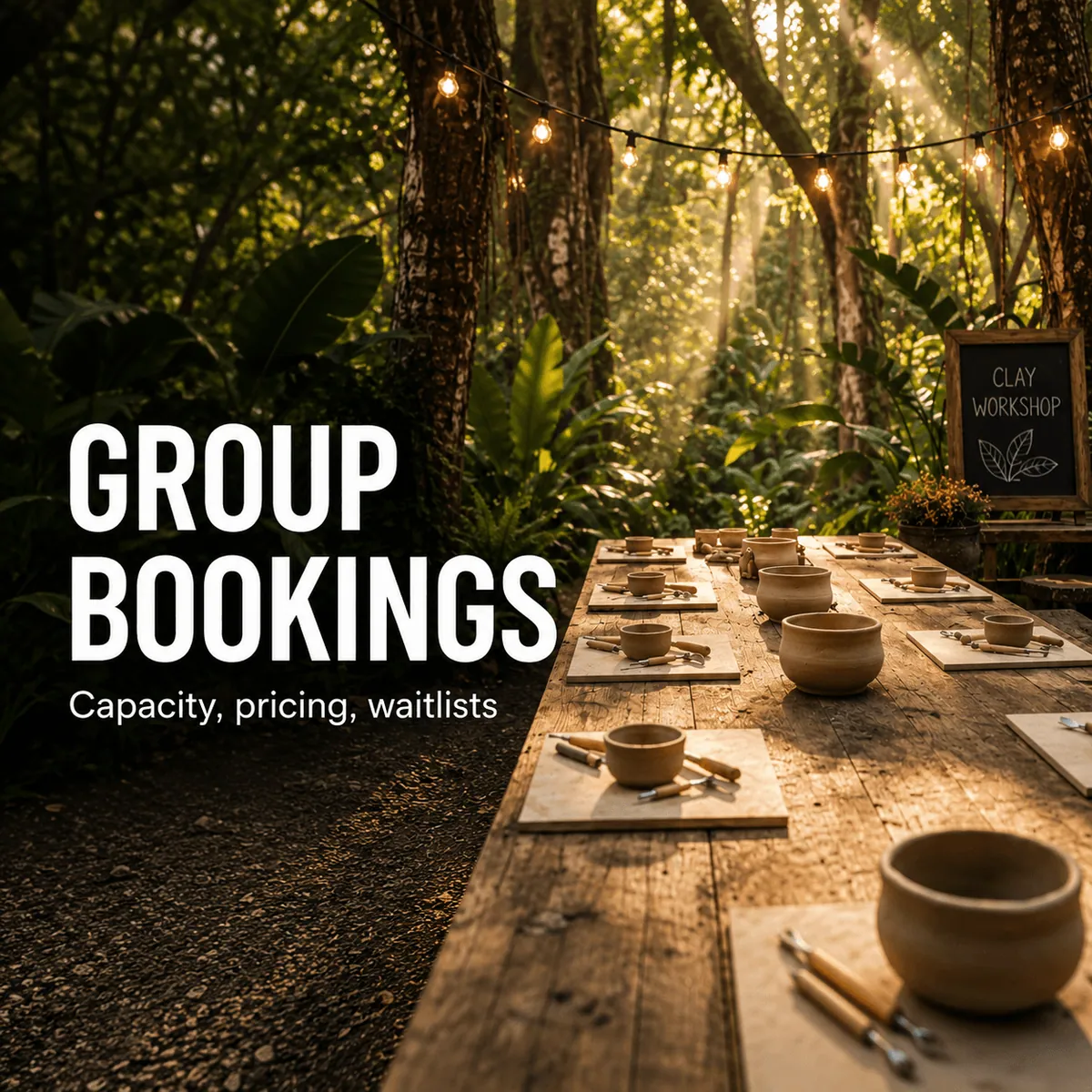
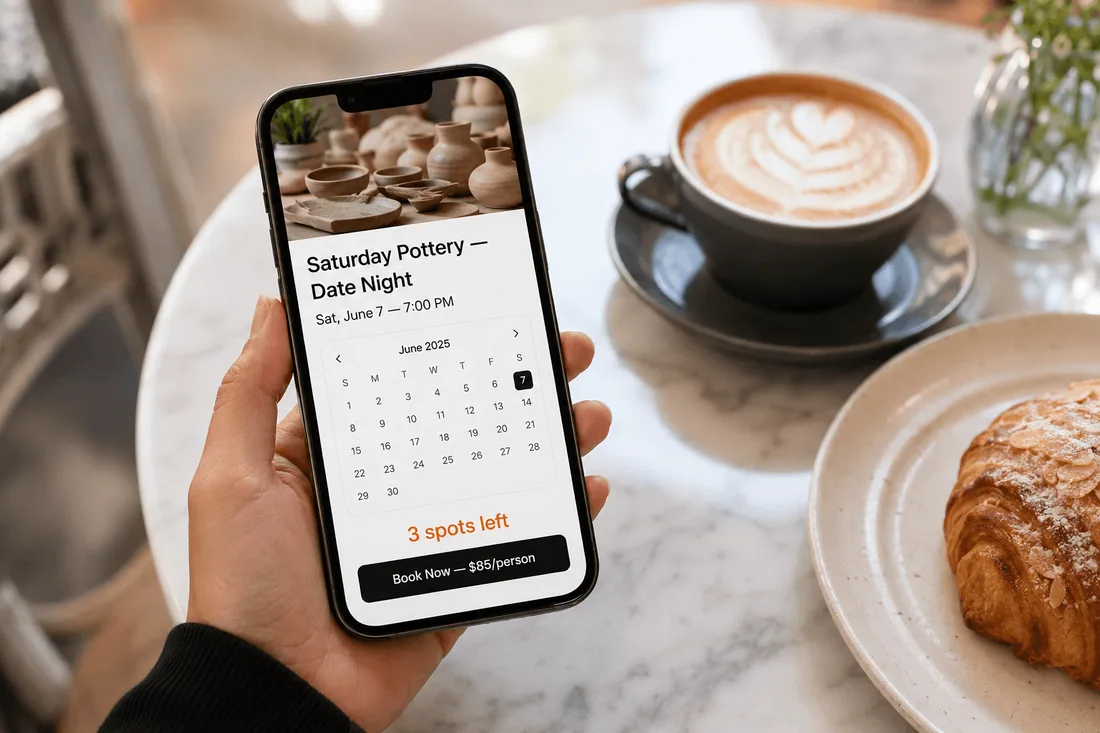
A pottery studio in Portland offers a Friday night "Date Night Clay" class for couples. Capacity: 6 couples (12 people). Price: $85 per person. The class books out every week by Tuesday. Three people are always on the waitlist. And every Saturday morning, the owner wakes up to $1,020 in revenue from a single 2-hour time slot she didn't have to think about.
Group bookings are different from one-on-one appointments. The math is better (12 paying customers in the same time slot vs. 1), the demand is spikier (a class either fills or it doesn't), and the logistics are more complex (what happens when 8 of 12 spots are filled and someone wants to book for a group of 6?). Most Shopify merchants set up group bookings wrong because they treat them like regular appointments with a higher number. They're not. They need capacity caps, minimum participant thresholds, per-person pricing, waitlist management, and overflow strategies.
This article covers how to set up group bookings properly on Shopify, the three capacity models that matter, how to price group services for maximum revenue, and how to build a waitlist that actually fills cancellations.
Why group bookings are the highest-leverage revenue model for service businesses
One-on-one appointments trade time for money at a fixed ratio. One hour, one client, one payment. Group bookings break that ratio.
A yoga instructor charging $25 per class with 15 students earns $375 in the same hour she'd earn $85 from a private session. A cooking class charging $75 per person with 8 participants generates $600 in 2 hours. A guided kayak tour at $55 per person with 10 paddlers brings in $550 for a half-day trip. The instructor's time is the same whether 1 person or 15 people are in the room.
This is why group bookings are the single highest-leverage change a service business can make. You're not working more hours. You're earning more per hour.
But the economics only work if capacity is managed correctly. An 8-person pottery class with 3 people in it loses money (you still need the clay, the kiln time, and the instructor). A 20-person fitness class with 25 people in it creates a bad experience and generates complaints. And a class that books out with no waitlist leaves money and data on the table.
The three numbers that matter for group bookings: the minimum number of participants below which the class doesn't run (or doesn't break even), the maximum capacity above which the experience degrades, and the waitlist depth that tells you whether to add another session.
Three group booking models (and which one fits your business)
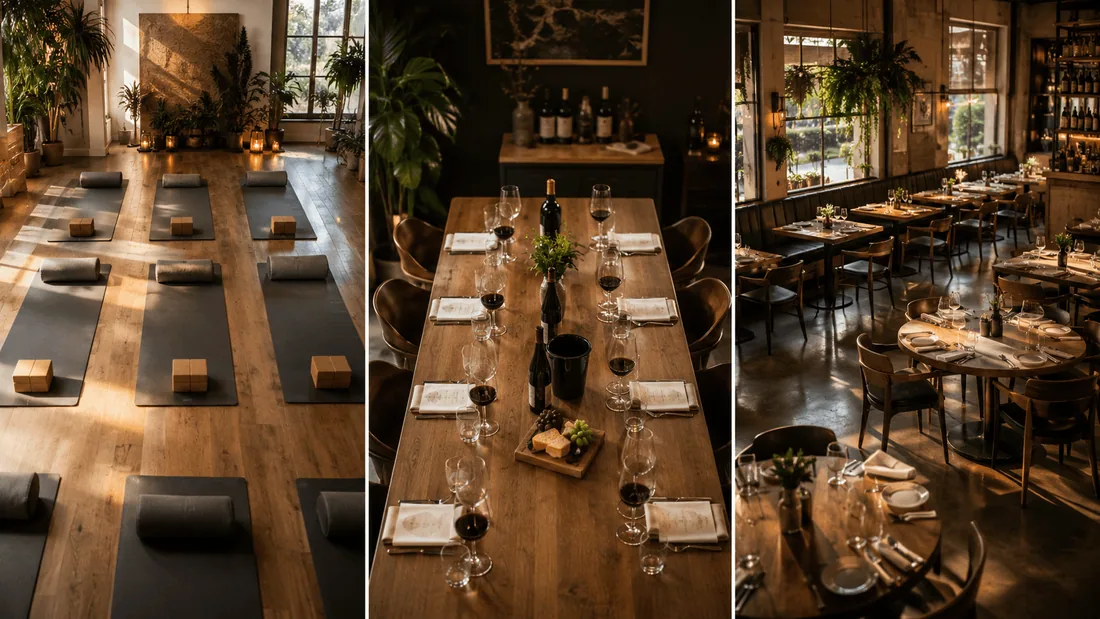
Not every group booking works the same way. There are three distinct models, and each requires different capacity settings.
Model 1: Open enrollment (multiple individuals, shared slot)
This is the yoga class model. You open a time slot with a capacity of 15. Individual customers book one (or sometimes two) spots each. Multiple independent bookings fill the same slot. When it hits 15, the slot closes.
Who uses this: Yoga studios, fitness classes, cooking workshops, art classes, guided tours, group meditation, wine tastings, open pottery sessions.
Key settings:
Capacity per slot (e.g., 15 people max)
Per-person pricing (each individual pays the class price)
Count bookings by timeslot (not by day)
No minimum participant requirement (or a low one, like 3)
The risk: The class runs with 2 people and you lose money. The fix: set a minimum participant threshold and auto-cancel or notify if the minimum isn't met 48 hours before the session.
Model 2: Private group (one reservation blocks the slot)
This is the private dining model. A birthday party books a Saturday 7pm slot for 8 people. Once they book, nobody else can book that same slot, even if the room holds 20. The slot belongs to that one group.
Who uses this: Private dining rooms, escape rooms, private yoga sessions, VIP salon parties, private cooking classes, team-building events, private tours, event spaces.
Key settings:
Quantity selector (customer chooses group size, e.g., 5 to 12 people)
Minimum and maximum group size enforced
One reservation per slot (slot blocks after first booking)
Per-person pricing or flat-rate pricing
The risk: A group of 5 books a room that holds 12, and you leave 7 empty spots worth of revenue on the table. The fix: set a minimum group size that covers your break-even, or use tiered pricing (flat rate for groups under 8, per-person for 8+).
Model 3: Hybrid (limited groups, shared slot)
This is the restaurant reservation model. You have 4 tables in your tasting room, each seating 2 to 6 people. Multiple groups can book the same time slot, but once 4 groups have booked, the slot is full, regardless of total headcount.
Who uses this: Restaurants, tasting rooms, co-working spaces, shared workshop tables, group therapy sessions.
Key settings:
Capacity counted by number of bookings (not by total headcount)
Maximum bookings per slot (e.g., 4 groups)
Each group can select their party size
Slot closes when booking count (not participant count) hits the cap
The risk: Four groups of 2 book your tasting room, and you have 8 people in a space designed for 24. Technically full, actually empty. The fix: combine a minimum group size with a booking cap, or set a per-slot headcount alongside the booking count.
How to configure capacity and group size limits on Shopify
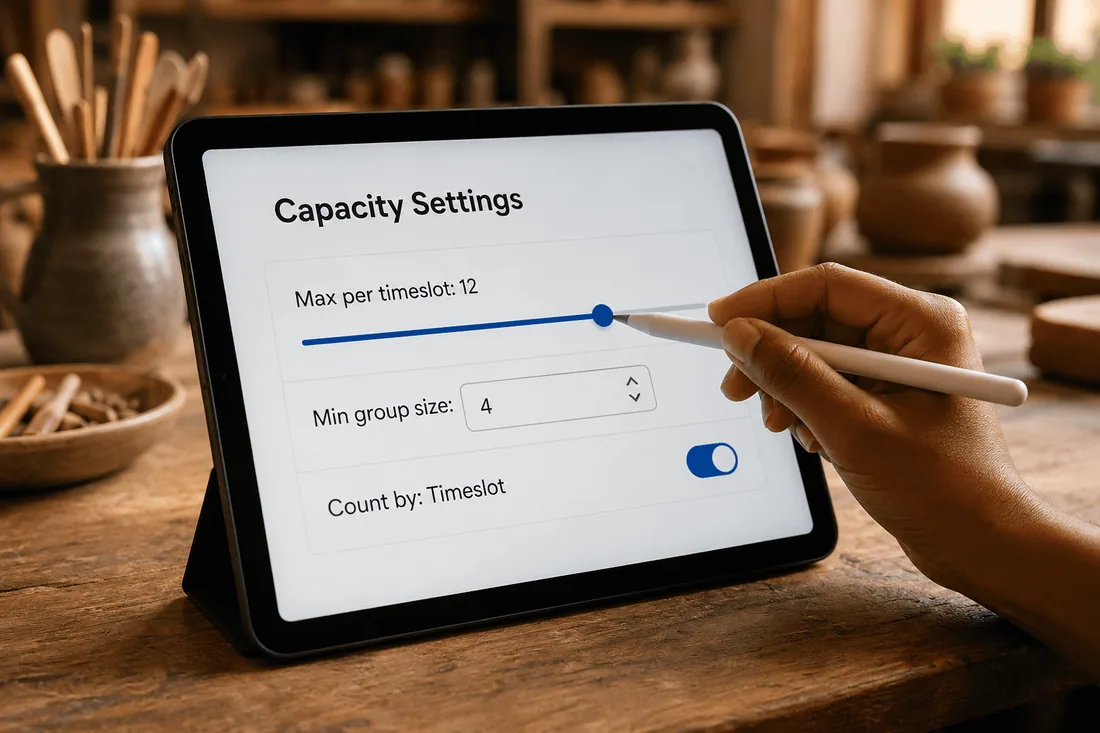
This is where most merchants get confused. There are three distinct capacity controls, and they interact with each other. Understanding what each one does prevents the two most common mistakes: overbooking (setting capacity too high) and underutilization (blocking a slot after one small booking when you have room for more).
Control 1: Booking limit per timeslot
This is the maximum number of individual bookings allowed per time slot. For a yoga class with 15 spots, set this to 15. For a private escape room, set this to 1 (one booking blocks the slot). In Cowlendar, this is configured in the service settings under the availability or limits section.
When to use it: Every group booking setup needs this. It's the ceiling.
Control 2: Quantity on Service (minimum and maximum group size)
This controls how many people one booking can include. The customer sees a quantity selector during booking. Set a minimum (e.g., 2 people) and a maximum (e.g., 12 people). The customer can't book for fewer than the minimum or more than the maximum.
When to use it: Private events, group dining, team-building activities, or any service where one person books for a group. In Cowlendar, this is configured in the Quantity on Service section (available on paid plans).
Control 3: Count bookings by Timeslot vs. Day
This determines whether the booking limit applies per individual time slot or across the entire day. For classes (where each slot is independent), use "by Timeslot." For a service where you can only handle a total number per day regardless of time (e.g., a photographer who can shoot 3 sessions per day), use "by Day."
When to use it: Almost always set to "by Timeslot" for group bookings. The "by Day" option is for daily capacity limits, not per-session capacity.
How these three controls combine
Here's the cheat sheet for each model:
Model | Booking limit per slot | Quantity on Service | Count by |
|---|---|---|---|
Open enrollment (yoga class, 15 max) | 15 | Not needed (each booking = 1 person) | Timeslot |
Private group (escape room, 1 group of 4-10) | 1 | Min: 4, Max: 10 | Timeslot |
Hybrid (restaurant, 4 tables of 2-6) | 4 | Min: 2, Max: 6 | Timeslot |
The private group model is the one most merchants struggle with. The trick: set the Booking limit per timeslot to 1, the Quantity on Service to your min/max group size, and Count bookings by to Timeslot. Cowlendar documents this exact configuration for private events, table reservations, and VIP experiences. This feature is available on the Ultra plan.
How to set up group bookings on Shopify, step by step

This walkthrough sets up three group booking services for a multi-service business: an open-enrollment pottery class, a private wine tasting, and a hybrid restaurant reservation. It uses Cowlendar as the booking app.
Service 1: Open-enrollment pottery class (Model 1)
Step 1: Create the Shopify product. "Friday Night Pottery — Date Night Clay" at $85 per person. Add a description that includes capacity info: "Max 12 participants. Minimum 4 to run the class."
Step 2: Link the product to a Cowlendar service. In Apps, open Cowlendar, go to My Services, create a new service linked to this product.
Step 3: Set the availability. Friday 7:00pm to 9:00pm. Duration: 2 hours. Buffer time: 30 minutes after (for cleanup).
Step 4: Set the booking limit per timeslot to 12. This means up to 12 individual bookings can fill the same Friday 7pm slot. Each booking is one person paying $85.
Step 5: Set a minimum participant threshold. Configure the minimum number of participants to 4. If fewer than 4 people book, you'll know by your notification deadline to either promote harder or cancel and notify.
Step 6: Add custom intake questions. "Any allergies or sensitivities to clay materials?" (text field). "Have you taken a pottery class before?" (dropdown: Yes / No).
Service 2: Private wine tasting (Model 2)
Step 1: Create the Shopify product. "Private Wine Tasting Experience" at $65 per person. Description: "Book a private tasting for 4 to 10 guests. Your group gets the full tasting room."
Step 2: Link the product to a Cowlendar service.
Step 3: Set the availability. Saturday and Sunday, 2:00pm and 5:00pm (two slots per day). Duration: 2.5 hours. Buffer: 30 minutes.
Step 4: Configure the private group settings. Set the booking limit per timeslot to 1 (one group per slot). In the Quantity on Service section, set Minimum: 4, Maximum: 10. Set Count bookings by: Timeslot. This means one group selects how many guests they're bringing (between 4 and 10), and that single booking blocks the entire slot.
Step 5: Set the pricing. With Quantity on Service, the customer selects "6 guests" and the checkout calculates 6 × $65 = $390 automatically through Shopify checkout.
Step 6: Add upsells. In the Payments tab (Elite plan), add upsell products: "Premium Wine Flight Upgrade (+$20/person)" and "Charcuterie Board (+$45)." These appear at the confirmation page.
Service 3: Restaurant group reservations (Model 3)
Step 1: Create the Shopify product. "Dinner Reservation" at $0 (free booking, no checkout). Or at a deposit price if you collect deposits for large parties.
Step 2: Link and set availability. Tuesday through Saturday, slots every 30 minutes from 5:30pm to 9:00pm. Duration: 2 hours.
Step 3: Configure the hybrid capacity. Booking limit per timeslot: 6 (you can seat 6 parties at once). Quantity on Service: Min 1, Max 8 (party sizes from 1 to 8). Count bookings by: Timeslot.
Step 4: Add intake questions. "Any dietary restrictions?" (multiline text). "Is this a special occasion?" (dropdown: Birthday / Anniversary / Business dinner / Just dinner). "High chair needed?" (checkbox).
Best Shopify booking apps for group bookings
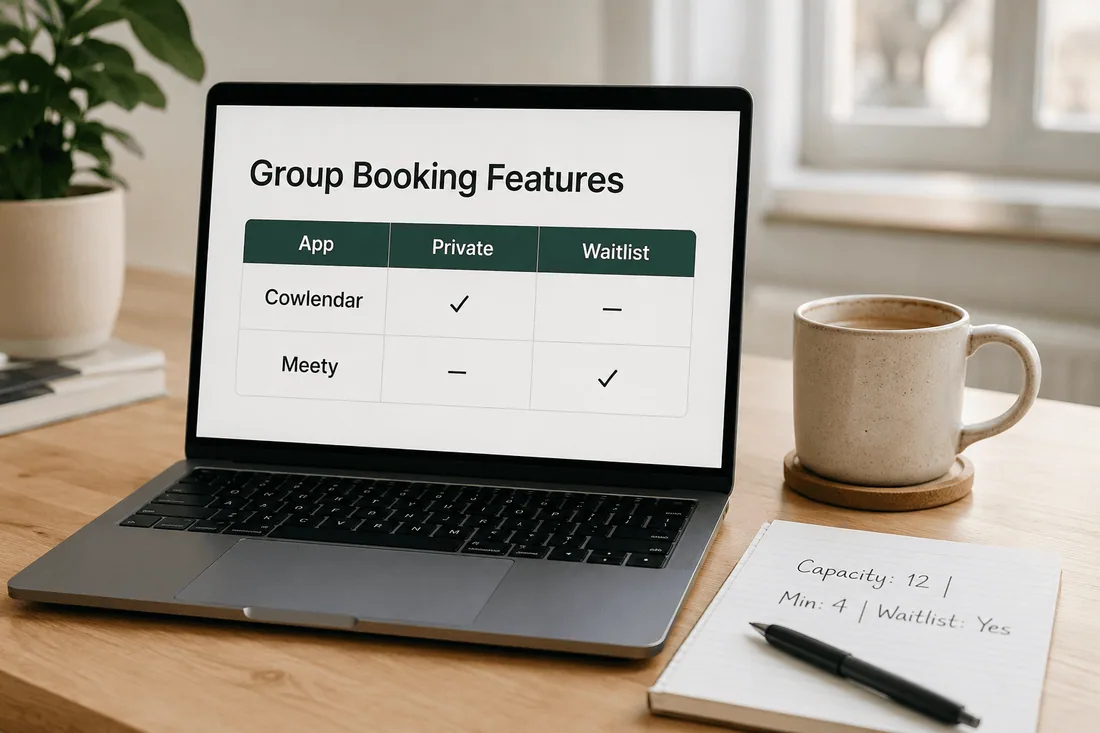
1. Cowlendar: most flexible group booking configuration
Cowlendar stands out for group bookings because of how its three capacity controls combine. You can build open enrollment classes, private group exclusivity, and hybrid reservation models using the same app. The combination of Booking limit per timeslot, Quantity on Service (with min/max), and Count bookings by (Timeslot vs. Day) creates more configuration options than any other Shopify booking app in this category.
Group booking features:
Booking limit per timeslot (capacity cap, free plan)
Quantity on Service with min/max group size (paid plans)
One reservation per slot for private groups (Ultra plan)
Count bookings by Timeslot or Day
Upsells at confirmation (Elite plan)
Waitlist (documented in help center)
Custom intake questions per service
Best for: Any business running group experiences: workshops, classes, tours, tasting rooms, private events, fitness studios.
Pricing: Free; Pro $13.99/mo; Elite $25.99/mo; Ultra $39.99/mo.
Shopify App Store: apps.shopify.com/cowlendar
2. Meety: best for waitlist-heavy group classes
Meety's automated waitlist feature is the differentiator. When a class fills to capacity, customers can join the waitlist. If someone cancels, the next person on the waitlist is automatically promoted and notified. For businesses where classes routinely book out (fitness studios, popular workshops), this automation prevents manual follow-up.
Group booking features:
Group booking with capacity limits
Automated waitlist with promotion
Subscriptions and bundle bookings
Deposits
Customer portal for rescheduling
Best for: Fitness studios, recurring workshops, and any business where waitlist management is a weekly task.
Pricing: Free; paid plans from $14/mo.
Shopify App Store: apps.shopify.com/meety-appointment-booking
3. BookThatApp: best for resource-heavy group experiences
BookThatApp excels when group bookings involve assigning specific resources (equipment, rooms, vehicles) alongside the capacity cap. A kayak tour company that needs to assign 10 kayaks to a 10-person group, or a pottery studio that needs to allocate 12 potter's wheels, benefits from BTA's inventory-aware booking.
Group booking features:
Capacity per resource with inventory tracking
Add-on products with stock awareness
Multi-day group experiences
Deposit and security bond support
Series registration for multi-session workshops
Best for: Tour operators, rental businesses with shared equipment, and multi-session workshop providers.
Pricing: Free (10 bookings/mo); paid from $25 to $110/mo (volume-based).
Shopify App Store: apps.shopify.com/bookthatapp
4. Easy Appointment Booking: best for group booking packs
If your business sells class packs (e.g., "10-Class Pottery Pass"), Easy Appointment Booking handles pre-paid booking packs natively. Combined with group event capacity, this lets customers buy a 10-class pass and book individual sessions in classes with capacity limits.
Group booking features:
Group events with capacity control
Native booking pack / class pass support
Multilingual booking interface
Team portal for staff
Best for: Studios selling multi-class passes alongside group capacity management.
Pricing: Free; Standard $15/mo; Pro $29/mo; Pro Plus $39/mo.
Shopify App Store: apps.shopify.com/appointments-and-bookings
Comparison table
Feature | Cowlendar | Meety | BookThatApp | Easy Appt |
|---|---|---|---|---|
Per-slot capacity cap | ✅ | ✅ | ✅ | ✅ |
Min/max group size per booking | ✅ | 🟡 | ✅ | 🟡 |
One reservation per slot (private) | ✅ (Ultra) | 🟡 | 🟡 | ❌ |
Minimum participant threshold | ✅ | 🟡 | 🟡 | 🟡 |
Automated waitlist | 🟡 | ✅ | 🟡 | 🟡 |
Resource/inventory-aware booking | 🟡 | 🟡 | ✅ | ❌ |
Pre-paid class packs | ✅ (Pro) | ✅ | 🟡 | ✅ |
Upsells in booking flow | ✅ (Elite) | 🟡 | ✅ | ✅ (Pro) |
Deposits | ✅ | ✅ | ✅ | 🟡 |
Count by Timeslot vs Day | ✅ | 🟡 | 🟡 | 🟡 |
Two rows to watch: "One reservation per slot" is the private group feature, and only Cowlendar documents this explicitly with a dedicated setup guide. "Automated waitlist" with promotion is Meety's strongest differentiator for group classes that routinely fill.
Pricing and waitlist strategies that fill every slot
Capacity management without pricing strategy is half the picture. Here's what actually moves revenue for group bookings.
Set per-person pricing, not flat-rate, for open enrollment. A yoga class at $25 per person earns $375 when full (15 students) and $100 when nearly empty (4 students). A flat $300 for "the class" means you earn $300 whether 4 or 15 people show up. Per-person pricing aligns your revenue with demand. The exception: private groups, where a flat rate plus per-person above a threshold works better ("$300 for up to 6 guests, $50 per additional guest up to 12").
Use minimum participant thresholds to protect margins. If your pottery class costs $200 in materials and instructor time, and you charge $85 per person, your break-even is 3 people. Set the minimum to 4. If only 2 people book by 48 hours before the class, either: (a) email the 2 bookers to see if they know others who want to join, (b) offer to reschedule them to next week's class, or (c) run it at a loss to honor the commitment. Option (a) converts surprisingly often.
Show remaining capacity on the booking page. "3 spots left" creates urgency that "Book now" does not. Shopify product pages can display inventory counts, and since Cowlendar links to Shopify products, the "inventory" is your capacity. When the class is almost full, the remaining-spots counter does more selling than any ad.
Build a waitlist and use it as demand data, not just a backup. If your Friday pottery class has 5 people on the waitlist every week, that's not just a cancellation backup. That's a signal to add a second Friday class, or a Saturday class at the same time. The waitlist is your cheapest market research. If you consistently have 3+ people on the waitlist, you're leaving revenue on the table.
Price early-bird vs. late bookings differently. Offer 15% off for bookings made 7+ days in advance. This fills your calendar sooner (so you can plan materials and staffing) and creates a deadline effect. Late bookings pay full price, which is fair because they're getting a guaranteed spot in a class that's partly full.
Upsell at confirmation for group bookings. A wine tasting group of 8 is 8 potential upsell conversions. "Add a charcuterie board ($45)" or "Upgrade to Premium Flight ($20/person)" at the confirmation page converts at 25% to 35% for group bookings because one person in the group usually decides for everyone.
Handle the "almost full" scenario explicitly. When a class has 10 of 12 spots filled and someone tries to book for a group of 4, the booking should fail gracefully. Show a message like "Only 2 spots remaining. Book for 2, or join the waitlist and we'll notify you if more spots open." Don't silently overbook.
FAQ: group bookings on Shopify
Can I set a minimum number of people required to book a group service?
Yes. In Cowlendar, the minimum participant setting lets you require a minimum group size before a booking goes through. Set a minimum of 4 for a pottery class, and a solo customer can't book the group session. This protects your margin and ensures a viable group experience. The minimum applies at the booking level, so the customer must select at least that many participants during checkout.
How do I prevent multiple groups from booking the same private slot?
Set the booking limit per timeslot to 1, configure Quantity on Service with your desired min/max group size, and set Count bookings by to Timeslot. This combination means one group books the slot, selects their party size, and the slot closes to everyone else. Cowlendar's documentation walks through this setup specifically for private events, table reservations, and VIP experiences. This feature requires the Ultra plan.
What happens when my class is full? Can customers join a waitlist?
It depends on the app. Meety offers automated waitlist with promotion: when a spot opens, the next waitlisted customer is automatically notified. Cowlendar offers a waitlist feature documented in their help center. For apps without native waitlist, you can use a workaround: create a "Waitlist" product at $0 and use Klaviyo to notify waitlisted customers when a spot opens.
How should I price group bookings vs. private bookings?
For open enrollment (classes, workshops, tours): charge per person. For private bookings (escape rooms, private dining, VIP sessions): charge a flat base rate that covers your minimum viable group size, then per-person above that threshold. Example: "$300 for up to 6 guests, $50 per additional guest up to 12." This guarantees your break-even on the base rate while rewarding larger groups with a lower per-person cost.
Can I offer group discounts automatically on Shopify?
Yes. Use Shopify's automatic discount feature (or a discount app) to create volume-based discounts: "10% off when 6+ people book" or "15% off groups of 10+." The discount applies at checkout based on the quantity. For booking apps that use Quantity on Service, the quantity in the cart triggers the discount rule.
How do I handle cancellations in a group booking?
For open enrollment: one person cancels, their spot opens, the remaining bookings stay intact. The slot capacity increases by 1. For private groups: the entire booking cancels and the slot re-opens. In both cases, have a clear cancellation policy displayed on the booking page (e.g., "Full refund 48+ hours before. 50% refund 24-48 hours. No refund under 24 hours."). If you have a waitlist, cancellations automatically promote the next person.
Conclusion
Group bookings are the fastest way to increase revenue per hour without working more hours. But they only work when capacity, pricing, and waitlist management are configured correctly. The three models (open enrollment, private group, hybrid) each need different settings, and the most common mistake is treating a private event like an open class or vice versa. Get the three controls right (booking limit per slot, quantity min/max, count by timeslot) and the rest follows.
If you want to set up group bookings on Shopify with per-slot capacity, minimum participant thresholds, private group exclusivity, and per-person pricing, Cowlendar handles all three models natively. Here's the private group setup guide, or try it: apps.shopify.com/cowlendar
Originally published on the Cowlendar blog. This article keeps its original publication history; the page layout has been refreshed.
Originally published May 30, 2026.




 Built for Shopify


