
A massage therapist in Melbourne added three Klaviyo flows to her Shopify booking setup: a confirmation with parking directions, a 24-hour reminder, and a post-appointment follow-up asking for a review and offering 10% off the next session. No-shows dropped from 18% to 6%. Rebooking within 14 days went from 22% to 41%. And her Google review count tripled in 90 days. Total time to build: one afternoon.
Most booking businesses on Shopify stop at the default confirmation email. The customer books, gets a generic "your appointment is confirmed" message, and then hears nothing until they walk through the door. That gap between booking and appointment (and the silence after the appointment ends) is where revenue, loyalty, and reviews go to die.
This article walks you through 7 Klaviyo email flows built specifically for Shopify booking businesses using Cowlendar. Each flow includes the trigger, the timing, the content, and the exact data points you need to pull from Cowlendar into Klaviyo. By the end, you'll have a complete email automation system that runs your customer communication on autopilot.
How Cowlendar and Klaviyo work together on Shopify
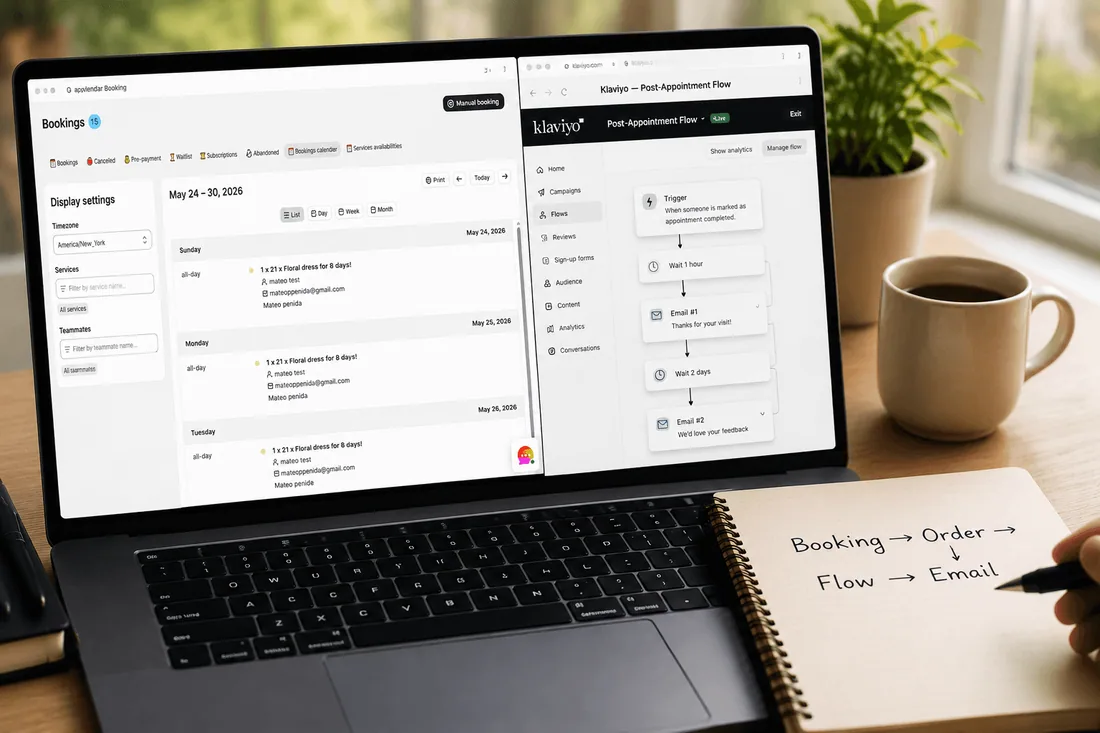
Before building flows, you need to understand the data pipeline. Here's how information moves between the three systems.
Cowlendar creates Shopify orders. When a customer books a service through Cowlendar, the booking becomes a Shopify order. The order includes line item properties that carry booking-specific data: the service name, the appointment date and time, the team member assigned, and any custom intake question responses. This is the foundation of everything.
Klaviyo syncs with Shopify automatically. Once Klaviyo is connected to your Shopify store (a one-click integration), it receives every order event in real-time. The key metric for booking businesses is "Placed Order," which fires the moment a customer completes a booking. Klaviyo captures the full order payload, including those line item properties from Cowlendar.
Cowlendar also sends its own native emails. Cowlendar has built-in email notifications: booking confirmation, reminders, and cancellation notices. You configure these per service in Cowlendar's settings. These emails are functional and reliable, but they're limited in design, segmentation, and sequencing. That's where Klaviyo comes in.
The decision: Cowlendar native emails vs. Klaviyo flows. You don't have to choose one or the other. The best setup uses both:
Cowlendar handles the transactional basics: instant booking confirmation with the appointment details, Zoom/Google Meet link, and calendar invite. These need to arrive within seconds of booking, and Cowlendar delivers them reliably.
Klaviyo handles everything that requires timing, segmentation, or design: 24-hour reminders, post-appointment follow-ups, rebooking nudges, review requests, win-back sequences, and seasonal promotions triggered by booking history.
The overlap to watch: if you enable Cowlendar's built-in reminder email AND build a 24-hour reminder flow in Klaviyo, the customer gets two reminder emails. Decide which system handles reminders and disable the duplicate. For most businesses, Klaviyo is better because you can customize the design, add upsell content, and segment by service type.
What data is available in Klaviyo from a Cowlendar booking:
Customer email, name, phone (standard Shopify customer data)
Service/product name (from the Shopify order line item)
Appointment date and time (from line item properties)
Team member assigned (if using Per Team Member mode)
Booking price and any upsell add-ons
Custom intake question responses (if passed via line item properties)
Order tags (useful for segmenting by service type)
This data is what makes the flows below possible. Without it, you'd be sending generic emails to everyone. With it, you can send "Your deep tissue massage with Sarah is tomorrow at 2pm. Here's what to bring" instead of "Reminder: you have an upcoming appointment."
The 7 email flows every booking business needs
Here's the complete email automation stack for a Shopify booking business. These flows work for salons, spas, coaches, consultants, fitness studios, pet groomers, tour operators, and any other service business on Shopify.
Flow | Trigger | Timing | Goal |
|---|---|---|---|
Booking confirmation | Placed Order (booking) | Immediate | Set expectations, reduce anxiety |
Pre-appointment reminder | Time since Placed Order | 24 hours before appointment | Reduce no-shows |
Post-appointment follow-up | Time since Fulfilled Order | 2 hours after appointment | Collect reviews, prompt rebooking |
Rebooking nudge | Time since last Placed Order | 14 days after appointment (no new booking) | Win back dormant clients |
New client welcome | First-time Placed Order | 1 hour after first booking | Build relationship, set expectations |
Subscription renewal reminder | Subscription billing event | 3 days before renewal | Reduce churn, confirm credit refresh |
Seasonal re-engagement | Date property or segment | Seasonal (e.g., every 90 days) | Reactivate cold clients |
You don't need all 7 on day one. Start with flows 1 through 4. Those four alone cover 80% of the revenue impact.
Flow 1: booking confirmation (the one you're probably doing wrong)
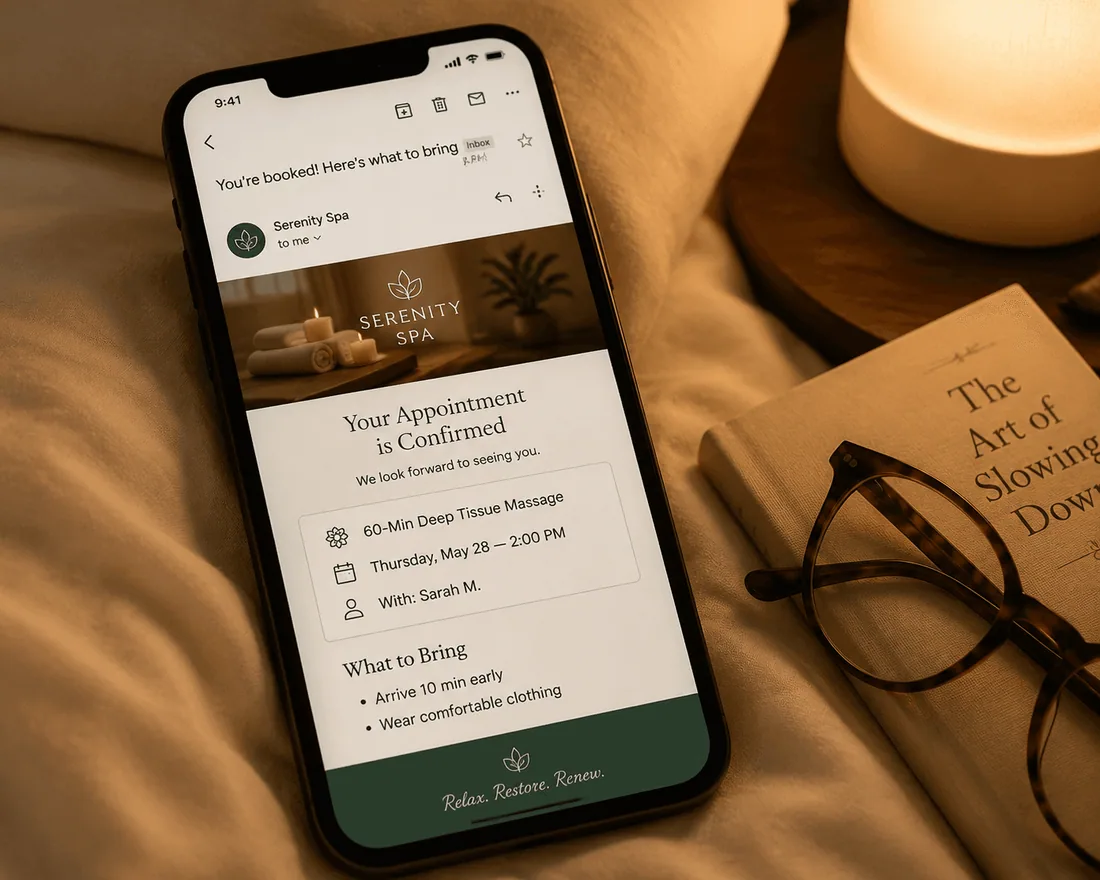
Most booking confirmations read like a bank receipt. Date, time, amount, done. That's a missed opportunity.
Trigger: Placed Order (filtered to booking products only).
Timing: Immediate (within 1 minute of booking).
Important note: If you're using Cowlendar's built-in confirmation email (which sends instantly with the calendar invite and Zoom link), you have two options. Option A: let Cowlendar handle the instant confirmation and skip this flow in Klaviyo. Option B: disable Cowlendar's confirmation email and handle everything in Klaviyo, but you'll need to include the appointment details manually. Option A is simpler and safer. Cowlendar's confirmation is optimized for speed and includes the calendar file.
If you go with Option A (recommended), use Klaviyo for a "confirmation enrichment" email sent 5 minutes after booking. This email doesn't repeat the appointment details (Cowlendar already sent those). Instead, it adds value:
What to include:
A warm, branded welcome message. Not "Your order has been confirmed." Instead: "You're booked! Here's everything you need for your session."
Preparation instructions specific to the service. For a massage: "Arrive 10 minutes early. Wear comfortable clothing. Let us know about any injuries." For a coaching call: "Review these 3 questions before our session." For a dog grooming appointment: "Bring your dog's vaccination records if it's your first visit."
Location details with a Google Maps link (for in-person) or the Zoom/Meet link (for virtual, if not already sent by Cowlendar).
Your cancellation policy, stated clearly and briefly.
A personal touch: the team member's photo and a one-line bio, if you're using Per Team Member scheduling.
What NOT to include:
A hard upsell. The customer just booked. Don't immediately try to sell them something else.
Links to 5 different social media accounts. One link max (your Instagram or Google review page).
A wall of text. Three short paragraphs and a bulleted prep list. That's it.
Subject line examples:
"You're booked! Here's what to bring to your [service name]"
"See you [day of week] at [time]. Quick prep notes inside."
"[First name], your [service name] is confirmed. One thing to know."
Flow 2: pre-appointment reminder (24 hours before)
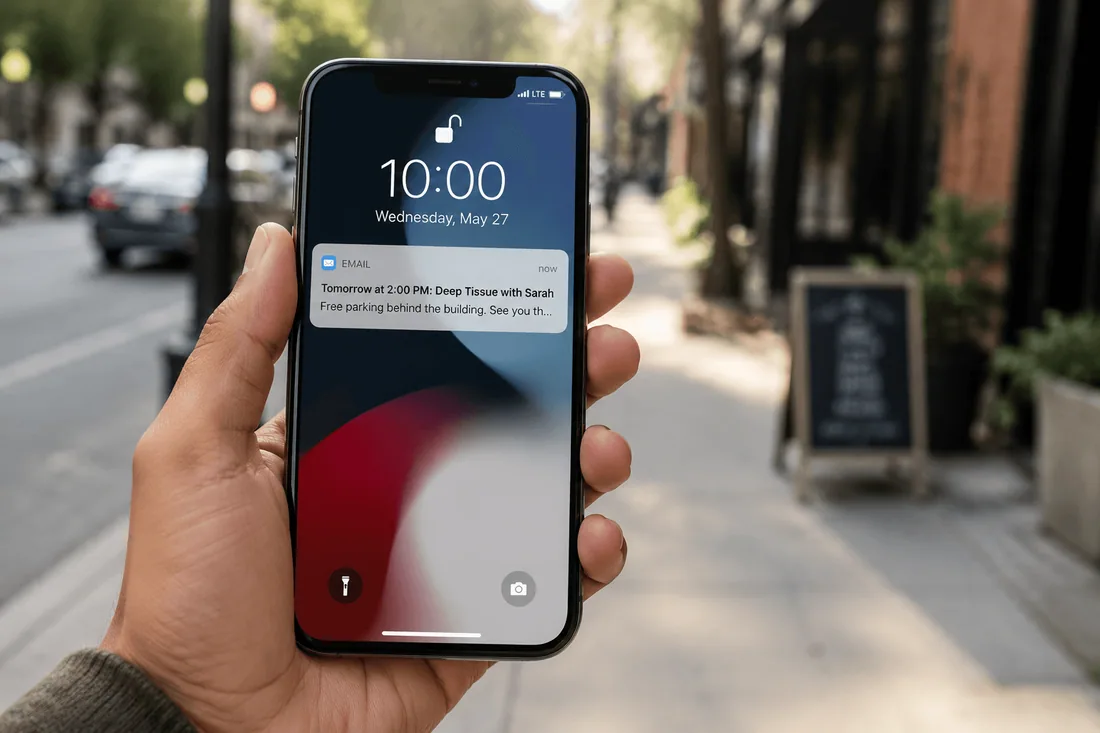
This is the highest-ROI email in the entire stack. A single reminder email reduces no-shows by 30% to 50% for most service businesses.
Trigger: Time delay from Placed Order, calculated to arrive 24 hours before the appointment.
How to calculate the timing: This requires knowing the appointment date from the order's line item properties. In Klaviyo, you can set a flow trigger based on "Placed Order" with a time delay. The simplest approach: if most of your appointments are booked 3 to 7 days out, set the delay to fire at a fixed interval and use conditional splits to catch edge cases (same-day bookings shouldn't get a "reminder" 24 hours before if the appointment is in 2 hours).
For more precise control, use Klaviyo's "Date Property" trigger based on the appointment date stored in the order's line item properties. This fires the email exactly 24 hours before the scheduled time, regardless of when the booking was made.
What to include:
The appointment details: service name, date, time, team member name.
A Google Maps link or the virtual meeting link (whichever applies).
A one-line parking or access note. "Free parking in the lot behind the building" or "Use the side entrance on Oak Street." This one detail eliminates a surprising number of support messages.
A reschedule link (not a cancel link). If they can't make it, rescheduling keeps the revenue. A cancel link makes it too easy to just bail.
The weather forecast for appointment day if you're a tour operator or outdoor business. Seriously. Tour operators who include the weather report in the reminder email see fewer cancellations because the client knows it's not going to rain.
What NOT to include:
A full recitation of your cancellation policy. You covered that in the confirmation. Here, one sentence: "Need to change your time? Reschedule here."
An upsell. Not yet. Save it for the follow-up.
Subject line examples:
"Tomorrow at [time]: your [service name] with [team member]"
"Quick reminder: [service name], [day], [time]"
"[First name], see you tomorrow! Here's the address."
Flow 3: post-appointment follow-up and review request
This flow does the work that most service businesses skip entirely: turning a completed appointment into a review, a rebooking, or both.
Trigger: Fulfilled Order (the moment you or Cowlendar marks the order as fulfilled, which should happen when the appointment is completed).
Timing: 2 hours after fulfillment. Not immediately (the client is still in transit or decompressing). Not 24 hours later (the experience is fading). Two hours is the window where the experience is fresh but the client has had time to settle.
Email 1 (2 hours after): Thank you + review request.
A genuine, short thank-you message. "Thanks for coming in today, [first name]. It was great working with you."
One question: "How was your experience?" Link to your Google Business Profile review page. Not your Shopify store reviews. Not Yelp. Google reviews move the needle for local service businesses more than anything else.
No ask for a rebooking here. That comes in a separate email. Asking for a review AND a rebooking in the same email dilutes both asks.
Email 2 (48 hours after): Rebooking prompt.
"Ready for your next [service name]? Book your next session and we'll save your preferences."
A direct link to the booking product page on your Shopify store (where Cowlendar shows the "Book Now" button).
An incentive if applicable: "Book within the next 7 days and get 10% off your next session." Use a unique Shopify discount code generated via Klaviyo's coupon block.
If you're a subscription business (monthly retainer, class membership), skip the rebooking email and instead send a "your new credits are ready" email when their subscription renews.
Email 3 (5 days after, conditional): The soft follow-up.
Only send this if the client has NOT rebooked since the appointment. Use a Klaviyo conditional split: "Has Placed Order since flow start? No → send. Yes → exit flow."
"We noticed you haven't booked your next session yet. Life gets busy. Here's a direct link whenever you're ready: [booking page link]."
No pressure. No countdown timer. No guilt. Just a reminder that the door is open.
Flow 4: rebooking nudge (the client who disappeared)
This is the win-back flow. The client came once (or a few times), and then stopped booking. The goal isn't to sell them hard. It's to stay top of mind so when they're ready, you're the first name they think of.
Trigger: Segment-based. Create a Klaviyo segment: "Has placed an order containing [booking product] at least once AND has NOT placed an order in the last 30 days."
Timing: 30 days after last booking, then 60 days, then 90 days (3-email sequence, then stop).
Email 1 (30 days): The gentle check-in.
"Hey [first name], it's been a month since your last [service name]. Everything okay? We'd love to see you again."
Direct booking link. No discount. The relationship is still warm enough that a discount would feel transactional.
Email 2 (60 days): The value reminder.
Share a relevant tip or piece of content related to their service. For a salon client: "3 ways to keep your color vibrant between appointments." For a coaching client: "The one metric you should track every week." The content demonstrates expertise and keeps you in their inbox without being salesy.
Booking link at the bottom.
Email 3 (90 days): The final nudge with incentive.
"It's been a while, [first name]. We'd love to welcome you back. Here's 15% off your next session."
A unique discount code (Klaviyo's coupon block, single-use, 30-day expiry).
After this email, stop. If three emails over 90 days don't bring them back, more emails won't either. They've moved on or their need has changed. Respect that.
Flow 5-7: the advanced trio (brief blueprints)
These three flows are for businesses that have flows 1 through 4 running and want to go deeper. Here are the blueprints.
Flow 5: New client welcome sequence
Trigger: First-time Placed Order (use Klaviyo's "Placed Order" trigger with a filter: "Number of times customer has placed order = 1").
Timing: 1 hour after first booking.
Content: What to expect on your first visit, your cancellation/reschedule policy, a brief introduction to your team, and one testimonial from a similar client. This email replaces the generic Shopify "welcome" email with something specific to your service business. The goal is to reduce first-visit anxiety, which directly reduces first-visit no-shows (which are typically 2x to 3x higher than repeat-client no-shows).
Flow 6: Subscription renewal reminder
Trigger: Subscription billing event (if using Cowlendar's subscription feature on the Ultra plan).
Timing: 3 days before the renewal date.
Content: "Your [subscription name] renews on [date]. You'll get [X] new booking credits. Here's a direct link to schedule your sessions for the month: [booking page link]." This email serves two purposes: it prevents surprise charges (which cause chargebacks and complaints), and it prompts the client to book early, which fills your calendar sooner.
Flow 7: Seasonal re-engagement campaign
Trigger: Segment-based, scheduled quarterly.
Timing: Send in January (New Year's resolution), April (spring refresh), September (back-to-routine), or whenever your business has a seasonal peak.
Content: Not a generic "we miss you." Instead: "It's [season], and we just added [new service / new team member / new time slots]. Here's what's new and a link to book." Seasonal campaigns work best when they're tied to something genuinely new, not just a calendar date.
FAQ: Klaviyo email flows for Shopify bookings
How does Klaviyo know when my appointment is scheduled, not just when it was booked?
Cowlendar stores the appointment date and time as line item properties on the Shopify order. Klaviyo ingests the full order payload including these properties. You can use Klaviyo's "Date Property" trigger to fire flows based on the actual appointment date, not the booking date. This is how the 24-hour reminder works: it triggers 24 hours before the appointment, regardless of whether the client booked 2 days or 2 weeks ago.
Should I disable Cowlendar's built-in emails if I'm using Klaviyo?
Not entirely. Keep Cowlendar's instant confirmation email active (it includes the calendar invite and Zoom link, which Klaviyo can't generate). Disable Cowlendar's reminder email if you're building a reminder flow in Klaviyo. This prevents the customer from receiving duplicate reminders. For cancellation notifications, keep Cowlendar's cancellation email active since it fires instantly when a booking is canceled, and the customer expects immediate confirmation.
What Klaviyo plan do I need for booking flows?
Klaviyo's free plan supports up to 500 contacts and 500 email sends per month with basic flows. For most solo service providers doing 50 to 100 bookings a month, the free plan works. Once you pass 500 contacts or need SMS, you'll move to a paid plan ($20+/month depending on list size). The flows described in this article work on any Klaviyo plan.
Can I send different emails based on which service was booked?
Yes. Use Klaviyo's conditional split in your flow, filtered by the line item product name. If the product is "Deep Tissue Massage", send prep email A. If it's "Swedish Massage", send prep email B. If it's "Free Consultation", skip the review request and send a rebooking-only follow-up. This is the power of Klaviyo over Cowlendar's native emails, which send the same template to every booking.
How do I avoid sending a reminder for same-day bookings?
Add a conditional split at the top of your reminder flow: "Time between event and now is greater than 24 hours." If the client booked same-day, they skip the reminder flow entirely (they don't need a reminder for an appointment in 3 hours). This prevents awkward "reminder" emails that arrive after the appointment has already happened.
Can I include the Zoom link in my Klaviyo emails?
If Cowlendar passes the Zoom link as a line item property or order note, Klaviyo can pull it into the email template via dynamic variables. However, the more reliable approach is to let Cowlendar's confirmation email handle the Zoom link (since it auto-generates the meeting), and use Klaviyo for everything that doesn't require meeting link generation.
Conclusion
The gap between a good booking business and a great one isn't the booking app. It's what happens after the booking. A confirmation that tells the client what to bring. A reminder that prevents the no-show. A follow-up that collects the review. A nudge that brings the client back 30 days later. Those four emails, automated once, generate more lifetime revenue than any social media post or paid ad campaign.
If you're running Cowlendar for booking and want to build Klaviyo flows that use real appointment data (service name, date, team member, intake responses), start with flows 1 through 4 in this guide. Cowlendar's email notification settings handle the transactional basics, and its webhook and API integrations extend the data to Klaviyo and any CRM. Try Cowlendar: apps.shopify.com/cowlendar
Originally published on the Cowlendar blog. This article keeps its original publication history; the page layout has been refreshed.
Originally published May 24, 2026.



 Built for Shopify


