
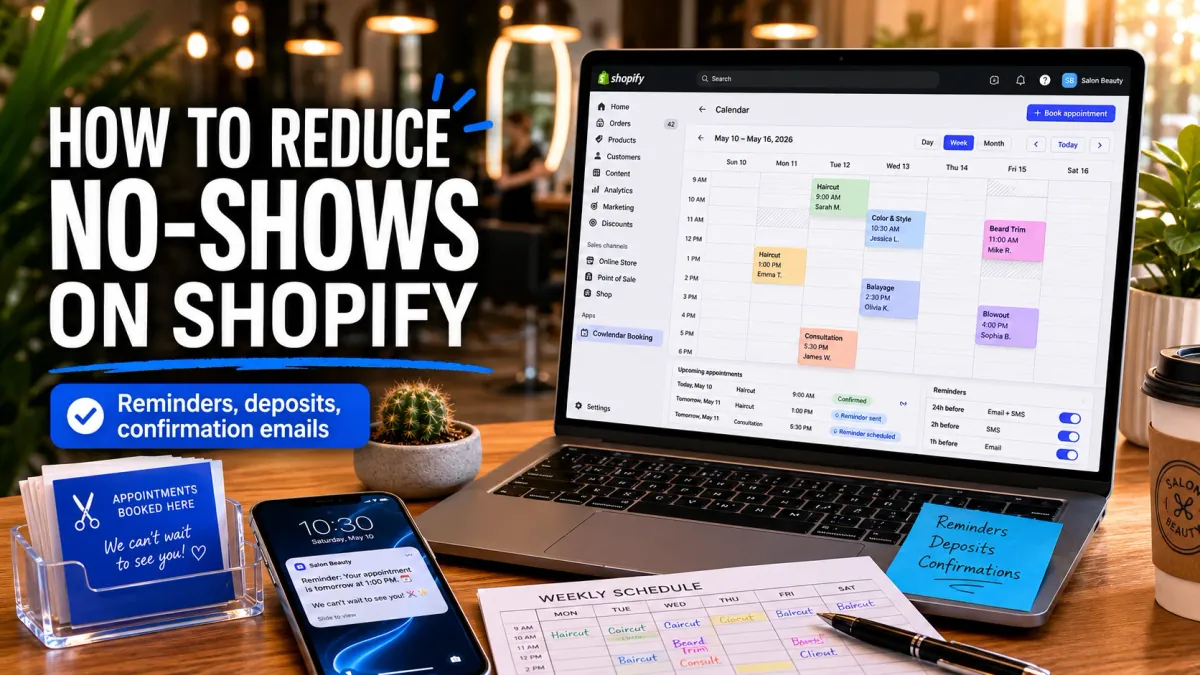
A 6-chair nail salon in Nashville was running about 70 appointments a week and losing roughly 10 of them to no-shows every single week. That's 10 empty chairs, 10 wasted prep setups, 10 clients who could have been rescheduled instead of just missing. At $65 a session, that salon was hemorrhaging $33,800 a year from no-shows alone before the owner changed three things in her booking setup. This guide covers those three settings, exactly how to configure them in Cowlendar, and the research behind why each one actually works.
Why no-shows hit service businesses harder than most
A missed appointment is different from a returned product. You can resell a product. You can't resell a Tuesday 3pm slot after the client doesn't show. The slot evaporates, and with it goes the staff cost, the room prep, and any chance you had of filling it with someone else.
Across 105 published studies, the average appointment no-show rate sits at 23%, according to BMC Health Services Research. For service businesses without any reminder or commitment system in place, rates between 15% and 30% are common. The math compounds fast. A salon with 25 weekly appointments at $65 each running a 15% no-show rate loses an estimated $31,187 per year, according to 2026 scheduling industry benchmarks. That's not a rounding error. That's a part-time employee.
The reason most no-shows happen isn't malicious. Research consistently shows that 33% of people miss appointments simply because they forgot. They booked it two weeks ago, life happened, and the slot never made it into their mental schedule for the day. The fix for forgetfulness isn't a stern policy. It's a timely reminder that arrives before the appointment, not a penalty invoice after.
Two other causes make up most of the remaining no-shows: scheduling conflicts that the client didn't resolve (often because rescheduling felt like too much effort) and low commitment to the booking itself (no money down, no real friction to just not showing up). All three causes have a corresponding tool. Reminders address forgetting. Easy rescheduling links address conflicts. Deposits address low commitment. This article covers how to configure all three.
The three settings that address no-shows directly
Three specific features in Cowlendar cover the three main causes of no-shows: forgetting (email reminders), weak commitment (deposits), and poor first impression that makes the booking feel disposable (customized confirmation emails that feel personal rather than automated).
You don't have to use all three. Most businesses start with email reminders (available from the Pro plan at $13.99/month) and see results before deciding whether to add deposits (Ultra plan, $39.99/month) for their higher-value services. The confirmation email customization is available on paid plans and worth configuring at setup, not later.
Step 1: Set up automated email reminders
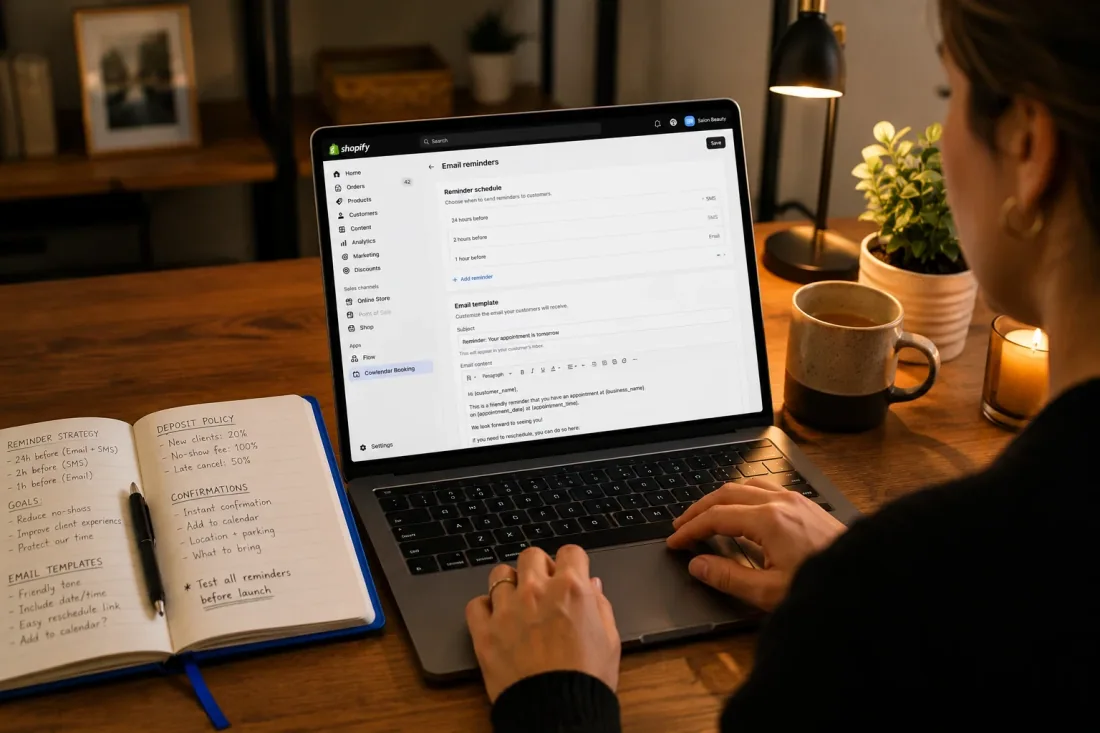
Email reminders are the single highest-return setting for no-show reduction. A study published in the American Journal of Medicine found that without any reminder, no-show rates run at 23.1%. With automated reminders, that drops to 17.3%. With staff-called reminders it drops further to 13.6%, but calling every client before every appointment doesn't scale. Automated email reminders get you most of the way there without adding any labor.
In Cowlendar, here's how to set this up:
Go to your Shopify admin, click Apps, then open Cowlendar. Navigate to Settings, then Email Settings. You'll see the option to enable automatic reminder emails for bookings. Toggle it on, then choose the timing window for how far in advance you want the reminder sent. Cowlendar lets you schedule reminders 24, 48, or 72 hours before the appointment.
The 24-hour window is the most effective for same-week bookings: close enough to feel relevant, far enough that a client who can't make it still has time to cancel or reschedule rather than just not showing up. If your typical booking lead time is several weeks (a photographer shooting a brand day, a contractor doing a kitchen consultation), a 48-hour reminder is worth stacking on top.
The reminder email includes the appointment date, time, location or Zoom link, and a link for the customer to reschedule or cancel if needed. That reschedule link is important: a client who sees the reminder and realizes they have a conflict will either cancel (freeing your slot) or reschedule (preserving the revenue). Without a reminder, they just forget and don't show.
Automated SMS reminders are available on the Ultra plan ($39.99/month) and add a second channel. SMS messages carry an open rate over 90% and are read within minutes of delivery, which is significantly higher than email. If your business books high-ticket appointments where a single no-show costs $150 or more, the math on adding SMS reminders is usually worth it. Additional SMS costs apply at approximately $0.08 per message.
For building out a more complete communication sequence around bookings (including post-appointment follow-ups and rebooking prompts), Cowlendar's guide to Klaviyo email flows for booking businesses covers the setup in detail.
Step 2: Customize your confirmation email per service
The confirmation email is the first touchpoint a client has after booking. If it reads like a generic system notification, the booking feels disposable. If it reads like the business actually knows what they booked and is looking forward to seeing them, the appointment feels more real.
Cowlendar lets you customize the confirmation email content per service rather than sending one generic template across everything. A hair salon offering both quick blowouts and 3-hour color corrections shouldn't send the same email for both: the color client probably needs prep instructions (no washing the day before, expect 3+ hours, bring something to read), while the blowout client just needs the time and address.
To customize confirmation emails per service in Cowlendar:
Go to Apps, then Cowlendar, then My Services. Open the service you want to edit and navigate to the Notifications tab. From there you can edit the body text of the confirmation email specifically for that service. Write the prep instructions, the location details (including parking if you have a tricky address), the Zoom link if it's a virtual service, and a one-line statement of your cancellation policy.
That last piece matters for no-show prevention specifically. A client who sees "Please cancel or reschedule at least 24 hours before your appointment to avoid a fee" in the confirmation email doesn't get a surprise when you enforce it. Clear expectations reduce both no-shows and disputes after the fact. A client who never saw the policy has no reason to take it seriously.
The confirmation email is also where to mention your cancellation window explicitly rather than buried in a terms page. One clean sentence, placed visibly: "Need to change your booking? Cancel or reschedule using the link in this email up to 24 hours before your appointment." That's the entire policy communication.
What you put in the confirmation email also shapes how much value the client associates with the appointment before they arrive. A generic "Your booking is confirmed. Date: X. Time: Y." is easy to forget. A personalized message that names the service they booked, reminds them what to bring, mentions the specific technician or instructor they'll be working with, and sets a clear expectation for what the session covers makes the booking feel real and worth showing up for. That's not just good customer communication. It's a no-show prevention tool built into every booking confirmation automatically.
Step 3: Add a deposit to high-value or high-risk bookings
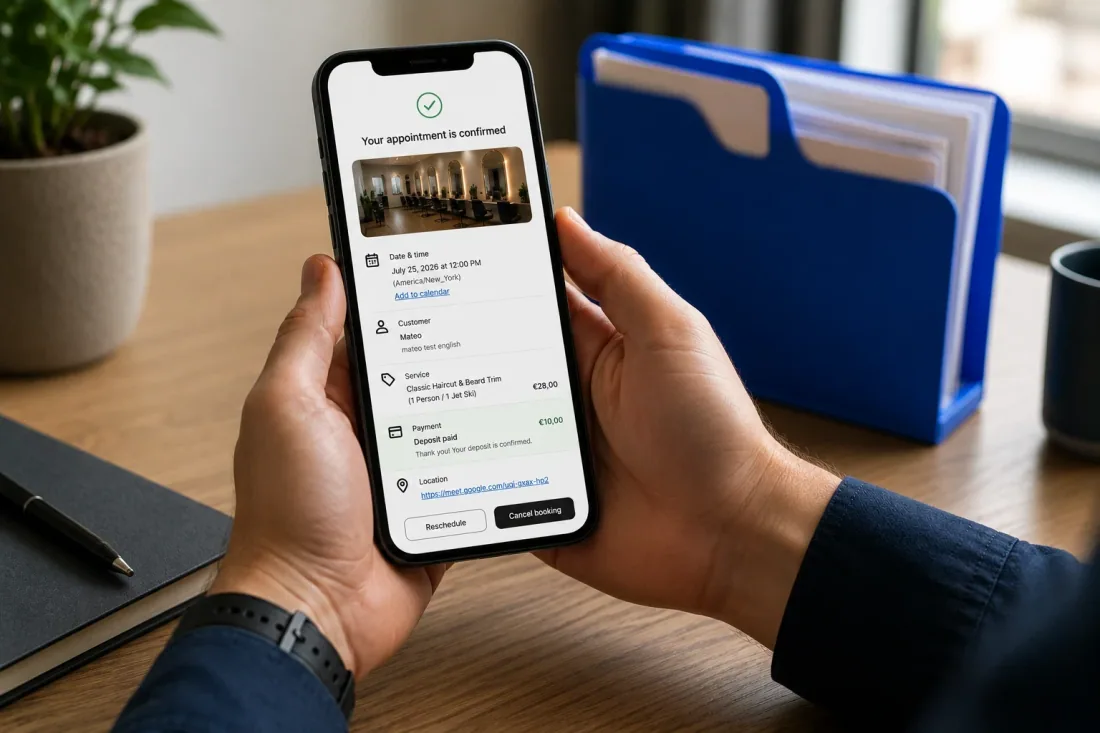
Deposits don't just protect revenue. They filter commitment. A client who has paid $30 toward a $150 session is meaningfully more likely to show up than one who hasn't. This isn't speculation: behavioral research consistently shows that pre-payment creates commitment in ways that reminders alone don't.
The case for deposits is clearest for services where the cost of a no-show is high (long sessions, specialized setups, purchased materials) and the risk of a casual booking is real. A tattoo artist who can't fill a 3-hour window on short notice has the strongest case for a non-refundable deposit. A 20-minute consultation has a weaker case, especially if the consultation leads into a paid engagement.
Cowlendar's deposit feature is on the Ultra plan ($39.99/month) and offers two structures: a flat fee (a fixed dollar amount collected at booking, for example $25 to hold the slot) or percentage-based (a portion of the total session price, typically 20% to 30%). You can also set the deposit as refundable (returned if the client cancels with sufficient notice) or non-refundable (retained regardless of when the cancellation comes in).
To add a deposit to a service in Cowlendar:
Go to Apps, then Cowlendar, then My Services. Open the service you want to configure and find the Payment and Deposit settings. Toggle on the deposit feature, select flat fee or percentage, set the amount, and choose whether it's refundable or non-refundable. Add a brief deposit explanation to the confirmation email for that service (using the per-service email customization from Step 2) so clients understand what they've paid before they arrive.
For businesses considering deposits for the first time: start with the lowest meaningful amount for your service. A $15 deposit on a $60 haircut is still a signal of commitment without being punitive. Adjust based on whether your no-show rate changes. You can always increase it, but starting high can deter genuine clients from booking in the first place.
For broader guidance on cancellation policy structure that pairs with deposit settings, Cowlendar's setup guide on cancellations and rescheduling covers the policy decisions alongside the technical setup.
One note on deposits and upsells together: some businesses use the deposit moment as a natural place to surface an add-on. When a client is already entering payment information for a deposit, the conversion rate on an in-session add-on (a product to use during the appointment, a longer session option) is higher than at any other moment. Cowlendar's guide to upselling during a booking covers this setup if you want to layer it onto the deposit flow.
What to do when someone no-shows anyway
No combination of reminders and deposits will get your no-show rate to zero. The goal is to move it from 15-20% toward 5% or below. Once the three settings are configured, a few operational habits make the remainder manageable.
Reach out within the hour. When someone doesn't show, send a brief, non-accusatory message within 60 minutes. "Hey, we had you down for [time] today. We missed you. Let us know if you'd like to reschedule." This recovers revenue that would otherwise be lost. Many no-shows are genuine logistical failures (traffic, emergencies, confusion about the time), not intentional skips, and a prompt, friendly reach-out converts a significant portion of them into rebookings.
Track your no-show rate monthly. A number you don't track doesn't improve. Divide no-shows by total booked appointments and multiply by 100. Run this calculation monthly, and tag which services or time slots generate the most no-shows. Often there's a pattern: Monday morning slots or appointments booked 6+ weeks in advance tend to underperform. Knowing which service or window is driving your no-show rate tells you where to apply deposits or tighter reminder sequences.
Adjust your cancellation window based on your actual slot fill rate. If you can consistently fill a last-minute cancellation in under 2 hours (because you have a waitlist or high inbound demand), a 12-hour cancellation window is fine. If you can't, you need 24 to 48 hours to have a realistic shot at filling the slot. Match the policy to your operational reality, not to what feels lenient.
Build in a buffer target, not a zero-no-show target. Getting from 20% no-shows to 5% is realistic with reminders and deposits combined. Getting from 5% to 0% requires interventions that will frustrate your genuine clients (overly aggressive confirmation requirements, punitive fee structures) more than they prevent the handful of remaining no-shows. Five percent is a pragmatic floor for most service businesses. If you're consistently hitting below 5%, your systems are working and you don't need to tighten them further.
Use the no-show data to rethink your booking window. If appointments booked more than 4 weeks in advance have a significantly higher no-show rate than appointments booked within the same week, you have a lead time problem. Tightening your booking window to 2 to 3 weeks out, or requiring a deposit for any booking made more than 21 days ahead, often solves this without any change to your reminder setup.
FAQ
Does Cowlendar send automatic reminder emails?
Yes, from the Pro plan ($13.99/month). You can configure the timing (24, 48, or 72 hours before the appointment) and the reminder sends automatically for every booking without any manual work. SMS reminders are available on the Ultra plan ($39.99/month) with additional per-message charges.
Which Cowlendar plan includes the deposit feature?
The deposit feature is on the Ultra plan at $39.99/month. You can set deposits as a flat fee or a percentage of the total session price, and choose whether they're refundable or non-refundable per service.
Can I customize what the booking confirmation email says?
Yes. From the paid plans, Cowlendar lets you customize the confirmation email content per service. This means your color correction clients get a different email than your blowout clients, with specific prep instructions, location details, and your cancellation policy stated clearly.
Do deposits actually reduce no-shows?
Consistently, yes. The mechanism is commitment: a client who has paid something toward their appointment is meaningfully more likely to show up or cancel in advance than one who has paid nothing. Cowlendar's own blog notes that adding deposits reduces casual bookings and protects against revenue loss, and behavioral research on pre-commitment supports the same mechanism across service industries.
How much should I charge as a deposit?
There's no universal answer, but 20% to 30% of the total session price is a common range for most service businesses. For very short, low-cost sessions (a 20-minute consultation at $40), a flat $10 deposit is usually sufficient. For long, material-intensive sessions (a 4-hour tattoo session at $400), a $80 to $120 deposit is more appropriate. Start on the lower end of what feels meaningful and adjust based on whether your no-show rate changes.
Conclusion
Three settings, one clear outcome. Automated email reminders cut no-shows by addressing forgetfulness before it costs you a slot. Customized confirmation emails make the booking feel specific and real rather than a generic calendar placeholder. Deposits add financial commitment for the sessions where a no-show is most expensive. Configure all three in Cowlendar and check your no-show rate monthly. If you're not running the Pro plan yet, the reminder setup alone typically pays for the upgrade in the first month. Install Cowlendar and configure your first service reminder before your next week of bookings starts.
Originally published on the Cowlendar blog. This article keeps its original publication history; the page layout has been refreshed.
Originally published Jun 21, 2026.



 Built for Shopify


