
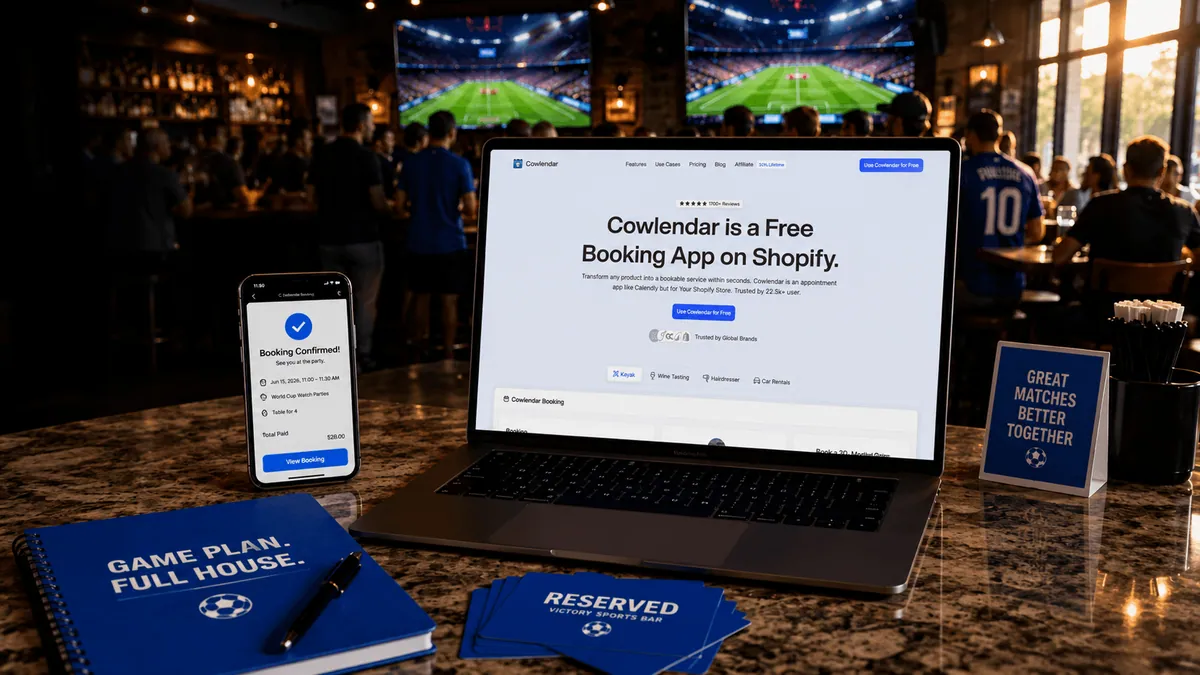
The average World Cup match lasts about 2 hours. The average watch party takes much longer to organize.
A sports bar owner in Miami might need to sell 80 seats for a USA match, reserve VIP tables for groups of six, collect deposits upfront, send reminders before kickoff, and stop accepting bookings once capacity is reached. If even one part of that process breaks, customers show up expecting seats that don't exist.
That's why many merchants are moving away from spreadsheets, manual DMs, and disconnected ticketing tools. A properly configured Shopify booking system can handle capacity limits, deposits, automated confirmations, and group reservations from a single storefront.
By the end of this guide, you'll know exactly how to set up group bookings for World Cup watch parties on Shopify, which booking apps work best, and how to avoid the mistakes that lead to oversold events.
Why Group Bookings Matter for World Cup Watch Parties
World Cup matches create demand spikes that most local businesses don't experience during a normal week.
A neighborhood sports bar might serve 120 customers on a typical Friday night. During a knockout-stage match featuring the United States, England, Mexico, Brazil, or Argentina, that number can double.
The challenge isn't attracting customers. It's managing demand without creating chaos.
Group bookings help you:
Control venue capacity.
Collect revenue before the event starts.
Reserve premium seating areas.
Forecast staffing needs.
Reduce no-shows.
Create upsell opportunities.
Consider a sports bar selling 100 seats at $25 each.
100 seats × $25 = $2,500 revenue before kickoff.
Add a VIP package for 20 guests at an extra $15 each and the same event generates another $300.
That's why capacity management matters. The goal isn't simply selling seats. It's maximizing revenue while making sure every guest gets the experience they paid for.
If you're new to capacity-based reservations, our guide on How to Offer Group Bookings on Shopify covers the broader strategy behind group event bookings.
The Biggest Challenges When Selling Watch Party Reservations
Capacity mistakes happen fast
World Cup demand can surge within hours.
A venue with 75 seats may suddenly receive 100 booking requests after a viral social media post or a local team's qualification.
Without automatic capacity controls, overselling becomes almost inevitable.
Group sizes are unpredictable
Not everyone books individually.
You might receive:
Individual reservations
Couples bookings
Tables for four
Corporate groups of ten
VIP packages
Your booking system needs flexibility to handle all of them.
Last-minute cancellations hurt revenue
The closer you get to kickoff, the harder it becomes to fill canceled seats.
Many venue operators solve this by requiring deposits or full prepayment.
Communication becomes overwhelming
Imagine manually sending reminders to 80 customers before every match.
Now multiply that across multiple group-stage fixtures.
Automated confirmations and reminders become essential.
Waitlists are often ignored
Many merchants stop taking bookings once capacity is reached.
That leaves money on the table.
A waitlist allows canceled seats to be reallocated automatically, helping maintain full occupancy.
What to Look for in a Shopify Booking App for Watch Parties
Not every booking app is designed for capacity-based events.
When evaluating options, focus on failure prevention rather than feature quantity.
Capacity controls
The system should automatically stop accepting bookings when available seats reach zero.
Manual tracking is risky during high-demand events.
Deposits and prepayments
World Cup watch parties typically perform better when guests commit financially.
A deposit can dramatically reduce no-shows.
Calendar management
Scheduling multiple matches across several weeks becomes difficult without proper calendar visibility.
If you're already struggling with calendar conflicts, see How to Fix Double Bookings with Google Calendar Sync.
Group booking support
Some apps were built primarily for one-on-one appointments.
You need software that supports multiple attendees per booking.
Upsells
Food packages, drink vouchers, merchandise bundles, and VIP seating can significantly increase average order value.
A venue selling a $12 food package to just 30% of attendees at a 100-person event generates:
100 × 30% × $12 = $360 additional revenue.
Automated reminders
Email and SMS reminders help reduce forgotten reservations and improve attendance rates.
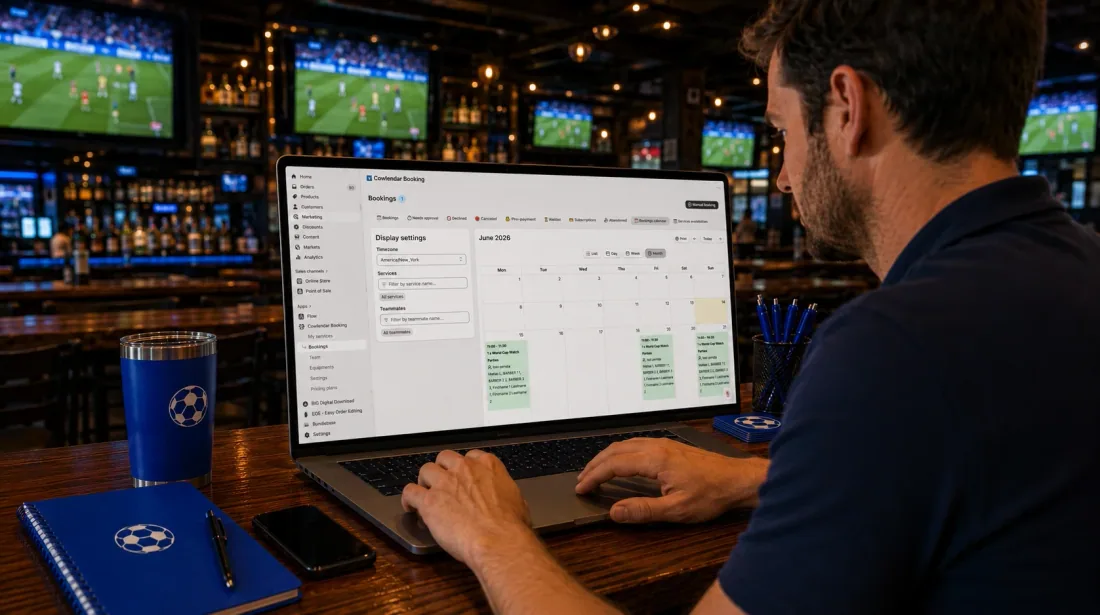
How to Set Up Group Bookings for World Cup Watch Parties on Shopify
Step 1: Create your watch party product
Inside Shopify, create a product for each event.
Examples:
USA vs England Watch Party
Argentina vs Brazil Watch Party
World Cup Final Watch Party
Treat each match as its own booking experience.
Step 2: Install a booking app
You'll need a booking app capable of managing capacity and attendee limits.
For most merchants, this is significantly easier than trying to combine ticketing software with external scheduling tools.
Step 3: Define maximum attendance
Set a clear capacity limit.
Examples:
Main viewing area: 80 seats
VIP area: 20 seats
Rooftop section: 40 seats
Once capacity is reached, bookings should close automatically.
Step 4: Enable group reservations
Allow customers to reserve multiple seats within a single booking.
This is especially important for families, friend groups, and corporate gatherings.
Step 5: Collect deposits or full payment
High-demand matches typically justify prepayment.
A refundable deposit can work for group-stage matches.
Knockout-stage events often perform better with full payment.
Step 6: Configure reminders
Automated reminders should be sent:
Immediately after booking
24 hours before kickoff
A few hours before the event
Step 7: Add upsells
Consider offering:
Drink packages
Food platters
Team merchandise
Premium seating
Reserved tables
For more ideas, see How to Upsell Add-Ons During a Shopify Booking.
If you want a visual walkthrough of a Shopify event-booking setup, the team at Learn With Shopify demonstrates several event and reservation workflows in this video:
The tutorial is particularly useful for merchants creating capacity-based event products for the first time.
Best Shopify Apps for World Cup Watch Party Bookings
Cowlendar
Cowlendar is often the most practical choice for Shopify merchants that want bookings and commerce under the same roof.
The app supports group bookings, capacity management, Google Calendar synchronization, payment collection, intake forms, and booking workflows that fit event-based businesses.
Pricing starts with a free plan, followed by paid plans beginning around $13.99/month.
Cowlendar works particularly well for restaurants, sports bars, event venues, breweries, and hospitality businesses already operating on Shopify.
Its biggest advantage is simplicity. Most merchants can launch a booking workflow without introducing multiple external tools.
Sesami
Sesami is one of the most established Shopify booking apps.
It offers strong scheduling capabilities, multi-staff management, Shopify POS integration, and advanced workflow options.
Sesami's advantage is its maturity and extensive feature set for businesses managing multiple practitioners or locations.
The tradeoff is that many event-focused merchants may find the setup more complex than necessary for straightforward watch party bookings.
Meety
Meety focuses heavily on classes, workshops, and group events.
Its waitlist functionality is particularly attractive for capacity-driven events.
Businesses running recurring community gatherings often appreciate its event-oriented design.
Some merchants report needing additional configuration when integrating more advanced commerce workflows.
BookThatApp
BookThatApp has been serving Shopify merchants for more than a decade.
Its strongest area is complex scheduling and resource allocation.
If your venue manages multiple rooms, viewing zones, equipment rentals, or VIP areas simultaneously, BookThatApp can be worth evaluating.
The learning curve is typically steeper than simpler booking platforms.
Calendly
Calendly remains one of the most recognizable scheduling platforms online.
Its strength is appointment scheduling.
The limitation is that it wasn't built as a native Shopify booking solution.
For watch party reservations involving payments, capacity management, merchandise sales, food add-ons, and customer purchases inside Shopify, most merchants eventually need additional tools.
Our article on Calendly vs a Native Shopify Booking App explores those differences in more detail.
Tips for Running Successful World Cup Watch Parties
Use tiered seating
Not every seat has equal value.
Create multiple pricing tiers:
General admission
Premium seating
VIP tables
Customers regularly pay more for guaranteed viewing positions.
Keep booking pages simple
Customers shouldn't need five minutes to reserve a seat.
Keep forms short and focused.
Create event-specific landing pages
A dedicated page for each match improves conversion rates and reduces confusion.
Promote early
Many venues begin selling reservations weeks before kickoff.
Early sales improve forecasting and cash flow.
Build a waitlist strategy
Use this checklist:
Choose a waitlist if:
Your venue frequently sells out.
You expect cancellations.
Capacity is limited.
Skip a waitlist if:
Capacity is rarely reached.
Customers can be accommodated easily.
Events have historically low demand.
Automate follow-up marketing
After the event, invite attendees back for future matches.
Many merchants connect booking data with platforms like Klaviyo to create automated campaigns.
You can learn more in Klaviyo and Cowlendar Email Flows.
FAQ
Can I sell watch party tickets directly through Shopify?
Yes. Shopify can sell event access, reservations, and seat bookings when combined with an appropriate booking application that manages capacity and attendance.
How do I prevent overselling a World Cup watch party?
Use a booking app that automatically tracks capacity and closes reservations once all available seats are booked. Manual tracking becomes risky as demand increases.
Should I require a deposit for watch party reservations?
For most venues, yes. Deposits reduce no-shows and help forecast attendance. High-demand matches often justify full prepayment.
What's the best booking app for group reservations on Shopify?
The answer depends on your business model. Cowlendar is a strong option for merchants wanting a Shopify-native booking workflow. Sesami offers extensive scheduling features, Meety focuses on events and classes, and BookThatApp excels in complex resource management scenarios.
Conclusion
World Cup watch parties create a rare opportunity to generate significant revenue from a limited number of events. The businesses that benefit most aren't necessarily the ones with the biggest venues. They're the ones with the best booking systems.
By combining capacity controls, group reservations, deposits, automated reminders, and strategic upsells, you can turn a single match into a predictable and profitable event. If you're already running your business on Shopify, Cowlendar provides a straightforward way to manage those bookings without introducing unnecessary complexity.
Originally published on the Cowlendar blog. This article keeps its original publication history; the page layout has been refreshed.
Originally published Jun 14, 2026.




 Built for Shopify


