
A business coach in Denver runs her practice across five tools: Calendly for scheduling, Stripe for payments, Squarespace for her website, Mailchimp for email, and a shared Google Sheet for client notes. Every month, a prospect books a free discovery call on Calendly, gets a Stripe payment link in a follow-up email, pays for a single session, and then (maybe) signs a retainer through a separate invoice. Each handoff is a place where clients disappear. She knows this because 40% of people who book a discovery call never complete the payment step.
The irony is that Shopify solved this problem for product businesses a decade ago. One domain, one checkout, one customer record. But coaches and consultants still treat Shopify as "that e-commerce platform" and build their service business on a patchwork of SaaS subscriptions that don't talk to each other.
This article shows you how to build your entire coaching or consulting practice on a single Shopify store: free discovery calls, paid sessions, session packages, monthly retainers, digital products, and email automation. One domain. One checkout. One customer list.
Why coaches and consultants should care about Shopify
Most coaches think of Shopify as a store for t-shirts and candles. That mental model is about five years out of date.
Shopify now powers 22,500+ service businesses through booking apps alone (Cowlendar's install base). Add Sesami, BookThatApp, Appointo, and Easy Appointment Booking, and you're looking at tens of thousands of consultants, therapists, tutors, and coaches who run their entire practice through a Shopify storefront.
Here's what changed. First, Shopify's checkout is now the highest-converting in e-commerce, with Shop Pay, Apple Pay, and Google Pay all native. When a prospect finishes a discovery call and clicks your "Book a Paid Session" link, they complete the purchase in two taps. No Stripe payment link. No redirect. No "enter your card details on this third-party page."
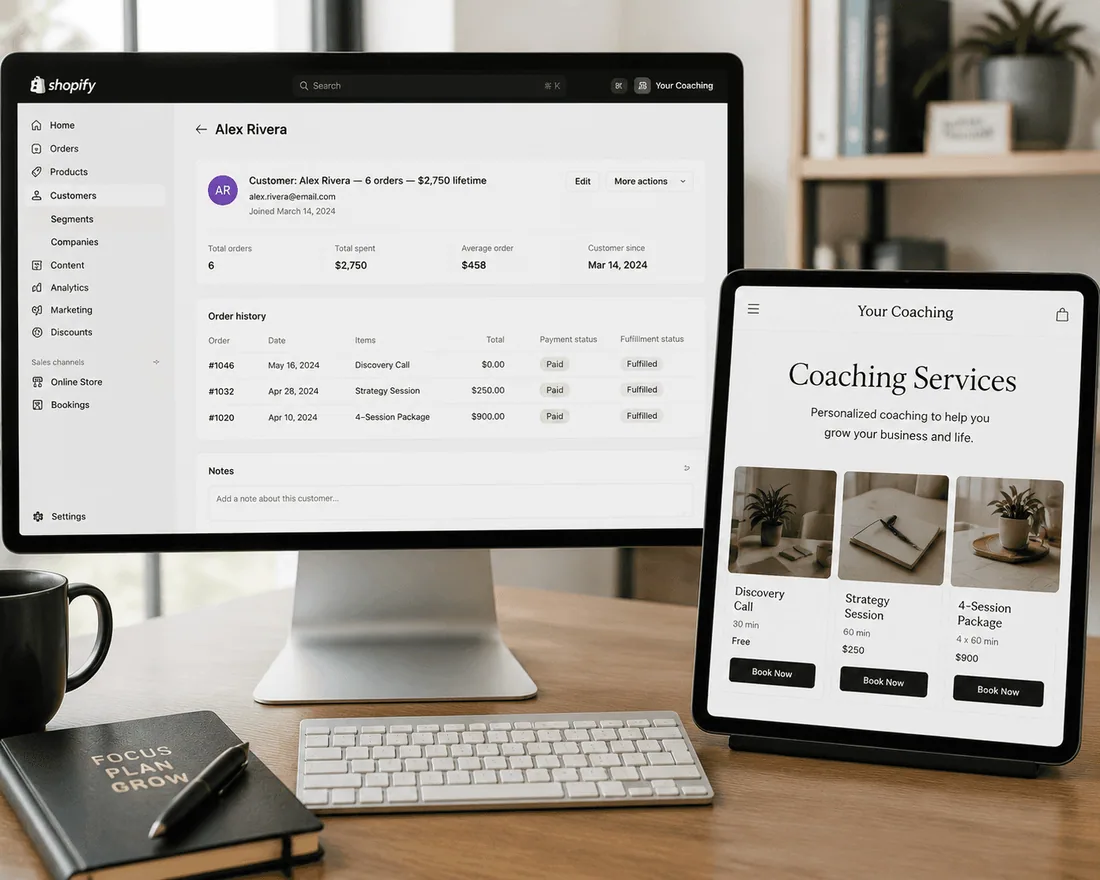
Second, Shopify customer accounts give you a single record per client. Every discovery call, every paid session, every digital download, every retainer payment lives under one profile. When that client emails you asking "what sessions have I booked?", you don't have to cross-reference Calendly and Stripe. It's all in Shopify.
Third, the app ecosystem handles everything coaches used to need separate tools for: booking (Cowlendar, Sesami), email automation (Klaviyo, Shopify Email), digital product delivery (Big Digital Downloads), reviews (Judge.me), and subscriptions for retainers (native Shopify Subscriptions, or built into the booking app itself).
The math is simple: Calendly Pro ($12/mo) + Squarespace Business ($33/mo) + Mailchimp Standard ($20/mo) + Stripe fees = $65/month before transaction fees, with no shared customer data between tools. Shopify Basic ($39/mo) + a booking app ($0 to $40/mo) = $39 to $79/month with everything under one roof and one customer list.
The real problems with the Calendly-Stripe-Squarespace stack
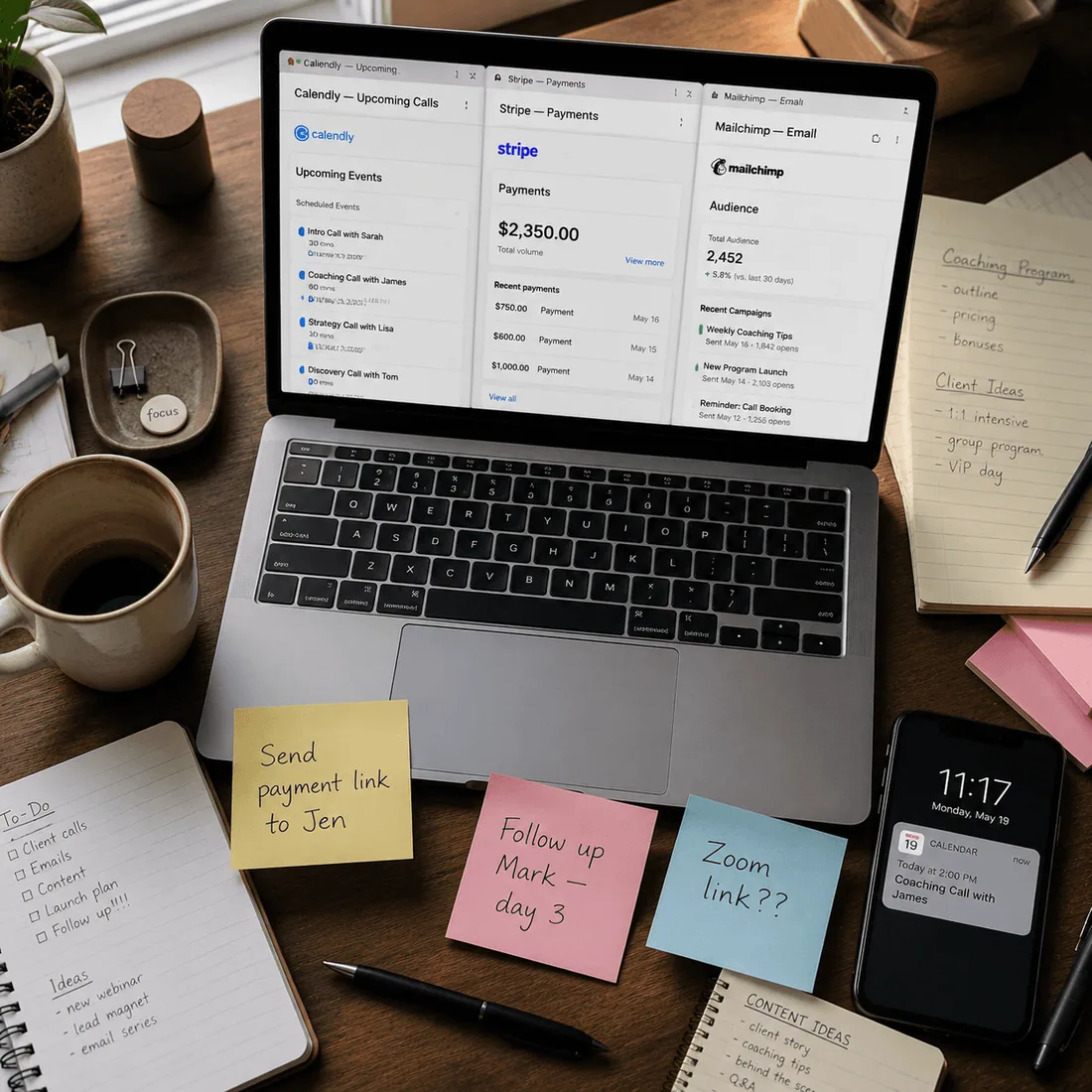
The scattered stack isn't just expensive. It actively costs you clients at every handoff point. Here are the failure modes coaches live with.
The discovery-to-payment gap. A prospect books a free 30-minute call on Calendly. The call goes well. You send them a Stripe payment link in a follow-up email. They open the email 6 hours later, get distracted, and never click. You've lost a client not because of your coaching, but because of a 6-hour gap between intent and payment. When the booking and the payment happen in the same flow (book session, select time, pay through Shopify checkout), that gap disappears.
No single client record. Your best client booked 3 discovery calls on Calendly, paid for 8 sessions through Stripe, downloaded 2 workbooks from Gumroad, and subscribed to your monthly retainer through a separate invoice. You have four separate systems with four separate records. None of them know about the others. When this client emails asking for a receipt, you're digging through three dashboards.
Calendly doesn't sell products. You wrote a 40-page playbook, recorded a 4-hour video course, and created a template pack. Calendly can't sell any of these. So you add Gumroad or Teachable. Now you have five tools, five logins, and five monthly bills.
No booking-triggered automation. When a client books a session, you want an automatic confirmation with a pre-session questionnaire, a 24-hour reminder, and a post-session follow-up with action items. Calendly sends basic reminders. But a booking-triggered email sequence that segments by service type (discovery vs. paid vs. retainer) requires Zapier connections that break when Calendly updates their API.
Your brand lives on someone else's domain. Calendly.com/yourname is not your domain. Squarespace.com is your domain, but the booking happens on Calendly. The payment happens on Stripe. The client's experience is three different interfaces with three different visual identities. On Shopify, the booking widget sits on your product page, on your domain, in your brand. The client never leaves.
What a coaching practice needs from a booking system
Not every booking app fits a coaching business. Salons need multi-staff scheduling. Tour operators need multi-day calendars. Coaches and consultants need a different set of features. Here's the actual checklist.
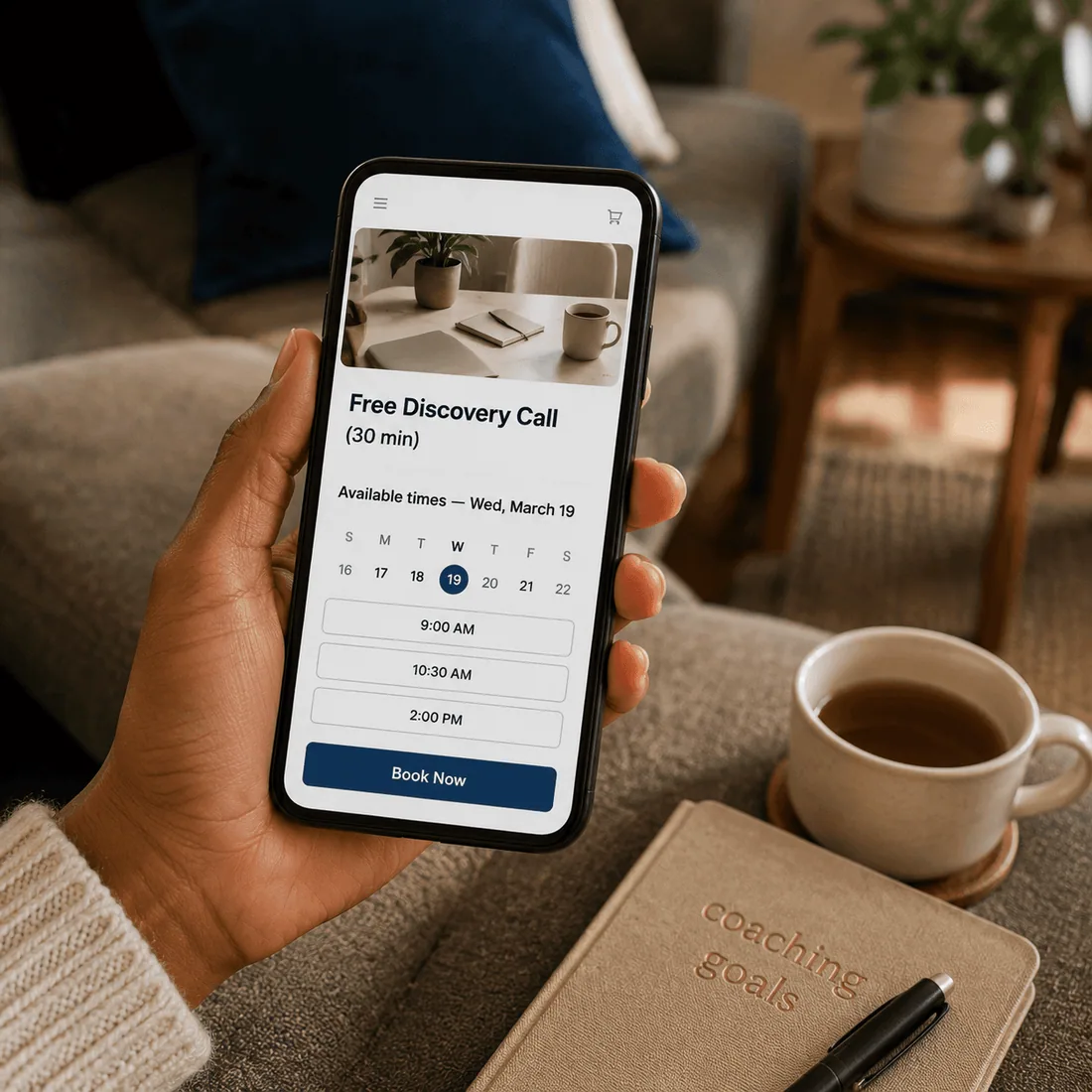
Free bookings (no checkout). Discovery calls and intro sessions must be bookable without going through a payment flow. The client picks a time and confirms. No cart, no checkout, no credit card. If the booking app forces payment on every service, it's not built for coaches.
Paid bookings with Shopify checkout. Single sessions, strategy calls, and VIP days need to flow through Shopify's native checkout with real payment processing. Not a third-party payment link. Not a redirect to Stripe.
Virtual meeting integration. Zoom or Google Meet links should generate automatically when a booking is confirmed. The client gets the link in their confirmation email without you manually creating a meeting and pasting a URL.
Custom intake questions. Before a discovery call, you need to ask: "What's your biggest business challenge right now?" "What have you tried so far?" "What's your revenue range?" These answers let you show up prepared instead of spending the first 10 minutes on intake. The booking form should support text fields, dropdowns, checkboxes, and multiline responses.
Subscription or retainer billing. Monthly retainers are the lifeblood of a consulting practice. The system should handle recurring billing with a set number of session credits per cycle (e.g., 4 sessions per month, billed monthly, 3-month minimum commitment). Clients should be able to pause or cancel from their account.
Deposits and pre-payment. For high-ticket VIP days or intensive sessions, you need to collect a deposit at booking and the balance later, or collect full pre-payment upfront. The system should support both.
Buffer time between sessions. Back-to-back coaching calls without a break is a fast track to burnout. The system should automatically block 15 to 30 minutes between bookings for notes, breaks, and transitions.
Two-way calendar sync. If you block personal time on Google Calendar, the booking system should reflect that as unavailable. And bookings should push back to your calendar automatically. Two-way, not one-way.
How to set up your coaching business on Shopify, step by step
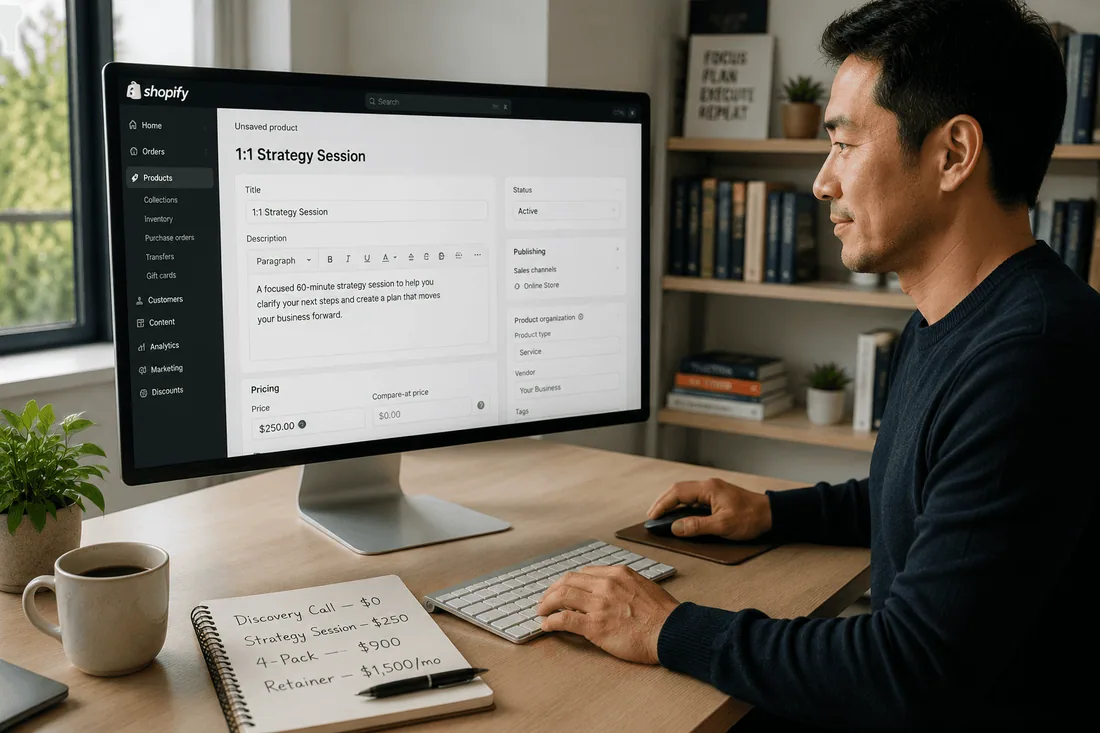
This walkthrough builds a complete coaching practice with four service tiers: free discovery call, single paid session, 4-session package, and monthly retainer. It uses Cowlendar as the booking layer because it supports free bookings (no checkout), Zoom/Google Meet integration, subscriptions, bundles, deposits, custom questions, and upsells natively.
Step 1: Create your Shopify products.
Create four products in your Shopify admin:
"Free Discovery Call (30 min)" — price: $0. Mark as digital/service, no shipping.
"1:1 Strategy Session (60 min)" — price: $250. Your single-session rate.
"4-Session Coaching Package" — price: $900. A bundle at a discount vs. 4x singles.
"Monthly Coaching Retainer" — price: $0 (the subscription handles the billing). This product is the container for the retainer; Cowlendar's subscription feature sets the actual price and billing.
Each product page is a landing page. Write it like a sales page, not a product listing. "What you get", "Who this is for", "What to expect", testimonials if you have them.
Step 2: Install Cowlendar and link each product to a service.
In Apps, open Cowlendar, go to My Services, and create a service for each product. Link each service to its corresponding Shopify product. Cowlendar replaces the "Add to Cart" button with a "Book Now" button on each product page.
For the discovery call, set the service to bypass checkout (Cowlendar supports instant booking with no checkout). The client picks a time and confirms, no payment required.
Step 3: Set your availability and buffer time.
Set your coaching hours: Tuesday through Thursday, 9am to 4pm. Add 15 minutes of buffer time between sessions. This means if a client books 9:00 to 10:00, the next available slot starts at 10:15. You get time to write notes, refill your coffee, and reset.
Step 4: Connect Zoom or Google Meet.
In Cowlendar's settings, connect your Zoom account (or use Google Meet). When a client books any service, the confirmation email automatically includes the meeting link. No manual meeting creation, no copy-paste URLs.
Step 5: Add custom intake questions.
For the discovery call, add these questions to the booking form:
"What's your biggest business challenge right now?" (multiline text)
"What's your current monthly revenue range?" (dropdown: Under $5K / $5K-$20K / $20K-$50K / $50K+)
"Have you worked with a coach before?" (checkbox: Yes / No)
"Anything else I should know before our call?" (multiline text)
These answers arrive in the booking confirmation, so you walk into every discovery call prepared.
Step 6: Set up the 4-session package as a Bundle service.
In Cowlendar, create a Bundle service (Pro plan) for the 4-session package. Add four time slots that the client selects during booking. Set "Fixed number of slots" so the client must book all four sessions at purchase. The booking widget preselects available times, and the client confirms the full schedule in one transaction.
Alternatively, if you want clients to book sessions flexibly (not on fixed dates), use the Subscription feature instead.
Step 7: Set up the monthly retainer as a Subscription.
In Cowlendar (Ultra plan), enable Subscriptions on the retainer service. Configure:
Price: $1,500/month
Billing interval: 1 month
Credits per period: 4 (the client gets 4 session bookings per month)
Minimum commitment: 3 months
Allow pause: Yes (for vacations)
Allow cancel: Yes (respecting minimum commitment)
The client subscribes, gets billed monthly through Shopify, and books their 4 sessions per month whenever they want using their credits. 1 credit = 1 booking.
Step 8: Add upsells to your paid sessions.
In the Payments tab of your "1:1 Strategy Session" service (Elite plan), add upsells:
"Session Recording" (Shopify product, $25) — appears at the confirmation page
"Custom Action Plan Document" (Shopify product, $50) — appears at the confirmation page
"Extended Session (90 min instead of 60)" (Cowlendar service, $125) — appears after confirmation
These convert at 15% to 30% and add $12 to $25 in average booking value without any additional marketing.
Step 9: Set up deposit or pre-payment for VIP days.
If you offer a full-day intensive ($2,500), use Cowlendar's deposit feature to collect 50% ($1,250) at booking and the balance before the session.
Step 10: Build email automation.
Use Klaviyo or Shopify Email to create booking-triggered sequences:
Discovery call booked: Immediate confirmation with intake question summary + Zoom link. 24-hour reminder. Post-call follow-up (2 hours after call end) with a link to book a paid session.
Paid session booked: Confirmation with prep instructions. 24-hour reminder with "bring your questions" note. Post-session follow-up with action items template and a prompt to book the next session.
Retainer renewed: Monthly "your 4 new credits are ready" email with a direct booking link.
Step 11: Add your digital products.
Sell your e-book, template pack, or video course as regular Shopify products. If you need secure file delivery with download limits, use Big Digital Downloads. The client buys the digital product, books a session, and subscribes to your retainer, all on the same store, all under one customer profile.
Best Shopify booking apps for coaches and consultants
The coaching use case has specific requirements that not every booking app handles. Here's who does what.
1. Cowlendar: best all-in-one for solo coaches and small firms
Cowlendar covers the full coaching funnel natively: free discovery calls (no checkout), paid sessions through Shopify checkout, bundle packages (Pro plan), recurring subscriptions with booking credits (Ultra plan), Zoom and Google Meet integration, custom intake questions, deposits, and upsells (Elite plan). The booking widget replaces "Add to Cart" on product pages, so clients never leave your site.
Best for: Solo coaches and small consulting firms (1 to 5 practitioners) who want the entire funnel (discovery to retainer) inside one app on one domain.
Pros:
Free plan supports core booking, reminders, and unlimited services
Instant booking with no checkout for free discovery calls
Zoom and Google Meet auto-generate meeting links on confirmation
Custom intake questions (text, dropdown, checkbox, multiline, upload)
Bundle service for fixed session packages (Pro, $13.99/mo)
Subscription with credits, minimum commitment, pause/cancel (Ultra, $39.99/mo)
Upsells for products at confirmation and services after confirmation (Elite, $25.99/mo)
Deposit and pre-payment support
2-way Google Calendar sync (Elite and above)
Limitations:
Subscriptions require Ultra plan ($39.99/mo), not available on lower tiers
No native CRM or client notes system (you'd use Shopify customer notes or a separate CRM)
Pricing: Free plan available; Pro at $13.99/mo; Elite at $25.99/mo; Ultra at $39.99/mo.
Shopify App Store: apps.shopify.com/cowlendar
2. Appointo: strong for virtual consultations
Appointo is praised for its seamless Shopify integration and efficient appointment booking, particularly for virtual shopping, consultations, and events. Merchants highlight its user-friendliness, calendar synchronization, and video call scheduling.
Best for: Consultants who run primarily virtual practices and want a straightforward booking flow with Zoom or Google Meet.
Pros:
Zoom and Google Meet integration for automatic virtual meeting links
Custom questions on the booking form
Google Calendar and Microsoft Teams sync
Clean mobile-first booking interface
Limitations:
No native subscription/retainer billing with booking credits
Smaller install base than Cowlendar or Sesami (verify support responsiveness)
Per-booking limits on lower tiers
Pricing: Free plan; paid plans from $6 to $30/month depending on tier.
Shopify App Store: apps.shopify.com/appointo-appointments-and-bookings
3. Sesami: best for multi-consultant firms
Sesami excels at multi-staff scheduling with its team management features and Sesami Flows for automated workflows. If you're a consulting firm with 5+ practitioners, Sesami's team routing and Klaviyo integration on the Pro plan are genuinely useful.
Best for: Multi-consultant practices where clients need to book with a specific practitioner, and the firm needs reporting across the team.
Pros:
Team-based scheduling with per-practitioner availability
Sesami Flows for custom email/webhook automations
Klaviyo integration (Pro tier)
Shopify POS integration for in-person consultations
Multi-language and global timezone support
Limitations:
No native upsell during the booking flow
The jump from Small ($19) to Pro ($129) is steep for solo practitioners
No built-in subscription/retainer with booking credits
Pricing: Free plan; Small at $19/mo; Pro at $129/mo; Premium at $299/mo.
Shopify App Store: apps.shopify.com/sesami
4. BookThatApp: best for complex intake and add-ons
BookThatApp has deep customization for intake forms and add-on products. Its API is strong if you want to build custom client workflows. BookThatApp explicitly supports consulting, freelancing, and coaching use cases, with features for gathering qualification data (budget, timeline) before the call.
Best for: Consultants with complex qualification flows who need detailed intake before accepting a booking.
Pros:
Detailed custom intake forms with qualifying questions
Add-on products with inventory tracking
Zoom integration for virtual sessions
Strong API for custom integrations
Shopify POS support
Limitations:
Per-booking pricing (Lite $25/mo for 50 bookings, Premium $49.95/mo for 350). Costs scale with volume.
UI is functional but dated compared to newer apps
No native subscription/retainer billing
Pricing: Free up to 10 bookings/month; paid from $25 to $110/month.
Shopify App Store: apps.shopify.com/bookthatapp
Comparison table
Feature | Cowlendar | Appointo | Sesami | BookThatApp |
|---|---|---|---|---|
Free plan | ✅ | ✅ | ✅ | ✅ (10 bookings/mo) |
Entry paid tier | $13.99/mo | $6/mo | $19/mo | $25/mo |
Free booking (no checkout) | ✅ | ✅ | ✅ | ✅ |
Zoom integration | ✅ | ✅ | 🟡 | ✅ |
Google Meet integration | ✅ | ✅ | 🟡 | 🟡 |
Custom intake questions | ✅ | ✅ | ✅ | ✅ |
Session packages / bundles | ✅ (Pro) | ❌ | ❌ | 🟡 |
Subscription retainer with credits | ✅ (Ultra) | ❌ | ❌ | ❌ |
Deposits / pre-payment | ✅ | 🟡 | 🟡 | ✅ |
Upsells in booking flow | ✅ (Elite) | ❌ | ❌ | ✅ |
2-way Google Calendar sync | ✅ | ✅ | ✅ | ✅ |
Multi-practitioner scheduling | ✅ | ✅ | ✅ | ✅ |
Per-booking volume limits | ✅ | 🟡 | ❌ | ✅ |
The subscription retainer row is the differentiator for coaches. If recurring revenue with booking credits matters (and for most coaching businesses, it's the difference between feast-or-famine and predictable income), Cowlendar is currently the only Shopify booking app that handles this natively.
Tips for converting discovery calls into retainer clients
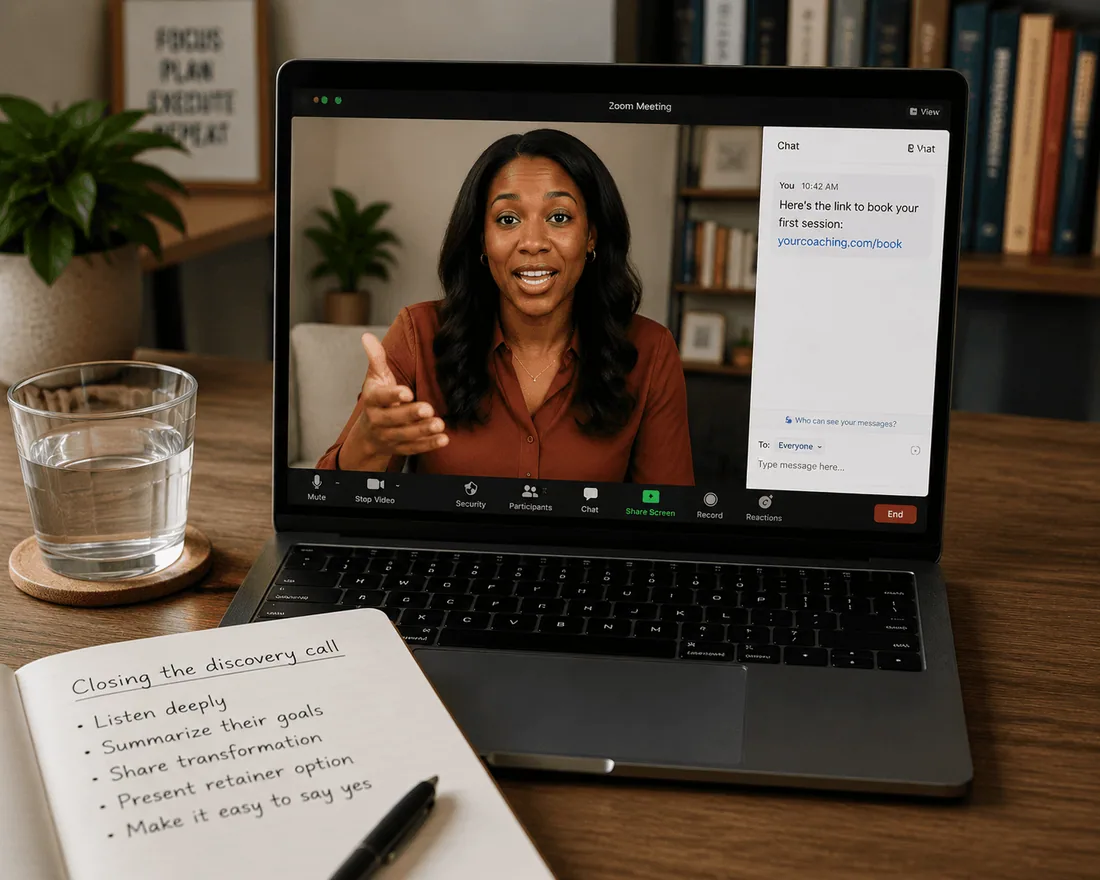
The discovery call is where money is made or lost. Here's what actually moves the conversion needle.
Send the intake form before the call, not during it. Custom intake questions on the booking form mean you walk into the call already knowing the client's challenge, revenue range, and history with coaching. You skip 10 minutes of "so tell me about your business" and go straight to "I read that your main challenge is scaling past $20K/month. Here's what I've seen work for businesses at your stage." That's the moment the client decides you're worth hiring.
End every discovery call with a booking link, not a proposal. "I'll send you a proposal" is where deals die. Instead: "Based on what you told me, I think 4 sessions would get you to a clear plan. Here's the link to book your first paid session. I have Thursday at 2pm and Friday at 10am open this week." Send the link in the chat while you're still on the Zoom call. The client clicks, books, and pays while the momentum is hot.
Price your discovery call at $0 on Shopify, not on Calendly. When the discovery call lives on your Shopify store, the client is already in your ecosystem. After the call, the follow-up email includes a link to book a paid session on the same domain. No redirect to a different platform, no new account creation.
Offer the retainer as a subscription, not an invoice. "I'll send you a monthly invoice for $1,500" creates a recurring task for both of you. Setting up a Cowlendar subscription at $1,500/month with 4 session credits automates the billing and gives the client a clear system: subscribe, book your sessions, repeat. The minimum commitment (3 months recommended) reduces early churn and gives you enough time to demonstrate results.
Upsell the session recording at checkout. Adding a "$25 session recording" upsell to every paid session is the easiest revenue bump available. Coaching clients frequently want to re-watch sessions but forget to ask. A checkbox at the confirmation page captures this at a 20% to 30% attachment rate.
Build a post-discovery email sequence that does the selling for you. 2 hours after the discovery call: personalized follow-up with a link to book a paid session. 48 hours later: a case study or testimonial from a client with a similar challenge. 5 days later: a final nudge with a time-sensitive offer (like a bonus session for packages booked this week). This sequence runs automatically through Klaviyo, triggered by the Shopify order event from the free discovery call.
Stack your offers on the same store. After the discovery call, the client should see your full service menu on one site: single sessions, packages, retainers, and digital products (workbooks, templates, courses). This is the real advantage of Shopify over a scattered stack. The client doesn't need to visit three different URLs to understand what you offer.
FAQ: selling coaching services on Shopify
Can I offer free discovery calls on Shopify without forcing a checkout?
Yes. Multiple booking apps support instant booking with no checkout flow. In Cowlendar, create a service linked to a $0 Shopify product, and the client picks a time and confirms without entering payment details. The booking still creates a Shopify customer record, so you have their email and intake responses for follow-up.
Do I need a booking app, or can I just use Shopify's native features?
You need a booking app. Shopify doesn't have native appointment scheduling. Without one, you'd have to manually manage availability, send calendar invites, and create Zoom links for every session. A booking app automates all of this and adds the calendar widget directly to your product pages.
How do I handle different time zones for international clients?
Cowlendar, Sesami, and BookThatApp all support automatic timezone detection. The client sees available slots in their local time, and the booking syncs to your calendar in your time. No manual conversion needed. This is particularly important for coaches who serve clients across multiple countries.
Can I sell digital products (workbooks, courses, templates) on the same Shopify store?
Yes. That's one of the core advantages of running your coaching business on Shopify. Create regular Shopify products for your digital items and use Big Digital Downloads for secure file delivery with download limits, email delivery, and PDF stamping. Your client buys a coaching session, a workbook, and subscribes to your retainer, all through one checkout on one domain.
What about contracts and proposals? Can Shopify handle those?
Not natively. Shopify handles booking, payment, and customer management. For contracts and proposals, you'd use a separate tool like PandaDoc, HelloSign, or Proposify. The link to sign can be included in your booking confirmation email or post-discovery follow-up. This is one area where the Shopify stack doesn't fully replace a dedicated coaching platform like Practice or HoneyBook.
How much does the full Shopify coaching stack cost per month?
For a solo coach: Shopify Basic ($39/mo) + Cowlendar Ultra ($39.99/mo, for subscriptions) + Klaviyo free tier (up to 500 contacts) = roughly $79/month. Compare that to Calendly Pro ($12) + Squarespace Business ($33) + Mailchimp Standard ($20) + Stripe fees = $65/month with no shared data. The Shopify stack costs $14 more per month but gives you a single customer record, native checkout, digital product sales, and retainer billing in one place.
Conclusion
The scattered stack (Calendly for scheduling, Stripe for payment, Squarespace for your site, Mailchimp for emails) works until it doesn't. And it stops working the moment you realize 40% of your discovery-call prospects never complete the payment step, because the payment lives on a different platform, in a different email, behind a different login. The single most impactful change a coach or consultant can make is collapsing the funnel onto one domain: discovery call, paid session, package, retainer, digital products, email automation, all inside one Shopify store with one customer list.
If you want to run your coaching practice on Shopify with free discovery calls, paid sessions, session packages, and monthly retainers with booking credits, Cowlendar handles the full funnel natively. Here's the subscription setup guide, or try it: apps.shopify.com/cowlendar
Originally published on the Cowlendar blog. This article keeps its original publication history; the page layout has been refreshed.
Originally published May 11, 2026.




 Built for Shopify


