

Sophie runs a thriving hair salon on Shopify. Her customers love her work, but over time, she noticed repeat visits were dropping. When she asked why, many mentioned the same frustration: booking appointments was slow, confusing, and prone to mistakes. Without instant confirmation or a clear appointment booking calendar, some clients simply went elsewhere.
After switching to a Shopify booking app with features like Shopify Google Calendar sync and a staff scheduling calendar, Sophie saw her retention rates climb. Customers booked more often, felt more valued, and kept coming back.
Why Booking Features Matter for Customer Retention

In service-based businesses, retention is everything. When clients can easily book, reschedule, and receive reminders, they are far more likely to return. A powerful Shopify scheduling tool builds trust by offering service availability in real time and eliminating frustration.
The right booking features:
Strengthen customer loyalty by making the process smooth and reliable.
Reduce errors and avoid double bookings Shopify merchants struggle with.
Support consistent communication, so customers feel remembered and valued.
Essential Features That Keep Customers Coming Back
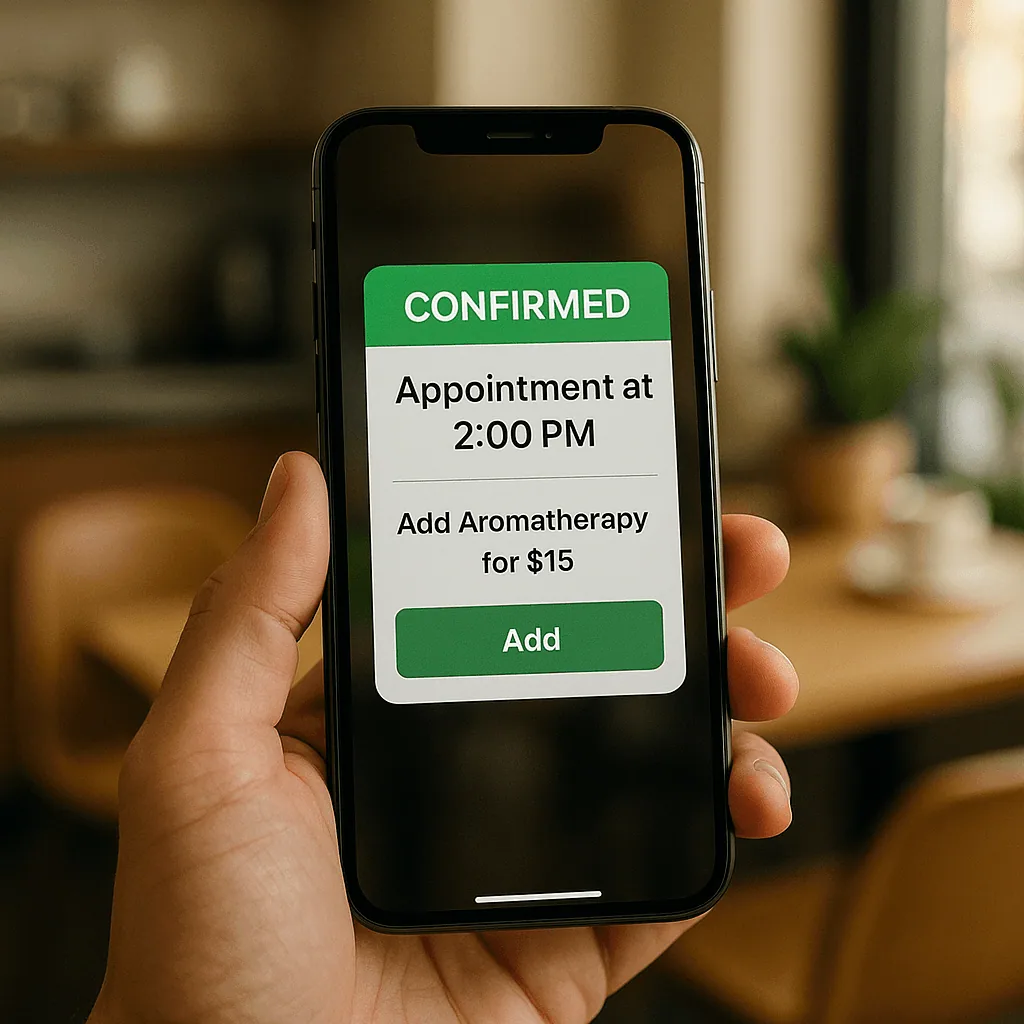
Instant booking confirmation
Customers want to know their booking is secured immediately. Instant booking confirmation removes uncertainty and reinforces trust.
Real-time Shopify Google Calendar sync
A Google Calendar Shopify app keeps schedules accurate and updated for both staff and clients, preventing overlaps and errors.
Staff-specific scheduling and personalization
Assigning bookings to the right person via a staff scheduling calendar helps personalize the experience and improve service quality.

Mobile-optimized booking widget
Many bookings happen on phones. A mobile-friendly booking system with calendar integration ensures customers can reserve anytime, anywhere.
Automated reminders and follow-ups
Email or SMS reminders reduce no-shows and keep clients engaged between visits.
Easy rescheduling and cancellations
Giving clients the flexibility to make changes increases satisfaction and the likelihood of rebooking.
Upsell options and service packages
A Cowlendar booking app with upsell capabilities boosts revenue while encouraging customers to try more services.
Loyalty incentives through booking system integration
Offer discounts or perks for repeat bookings to strengthen customer retention Shopify businesses depend on.
How to Choose the Right Shopify Booking App for Retention
Identify your business needs: Choose a Shopify booking app that supports the services and scheduling complexity you manage.
Test usability and mobile experience: The booking flow must be quick and intuitive on all devices.
Ensure staff and customer calendars sync: Real-time integration prevents scheduling conflicts.
Check for automation and customer engagement tools: Features like follow-ups, packages, and loyalty programs directly impact retain service clients goals.
Recommended Shopify Booking Apps
1. Cowlendar (Top Recommendation)
✅ Instant bookings without Shopify checkout
✅ Staff assignment, room/equipment logic
✅ Google Calendar sync per staff
✅ POS integration for walk-ins
✅ Admin calendar with staff filters
✅ SMS/email reminders
✅ Deposits, upsells, waitlists
✅ Multi-location support
✅ Mobile-optimized booking widgets
✅ Staff performance reporting
❌ Some features require a paid plan
2. Apntly (Appointly)
✅ Staff and class scheduling
✅ Google Calendar + POS + Zoom
✅ Custom forms
❌ No equipment/room support
❌ Onboarding unclear
3. Appointo
✅ Staff assignment, rooms, and rentals
✅ POS + Zoom
✅ Deposits and upsells
✅ Admin dashboard
❌ Setup complexity can be high
4. Easy Appointment Booking (Servicify)
✅ Basic staff logic
✅ POS + Zoom + deposits
✅ Easy setup for solo businesses
❌ No reporting or advanced filters
5. BookThatApp (BTA)
✅ Advanced staff/room logic
✅ POS, Zoom, forms, calendar tools
❌ Steep learning curve
❌ No upsells noted
6. Sesami
✅ Multi-location staff logic
✅ POS, Google Calendar, onboarding
❌ Limited customization
❌ No upsells
Feature Comparison Table
Feature | Cowlendar | Apntly | Appointo | Easy Appointment | BookThatApp (BTA) | Sesami |
|---|---|---|---|---|---|---|
Instant Booking | ✅ | ✅ | ✅ | ✅ | ✅ | ✅ |
Group / Event Booking | ✅ | ✅ | ✅ | ✅ | ✅ | ✅ |
Rentals / Equipment | ✅ | ❌ | ❌ | ❌ | ❌ | ❌ |
Shopify POS Integration | ✅ | ✅ | ✅ | ✅ | ✅ | ✅ |
Google Calendar Sync | ✅ | ✅ | ✅ | ✅ | ✅ | ✅ |
Zoom Integration | ✅ | ✅ | ✅ | ✅ | ✅ | ✅ |
Email / SMS Reminders | ✅ | ❌ | ✅ | ✅ | ✅ | ✅ |
Deposits Supported | ✅ | ✅ | ✅ | ✅ | ✅ | ✅ |
Upsells Supported | ✅ | ✅ | ✅ | ✅ | ❌ | ❌ |
Customizable Forms | ✅ | ✅ | ✅ | ✅ | ✅ | ✅ |
Embedded Widget | ✅ | ✅ | ✅ | ✅ | ✅ | ✅ |
Mobile-Responsive Design | ✅ | ✅ | ✅ | ✅ | ✅ | ✅ |
Admin Dashboard | ✅ | ✅ | ✅ | ✅ | ✅ | ✅ |
Onboarding Experience | ✅ | ❌ Unspecified | ❌ Unspecified | ❌ Unspecified | ❌ Unspecified | ✅ |
Complexity / Entry Barrier | ✅ Easy | ✅ Easy | ❌ High | ✅ Easy | ❌ High | ✅ Medium |
Best Practices for Retaining Customers Through Bookings
Use automation to maintain engagement: Follow-up messages and reminders keep your business top-of-mind.
Gather feedback through follow-up messages: Improve services based on real customer insights.
Personalize booking flows for repeat clients: Offer pre-filled forms, favorite services, or loyalty discounts.
FAQ
1. How can a Shopify booking app improve customer retention?
It streamlines scheduling, provides instant confirmation, and keeps customers engaged through reminders and offers.
2. What is the benefit of Shopify Google Calendar sync?
It ensures service availability in real time and prevents overlapping bookings for staff and clients.
3. How does a booking system help avoid double bookings Shopify stores face?
By syncing all staff calendars automatically, availability updates instantly after each booking.
4. Can I use a booking app to upsell services?
Yes, many apps, including Cowlendar, let you add service packages and upgrades during the booking process.
5. What is the best way to retain service clients through bookings?
Use a combination of loyalty incentives, personalized booking options, and consistent communication.
Conclusion
Customer loyalty depends on smooth, reliable, and engaging booking experiences. With the right booking system with calendar integration, you can build trust, offer instant booking confirmation, and keep clients returning.
👉 Try Cowlendar today to keep customers booking again and again.
Originally published on the Cowlendar blog. This article keeps its original publication history; the page layout has been refreshed.
Originally published Aug 11, 2025.



 Built for Shopify


