
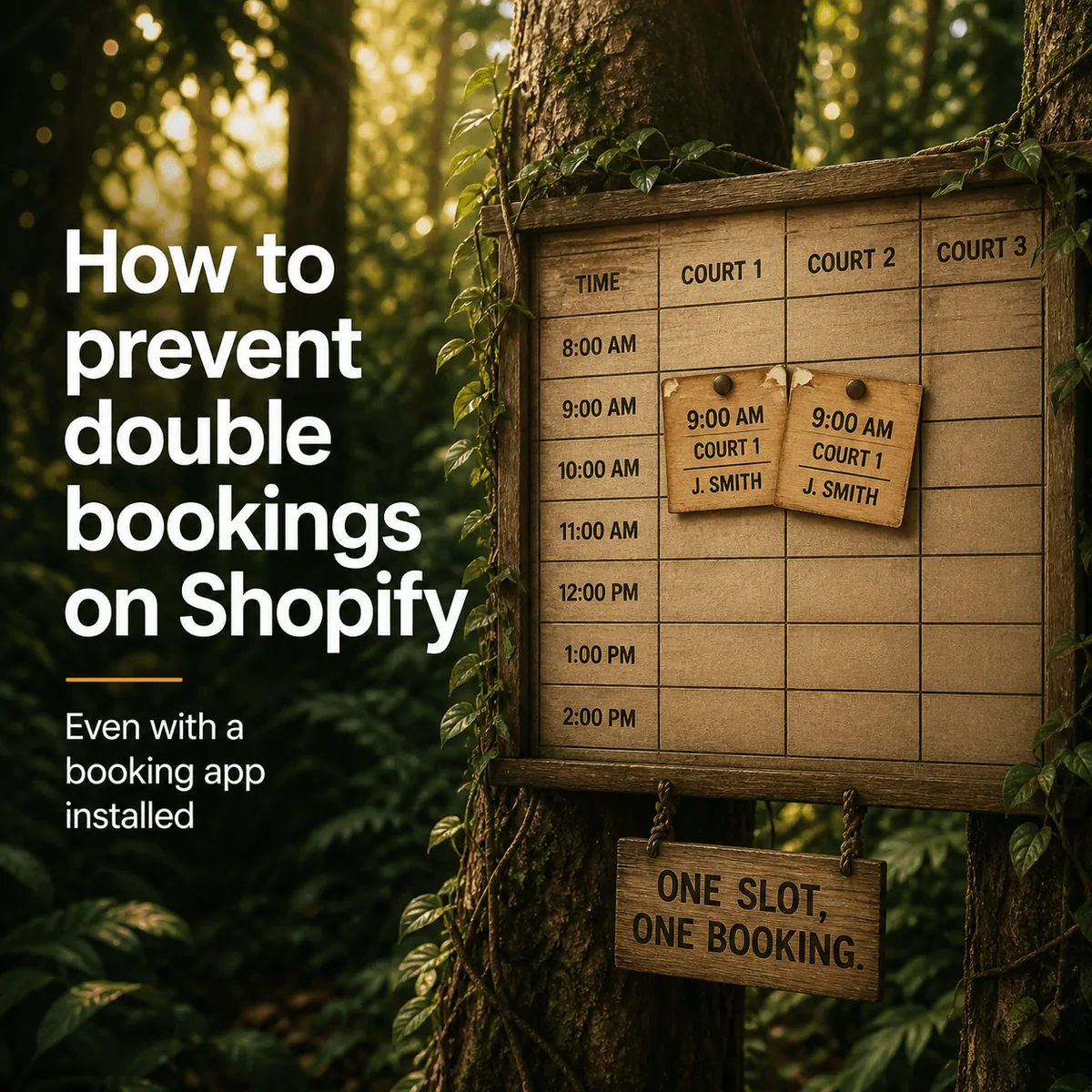
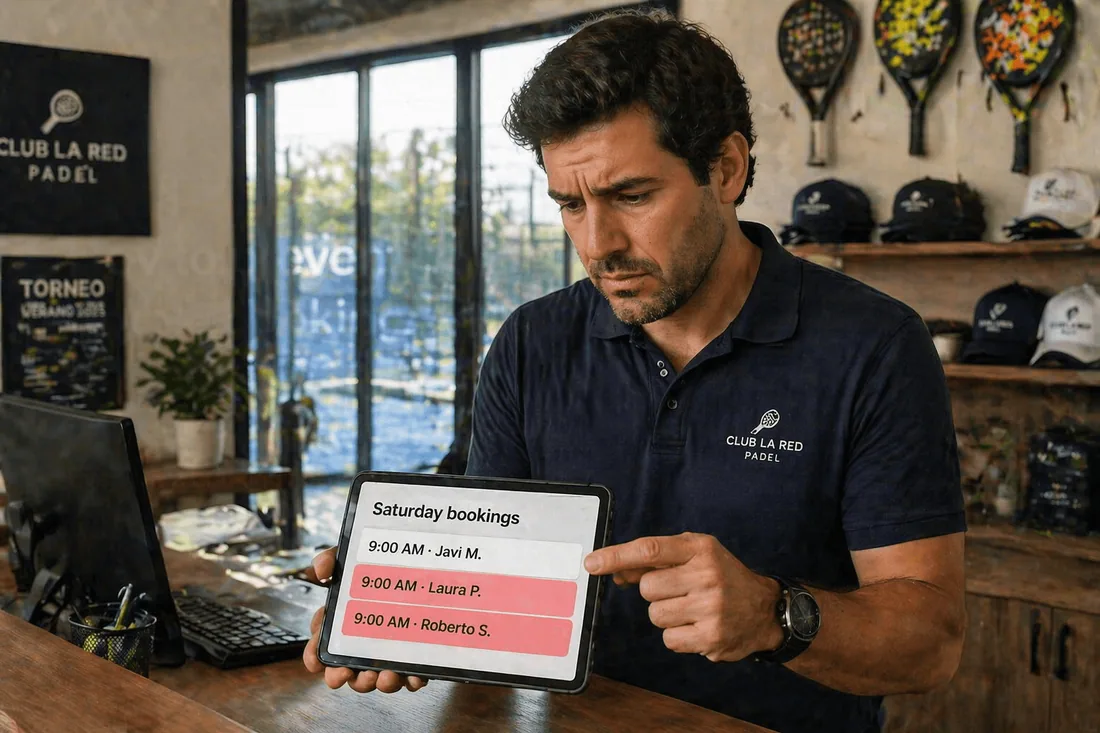
A padel club in Madrid books its Saturday 9am slot three times in one morning. All three customers paid. All three showed up. The club owner, Javi, had Cowlendar installed, correctly configured, with a capacity of one. So how did that happen?
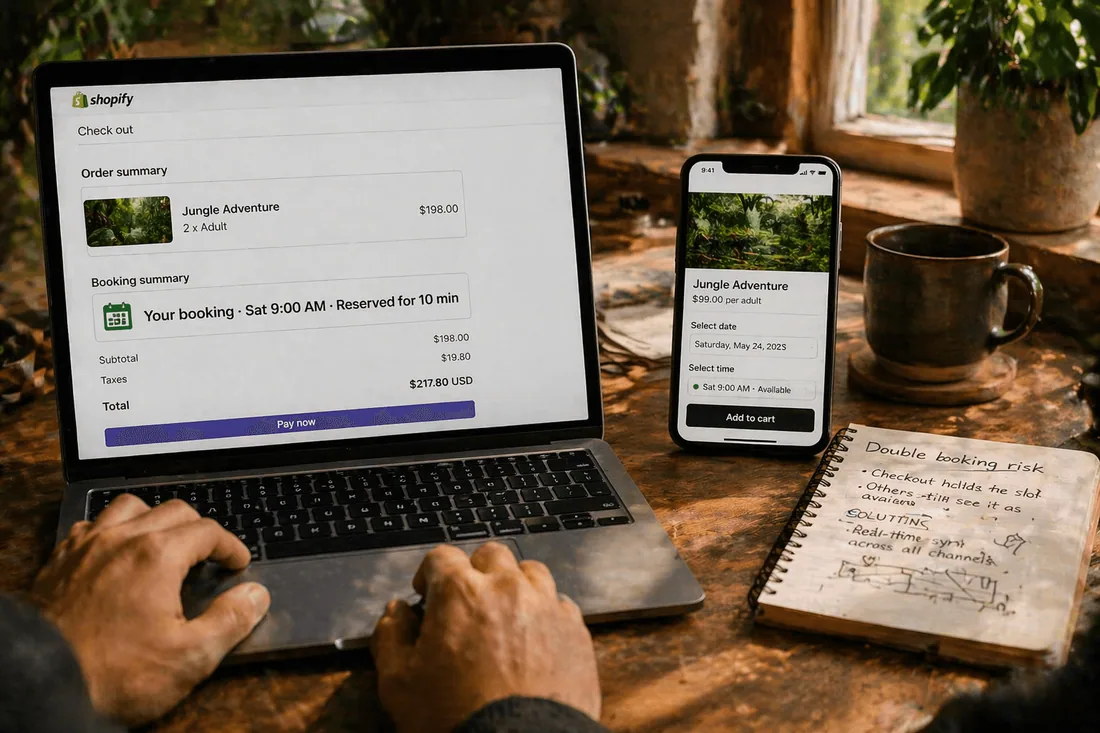
It happened because a Shopify booking app doesn't own the checkout. Shopify does. And between the moment a customer clicks "Book now" and the moment Shopify marks that order as paid, there's a gap of up to ten minutes where the slot is technically still available to anyone else on the page. On a busy Saturday morning, that gap is all it takes.
This post is for every merchant who installed a booking app thinking the problem was solved, then got the angry email anyway. By the end, you'll know exactly where the double-booking risk lives on Shopify, the five settings that close most of it, and the two tradeoffs no booking app can fully eliminate (so you can plan for them).
Why Shopify's checkout flow creates double-booking risk
Before you blame the app, understand the underlying problem.
When a customer picks a time slot on your Shopify store, three things happen in sequence. First, the booking app marks the slot as selected. Second, Shopify creates a cart. Third, the customer goes to checkout, enters an email, and pays.
Here's where it breaks. Between steps two and three, Shopify considers the booking "active" for up to ten minutes after the customer provides an email, even if they never complete payment. Cart cookies themselves can persist for up to 14 days. During that window, if another customer lands on your product page, what do they see? It depends entirely on how the booking app handles the interim.
If the app releases the slot as soon as the first customer walks away (aggressive release), you lose fewer bookings to abandoned checkouts but risk double bookings if the first customer comes back and pays. If the app holds the slot until payment confirms (conservative hold), you avoid double bookings but lock out other customers for up to ten minutes per abandoned checkout. Every booking app on Shopify picks a side of this tradeoff. Most don't tell you which side.
Key challenges of preventing double bookings on Shopify
The surface-level answer is "install a booking app." The real challenges live underneath. Here are the six most common ones merchants run into.
Challenge 1: The abandoned checkout ghost slot. A customer selects a slot, enters their email, then closes the tab. Shopify holds that checkout for ten minutes, sometimes longer. If your booking app releases the slot immediately on exit, the same slot can get booked twice in that window. If your app holds it, you risk looking fully booked when you're actually open.
Challenge 2: Staff calendar drift. You have two therapists, Ana and Marco. You synced their Google Calendars to the booking app. Ana adds a personal dentist appointment on her Google Calendar at 3pm. Did the booking app receive that block? Depends on sync direction. One-way sync pushes bookings out but doesn't pull personal events in. Result: Ana gets booked for a massage at 3pm while she's at the dentist.
Challenge 3: Manual bookings from phone calls or walk-ins. A returning customer calls to book. Your receptionist adds the booking in Shopify admin or Shopify POS. If the booking app's capacity logic doesn't respect manually-added orders, the slot stays available online. Same slot, two customers.
Challenge 4: The cart quantity bump. A customer adds one booking to cart. Then, because the theme allows it, they change the quantity to 2. Most apps disable the quantity selector on bookable products, but some Shopify themes override that code. You end up with a single slot selling two seats when capacity was one.
Challenge 5: Multi-channel chaos. You list the same rental on Shopify, Airbnb, and Booking.com. If you don't have two-way iCal sync between all three, a kayak booked on Airbnb at 10am Saturday still looks available on your Shopify storefront. This is the single biggest cause of double bookings for rentals.
Challenge 6: Resource conflicts across services. You rent out one projector. Two different products on your Shopify store both include "projector" as a required resource. If your booking app treats products as independent inventories, both products can book the projector on the same Saturday night. You discover this 40 minutes before the event starts.
Essential features for preventing double bookings
Not every booking app handles these equally. When you're evaluating apps, here's what to verify. Don't trust the feature list on the marketing page. Install the free trial and test each one.
Real-time capacity locking. When one customer selects a slot, other visitors on the page should see that slot disappear within a few seconds. Test this with two browser windows. If the second window still shows the slot available after thirty seconds, the app has a sync delay that will bite you during peak hours.
Reservation timeout controls. You need to decide how long a slot stays held when a customer starts checking out but doesn't complete payment. A 10-minute hold protects against double bookings during peak traffic. A 2-minute hold maximizes availability. The app should let you pick, not pick for you.
Two-way calendar sync. One-way sync (Shopify bookings pushed to Google Calendar) is not enough. You need two-way sync so that events added directly to staff calendars block availability back in Shopify. Check the app's documentation for "bi-directional" or "two-way" explicitly.
Shared resource and staff pooling. If a resource (room, projector, trainer) is shared across multiple services or products, the app must track that resource's availability globally, not per product. Ask the support team directly: "If product A and product B both require staff member X at 3pm, will the app prevent the conflict?"
iCal import for external bookings. For rentals and accommodation especially, the app needs to import .ics feeds from Airbnb, Booking.com, VRBO, and any other channel. Import frequency matters. An hourly sync is standard. A 15-minute sync is better.
Shopify POS integration. Walk-in and phone bookings need to land in the same availability pool as online bookings. If the app doesn't integrate with Shopify POS, you're running two separate calendars that will diverge within a week.
Step-by-step: how to prevent double bookings on Shopify
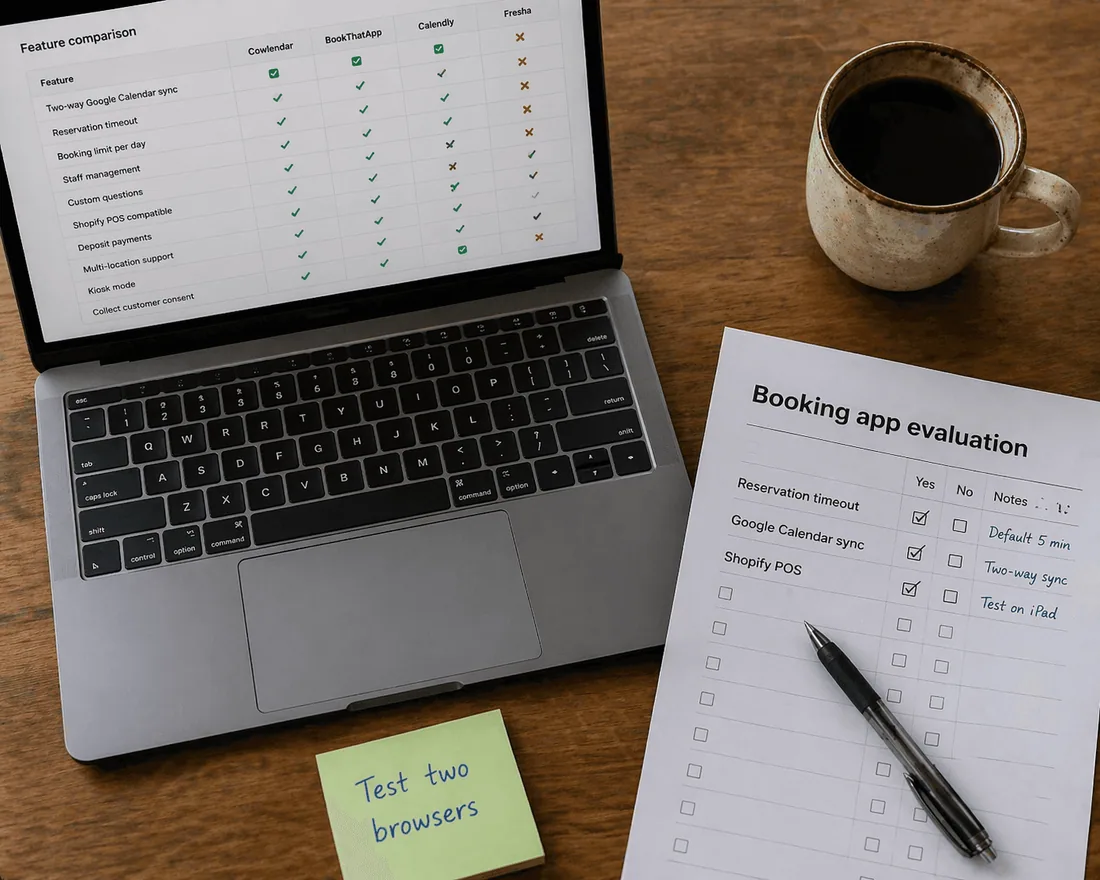
Run through this list once, and the vast majority of double-booking risk goes away. None of it requires code.
Step 1: Set a clear reservation timeout (under 5 minutes). In your booking app's settings, find the reservation timeout. Set it to somewhere between 3 and 5 minutes. This is how long a selected slot is held for a customer in checkout before releasing. Shorter timeouts lose fewer bookings. Longer timeouts protect against double bookings. Five minutes is the sweet spot for most service businesses.
Step 2: Enable two-way Google Calendar sync for every staff member. In the app, connect each team member's Google Calendar with bi-directional sync. Then test it: add a fake event to a staff calendar, wait two minutes, and confirm the slot disappears from your Shopify booking widget. If it doesn't, the sync is one-way or broken.
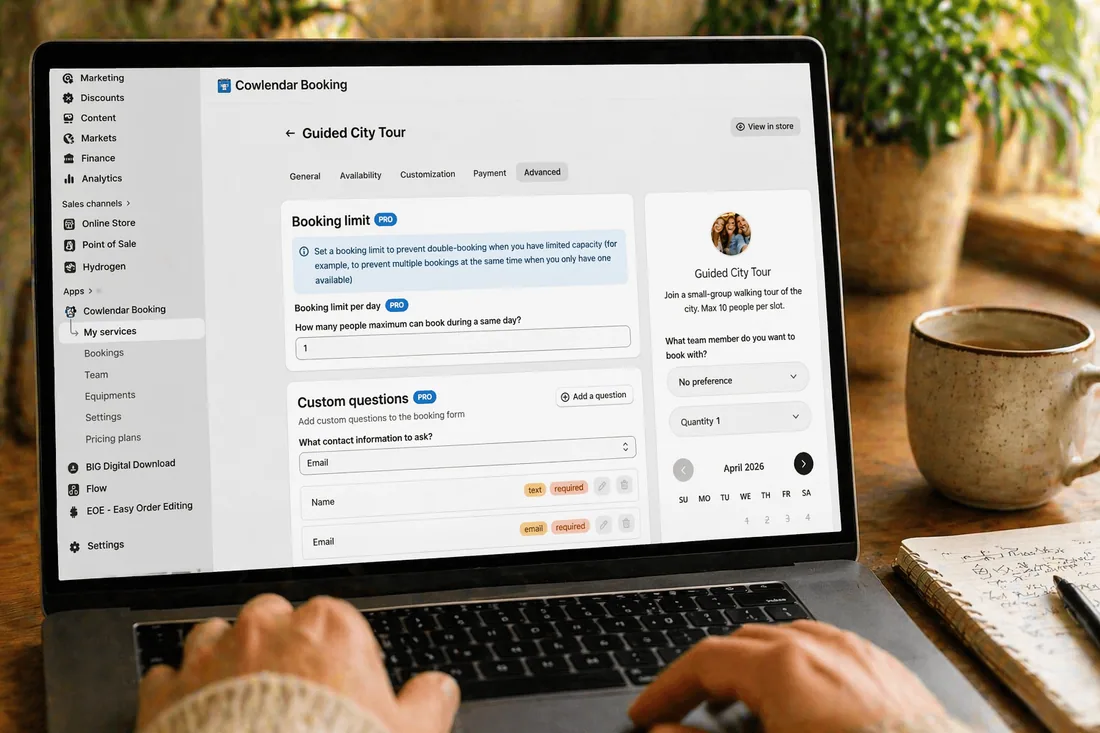
Step 3: Set capacity per slot, not per day. Most apps default to daily capacity. For anything higher-frequency than one customer per day, switch to per-slot capacity. For a hair salon with two chairs and 30-minute haircuts, that means capacity of 2 per 30-minute slot, not a daily cap.
Step 4: Block internal time off before customers ever see it. Before launch, block vacations, public holidays, staff training days, and any known closures directly in the app. Don't rely on remembering to block each week. Use a recurring block feature if your app has one.
Step 5: Test with two browser windows on the same slot. Open your product page in Chrome and Safari simultaneously, or use two incognito windows. Try to book the same slot in both. The second one should fail or show the slot as gone. If both succeed, stop everything and contact your app's support before going live.
Step 6: Connect Shopify POS if you take walk-ins. In the app's settings, enable Shopify POS integration. Every walk-in booking your receptionist creates at the counter should immediately reflect in the online calendar.
Step 7: Import external calendar feeds (rentals and accommodation only). For anything with cross-channel risk (Airbnb, VRBO, Booking.com), paste the .ics feed URL from each channel into your booking app. Then paste your Shopify booking app's .ics feed back into those channels. This is the only way to close the multi-channel gap.
Step 8: Document your policy in the confirmation email. Even with all of the above, rare conflicts happen. State in the booking confirmation that in the event of a conflict, you'll contact the customer within X hours to rebook and refund if needed. This turns an emergency into a managed exception.
Best Shopify booking apps for preventing double bookings
Here's the honest comparison. Pricing verified April 2026 from each app's Shopify App Store listing. Ordering is by genuine fit for the specific problem of preventing double bookings, not by who's paying.
1. Cowlendar
Who it's best for: Service businesses and rentals that want a fast setup with both time-slot and date-range booking in a single app. Salons, coaches, tour operators, multi-day rentals.
Pros:
Capacity settings per time slot, not just per day
Two-way Google Calendar sync for staff
Multi-day booking and time-slot booking in the same app (useful for merchants who do both: a yoga studio that also rents its space)
Live chat support with documented response times, useful when you're debugging a double booking at 9pm
Cons:
- The Free plan is genuinely usable, but reservation timeout controls live on paid tiers
Price: Free plan available. Pro plan from $13.99/month. Shopify App Store →
Helpful when setting this up: the Cowlendar help center article on capacity and time slots.
2. Easy Appointment Booking
Who it's best for: Merchants running one-to-one appointments or small group events where a hard reservation timeout is the make-or-break feature. Single-staff or small-team service businesses.
Pros:
Exposes the reservation timeout as an explicit setting you can configure (most apps hide this)
Documents the edge cases where double bookings can still happen (theme conflicts, 30-second commit lag, Shopify checkout overrides), which is rare honesty in this category
Staff-shared-across-events capacity logic works correctly
Shopify Flow and Klaviyo integrations for downstream automation
Cons:
The reservation timeout only works if your theme has a dedicated Cart page, not a cart drawer (many modern themes default to drawer)
Weaker on multi-day rentals compared to dedicated rental apps
Free plan only covers 1 event or service
Price: Free plan available. Paid plans from roughly $15/month. Shopify App Store →
3. BookThatApp (BTA)
Who it's best for: Complex multi-resource operations (hotels, event venues, tour operators) where you need a shared resource pool across multiple products. Been running since 2012, still the deepest feature set for operational complexity.
Pros:
Shared resource pooling across multiple Shopify products (if two products need the same projector, BTA handles it)
iCal two-way sync with Airbnb, Booking.com, VRBO
Multi-staff scheduling with individual buffer times per team member
Cons:
Steeper learning curve. Configuration UI shows its age
Does not currently hold the "Built for Shopify" badge in 2026
Pricing tiers gate features heavily (higher plans unlock capacity you expect from lower plans on competitors)
Price: Plans from $25/month. Shopify App Store →
4. IzyRent
Who it's best for: Vacation rentals, equipment rentals, and hotel-style bookings with multi-channel sync needs. If Airbnb sync is your top priority, this is the pick.
Pros:
Two-way sync with Airbnb, Booking.com, Google Calendar, iCloud, Outlook out of the box
Auto-blocking based on operating hours (no manual date blocking)
Deposit and pay-later options on even the entry plan
Cons:
Less suited for per-slot appointment scheduling (the app is rental-first)
Free plan limited to 3 products and a 15-day booking window
Setup workflow assumes you understand iCal, which not every merchant does
Price: Free plan available. Paid plans from around $24.99/month. Shopify App Store →
5. Sesami
Who it's best for: Larger service-commerce merchants (spas, wellness clinics, omnichannel studios) who need advanced flows and integrations more than they need a low price point.
Pros:
Sesami Flows allows conditional logic between bookings and follow-up actions
Klaviyo partnership for deep email automation
Built for Shopify badge and Shopify Commerce Award 2020
Cons:
Entry pricing starts higher than most alternatives
Overkill for solo operators or small teams
No free plan for testing
Price: Plans from $19/month (Small) to $299/month (Premium). Shopify App Store →
Tips for running a booking operation that doesn't overlap
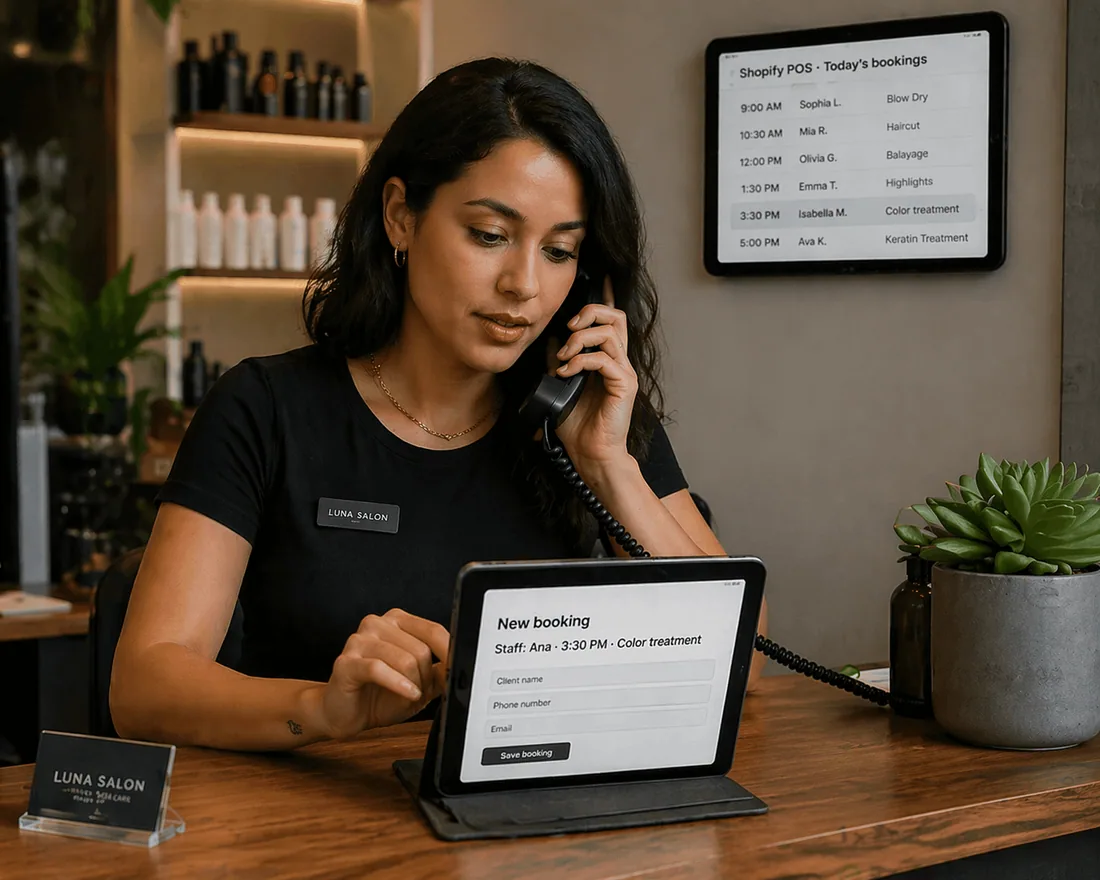
The app prevents most conflicts. The operational habits below prevent the rest.
Audit your booking logs weekly. Every Monday morning, scan the last seven days of bookings for anything that looks strange: duplicate customer names, same email across slots, suspicious timing clusters. Catching a conflict on Monday is cheap. Catching it Saturday at 8:55am is expensive.
Designate one person as the source of truth for manual bookings. Phone bookings, walk-ins, and VIP requests should flow through one team member who always enters them in Shopify admin or Shopify POS. Never in a personal calendar, never in a sticky note. If two people both take phone bookings without coordination, you will have overlaps within a month.
Send a 24-hour confirmation with the exact address, staff name, and arrival instructions. This does two things: it reduces no-shows, and it surfaces any conflict 24 hours before it becomes a problem. If a customer replies "wait, I thought I booked with Ana, not Marco," you have a day to fix it instead of ten minutes.
Hard-block 15 minutes of buffer between high-complexity appointments. For anything involving setup, cleanup, or reset (medical, spa, tattoo, tour launches), set a 15-minute buffer in the app settings. This is not wasted time. This is the margin that absorbs a late arrival or a running-long session without cascading into the next customer.
Keep staff calendars genuinely accurate. Two-way sync only works if the staff calendar reflects reality. Train team members to add personal commitments (doctor visits, school pickups, lunches) as busy blocks in their Google Calendar. Unblocked personal time is the #2 source of double bookings after multi-channel sync failures.
Test your booking flow after every Shopify theme update. Themes get updated monthly by most merchants. Theme updates can break custom JavaScript that your booking app relies on, especially cart-drawer vs cart-page behavior. Run the two-browser test from Step 5 every time you update.
Have a conflict recovery script ready. When a double booking does happen (and it will, a few times per year even on the best setup), you need a canned response that offers an immediate alternative slot, a refund, and a goodwill credit. Drafting this when it's not urgent makes the 9pm emergency manageable.
FAQ: preventing double bookings on Shopify
How does Shopify's checkout hold affect booking apps?
Shopify considers a checkout "active" for up to ten minutes after a customer provides an email, even without completing payment. Cart cookies can persist for up to 14 days. During that window, the booking app has to choose: hold the slot (risk blocking other customers) or release it (risk double bookings if the customer returns to pay). Every Shopify booking app handles this differently. Check the app's reservation timeout setting before you commit.
Can two customers book the same slot at the same second?
In theory, yes, because of sync latency between the booking app and Shopify's order system. In practice, most apps commit one booking per 30 to 60 seconds to prevent this. If your traffic pattern includes flash bookings (ticket drops, popular class openings, sale-day rental grabs), talk to the app's support team before going live. They can tune the commit speed.
Why do my manual bookings not block online availability?
Most likely, you're adding manual bookings directly in Shopify admin without using the booking app's "add manual booking" feature. Creating a raw order in Shopify doesn't trigger the booking app's capacity logic. Use the app's own "new booking" button instead, even for phone and walk-in reservations. This one habit change eliminates a surprising percentage of conflicts.
Does Google Calendar two-way sync work reliably?
It works, with one caveat. Most apps sync on a 1 to 15 minute interval, not instantly. If a staff member adds a personal event to their Google Calendar and a customer tries to book that slot in the next five minutes, the booking might go through before the sync runs. For high-risk slots (popular times, small teams), a manual calendar block in the app itself is more reliable than counting on sync alone.
What happens when a rental is booked on Airbnb and Shopify at the same time?
Without two-way iCal sync, both bookings succeed and you find out when the customer arrives. With two-way iCal sync set to 15-minute intervals, there's still a small window where both channels can confirm before either updates. The realistic fix is a combination: two-way sync across all channels, plus a soft policy that you'll confirm rentals within 24 hours (which gives you time to catch any conflict before the customer commits).
Can Shopify POS cause double bookings?
Yes, if your booking app's POS integration isn't set up or is broken. A walk-in customer booked at the counter via POS must be treated by the booking app as consuming a capacity slot, not as a standalone retail order. Before trusting POS for walk-ins, run the two-window test: create a POS booking for 3pm tomorrow, then try to book 3pm tomorrow online. The online attempt should fail.
Conclusion
Most double bookings on Shopify aren't caused by broken booking apps. They're caused by the gap between what a booking app controls (availability display, capacity logic, calendar sync) and what Shopify controls (the checkout flow, cart cookies, order creation). Closing that gap is mostly about picking the right settings once and then adopting three habits: weekly log audits, one source of truth for manual bookings, and testing after every theme update.
If you want a booking app that handles per-slot capacity, two-way Google Calendar sync, and Shopify POS integration out of the box, Cowlendar does all three on the Free plan. Set up takes about three minutes: Install Cowlendar →
Originally published on the Cowlendar blog. This article keeps its original publication history; the page layout has been refreshed.
Originally published Apr 30, 2026.




 Built for Shopify


