# Cowlendar Cowlendar is a Shopify booking app operated by BOOKING APPOINTMENT COWLENDAR (SIREN 989 284 062), 14 rue Charles V, 75004 Paris, France. ## Product Bookable Shopify services including appointments, group sessions, events, full-day and multi-day reservations. Integrations include Google Calendar, Outlook, Apple Calendar, Google Meet, Zoom, Microsoft Teams and Klaviyo; verify the exact setup with the documentation. ## Pricing checked September 22, 2026 - Free: 5 bookings/month, all features. - Starter: $13.99/month, up to $1,000 booking revenue. - Basic: $29.99/month, up to $3,000 booking revenue. - Growth: $59.99/month, up to $10,000 booking revenue. USD monthly prices. Verify current limits, taxes and usage charges on the official listing. ## Primary sources - [Official Shopify listing](https://apps.shopify.com/cowlendar) - [Features](https://cowlendar.com/features) - [Pricing](https://cowlendar.com/pricing) - [Help center](https://help.cowlendar.com/) - [Privacy policy](https://cowlendar.com/privacy-policy) - [Terms](https://cowlendar.com/terms-and-conditions) ## Editorial transparency The Cowlendar team publishes this website and its comparisons. It is not an independent review organization. Comparison pages distinguish documented features, confirmed limitations and unverified details. Product facts are dated and sourced. Illustrations are not evidence of product functionality. ## Machine-readable resources - [Sitemap](https://cowlendar.com/sitemap.xml) - [LLM index](https://cowlendar.com/llms.txt) - [Expanded reference](https://cowlendar.com/llms-full.txt) - [Blog](https://cowlendar.com/blog): articles also have a .md version at the same path. --- # 6 Best Shopify Appointment Booking Apps for Service Businesses (2026) Compare the top 6 Shopify booking apps with real product images, feature-by-feature advice and monthly cost examples for appointments, classes and services. - Canonical: https://cowlendar.com/blog/best-shopify-appointment-booking-apps-for-service-businesses-(2026) - Published: 2026-06-26T00:00:00.000Z - Updated: 2026-09-22T16:38:32.222451Z - Publisher: Cowlendar ## The short answer Our first pick is Cowlendar for a complete booking toolkit. Compare Meety, Apntly, Appointo, Easy Appointment Booking and BookX by the features you need and the plan you would actually pay for. ## The top 6, at a glance **Our first pick is Cowlendar for service businesses that want appointments, classes, rentals and repeat bookings in one Shopify app.** Its free plan includes all features, so you can evaluate the workflow you actually want to launch. If your main need is a low fixed price for straightforward appointments, Apntly deserves a close look. For feature-based upgrades, Meety, Appointo, Easy Appointment Booking and BookX offer different paths. This is a shortlist by the Cowlendar team. We make the first app on the list. The order reflects our editorial recommendations for service businesses, not an independent benchmark or an official Shopify ranking. Product facts come from official listings and documentation checked **September 22, 2026**. Images below are published by the respective app developers. | Rank | App | Our pick for | Free offer | Relevant monthly paid price | | --- | --- | --- | --- | --- | | 1 | **Cowlendar** | A complete booking toolkit across service types | All features; usage allowance applies | $13.99 Starter / $29.99 Basic / $59.99 Growth, by booking revenue | | 2 | **Meety** | A broad feature ladder and customer workflows | Basic bookings and team members | $14 Starter for bundles; $47 Enterprise for deposits/API | | 3 | **Apntly** | Low-cost appointment scheduling | One service and one team member | $9 Pro for calendar sync, groups and deposits | | 4 | **Appointo** | Unlimited basic services with paid upgrades | Unlimited services and bookings | $14 Pro; add the listed 2% subscription/bundle charge when relevant | | 5 | **Easy Appointment Booking** | Workshops, event operations and packs | One event or service | $39 Pro Plus for packs/deposits; $99 Ultimate for Klaviyo | | 6 | **BookX** | Teams, locations and seasonal rental pricing | One service and one team member | $19.99 Growth for deposits; $39.99 Business for two-way Google sync | Prices are USD on monthly billing, before taxes, Shopify/payment charges and optional add-ons. These are useful feature tiers, not equivalent packages. A free plan with all features is different from unlimited free booking volume. Cowlendar's [pricing page](/pricing) shows its usage allowances and revenue thresholds.
## 1. Cowlendar — best for a complete booking toolkit
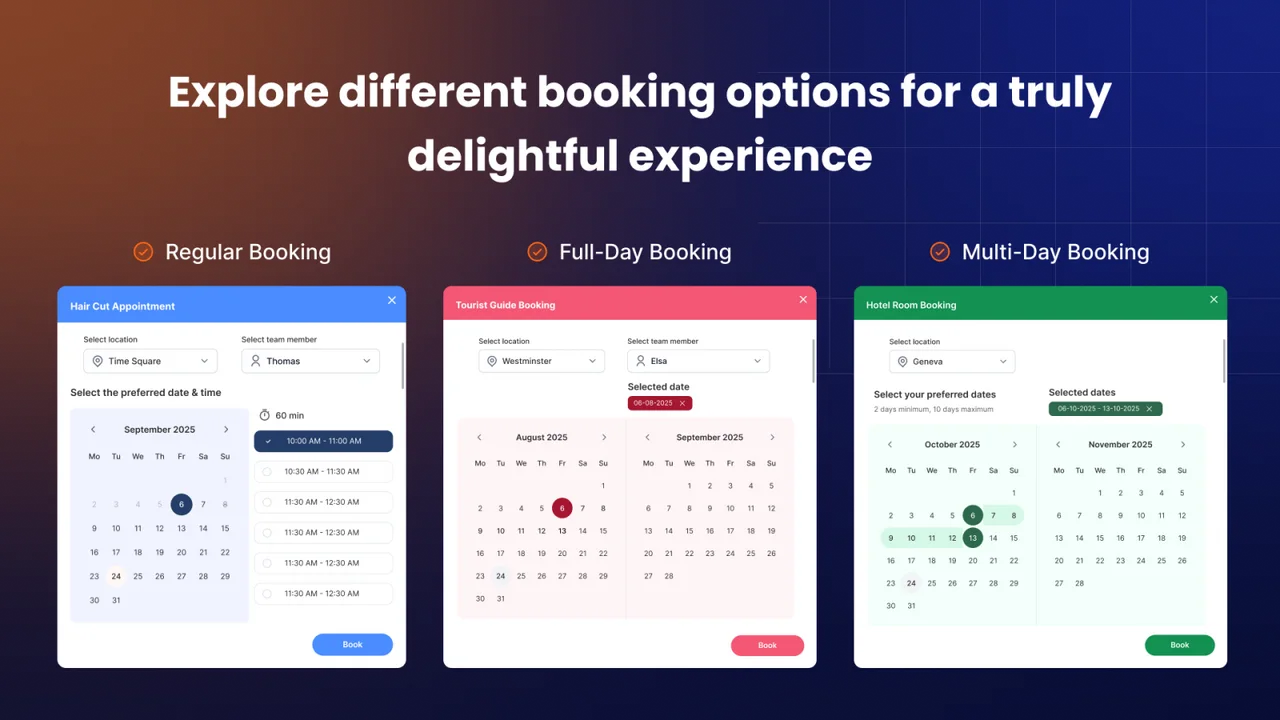
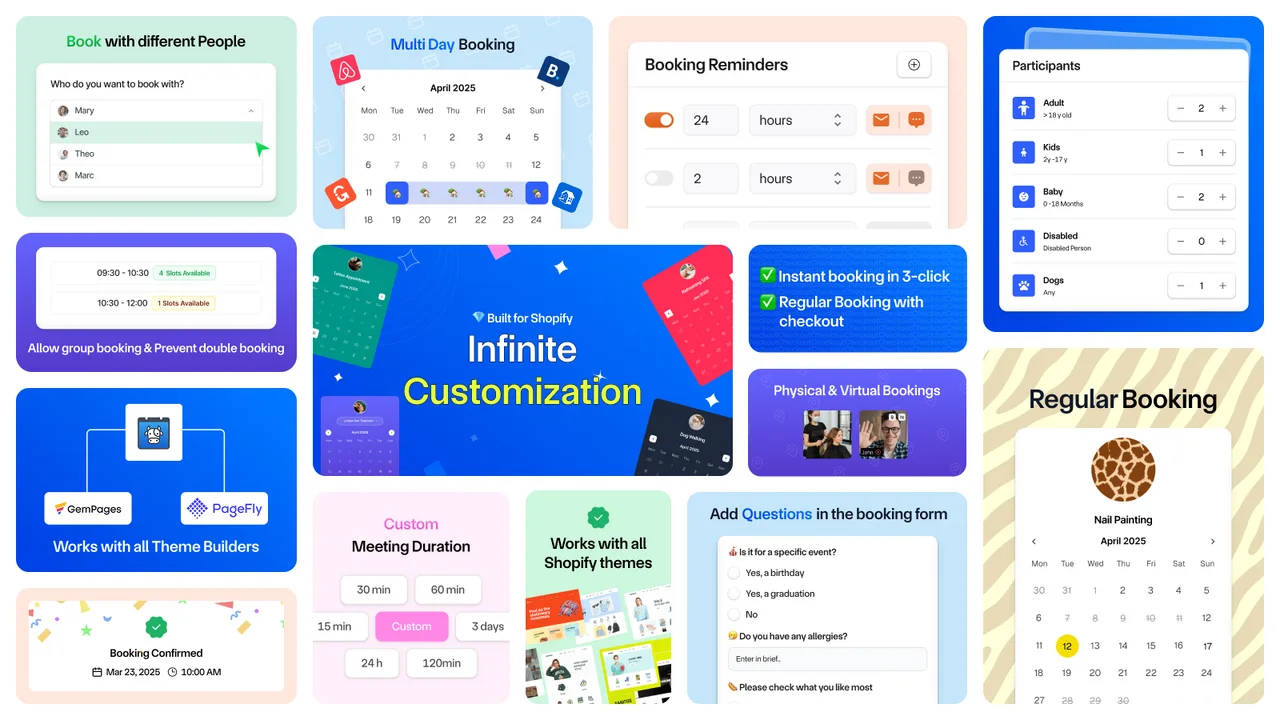
Cowlendar booking calendar and service interface from its official Shopify listing
Product image: Cowlendar on the Shopify App Store.

Best fitAppointments, classes, rentals and recurring services

Starting pointFree plan with all features

Paid modelBooking-revenue tiers

StandoutBundles, subscriptions, equipment and automation

A shop selling one-off consultations today may add a six-session coaching pack next month and a group workshop after that. Cowlendar is our recommendation when you want those offers to live in the same booking system. The feature set covers individual and group bookings, full-day and multi-day services, bundles, recurring subscriptions, deposits and prepayment. The appeal is access to the real toolkit from the beginning. You can evaluate the booking format, calendar connection and payment workflow together instead of assembling a shortlist around several feature upgrades. The free plan includes all features; paid tiers increase the booking-revenue allowance. ### The advanced details worth knowing - **Repeat visits:** offer booking bundles and recurring service subscriptions rather than treating every appointment as a separate sale. - **Real availability:** work with service, teammate or equipment availability and participant categories. - **Connected operations:** the beta public API can read services and bookings, create a manual booking and attach it to a subscription credit. - **Useful events:** beta webhooks include attendance changes and failed subscription billing, alongside booking lifecycle events. Signed payloads and delivery retries are documented. **What would you pay?** At 20 bookings × $40, monthly booking revenue is $800: Starter is $13.99. At $2,000, Basic is $29.99. At $4,000, Growth is $59.99. The listed ceilings are $1,000, $3,000 and $10,000 respectively. Optional messaging charges and other applicable costs remain separate. **Check before choosing:** the API is beta. API-created bookings do not create a Shopify order, and the current API does not offer available-slot lookup or booking update/delete endpoints. Use the [API and webhook documentation](https://help.cowlendar.com/how-to-integrations/connect-cowlendar-to-crm-erp-or-app-public-api-webhooks) to validate a custom integration.

Our verdict: the strongest starting point on this shortlist for a merchant who wants several booking formats, advanced functions and room to evolve the offer. Also: a cow named after a calendar is a pretty good conversation starter.
## 2. Meety — best for a broad feature ladder
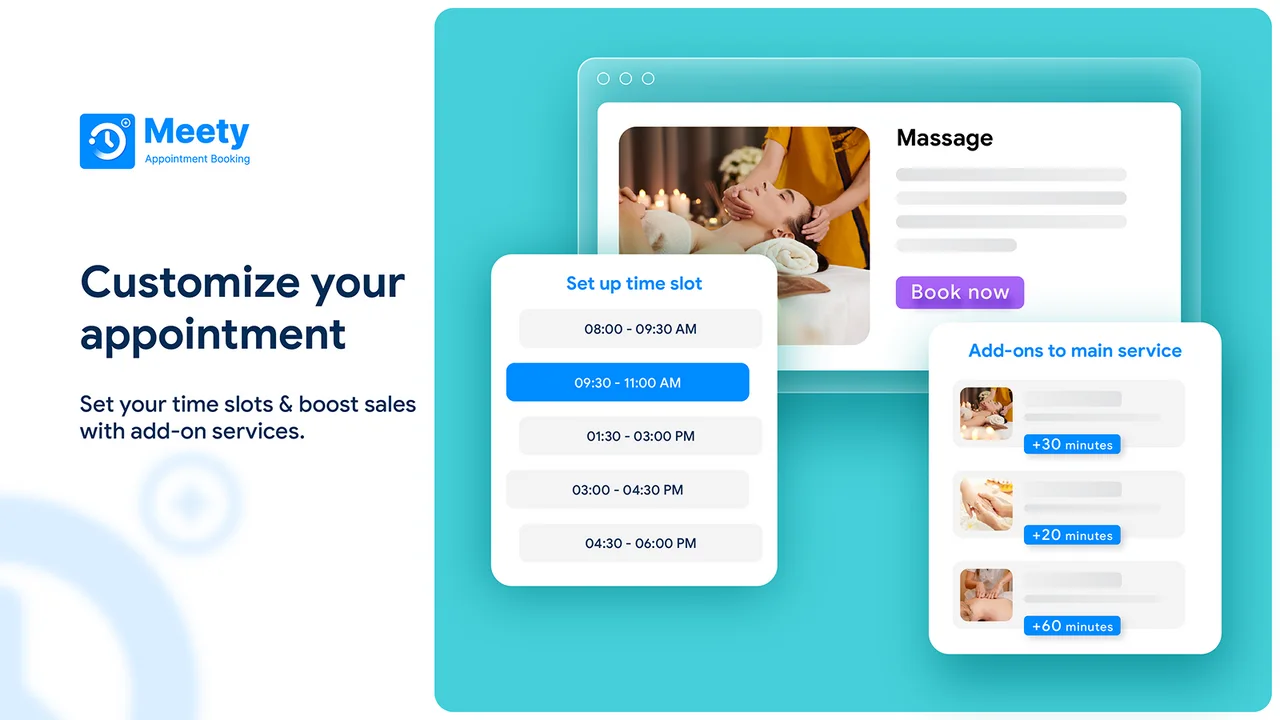
Meety appointment booking calendar shown on its official Shopify listing
Product image: Meety on Shopify.

Best fitTeams choosing features one tier at a time

Relevant price$14 Starter / $27 Business / $47 Enterprise

Meety is worth considering when you like its customer journey and want to add capabilities through progressively higher tiers. It is a real contender for repeat-booking businesses: subscriptions and bundles are documented, and its official help center also describes webhook integrations. The pricing distinction matters. Starter includes bundles, subscriptions, Google Calendar and Zoom. Business adds Outlook, waitlists and the team portal. The listing places deposits, Klaviyo, Zapier and API integration on Enterprise. **What would you pay?** A merchant needing bundles and deposits should budget $47/month from the listed Enterprise upgrade, rather than the $7 entry plan. For the same requested features at $800 booking revenue, Cowlendar Starter is $13.99. At $4,000 revenue, Cowlendar Growth is $59.99, so Meety's fixed plan becomes less expensive in that scenario. **Check before choosing:** Meety's webhook documentation uses the plan name “Premium,” while its listing uses a different tier structure. Confirm the current webhook entitlement and messaging charges directly.
## 3. Apntly — best for a lean appointment budget
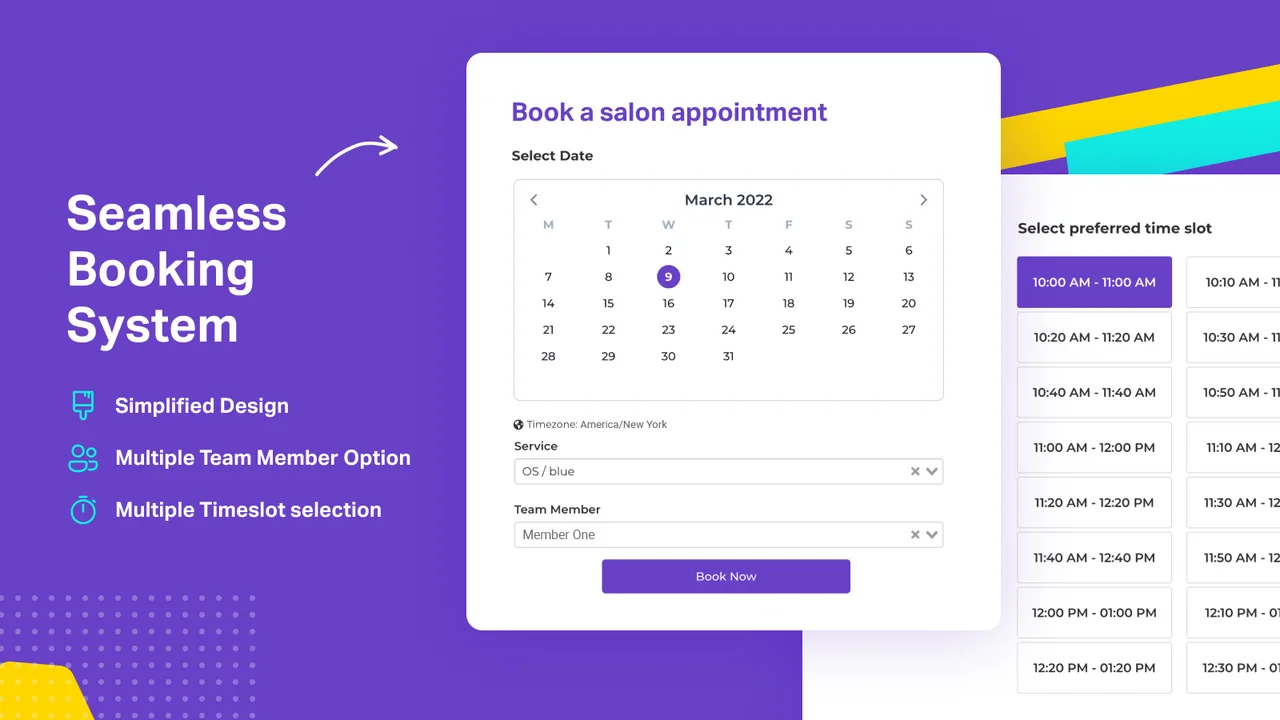
Apntly appointment scheduling interface from the developer's Shopify listing
Product image: Apntly on Shopify.

Best fitSimple appointment services

Relevant price$9/month Pro

Apntly makes a persuasive case when the brief is uncomplicated: customers choose an appointment, the team receives it and the monthly app cost stays low. The free offer covers one service and one team member. Starter expands the service and team setup, while Pro includes group appointments, calendar integrations, meeting integrations and deposits. **What would you pay?** For calendar-connected appointments and deposits, the listed Pro plan is $9/month. That is below Cowlendar Starter's $13.99 in the $800 revenue example. If those capabilities are the entire requirement, Apntly is a reasonable budget choice. **Why still consider Cowlendar?** When a business also needs recurring subscriptions, bundles, multi-day services or a custom API workflow, Cowlendar provides explicit documentation to evaluate those requirements. Those capabilities were not established for Apntly in the sources used here; that is a reason to ask, not to assume they are unavailable.
## 4. Appointo — best for unlimited basic services
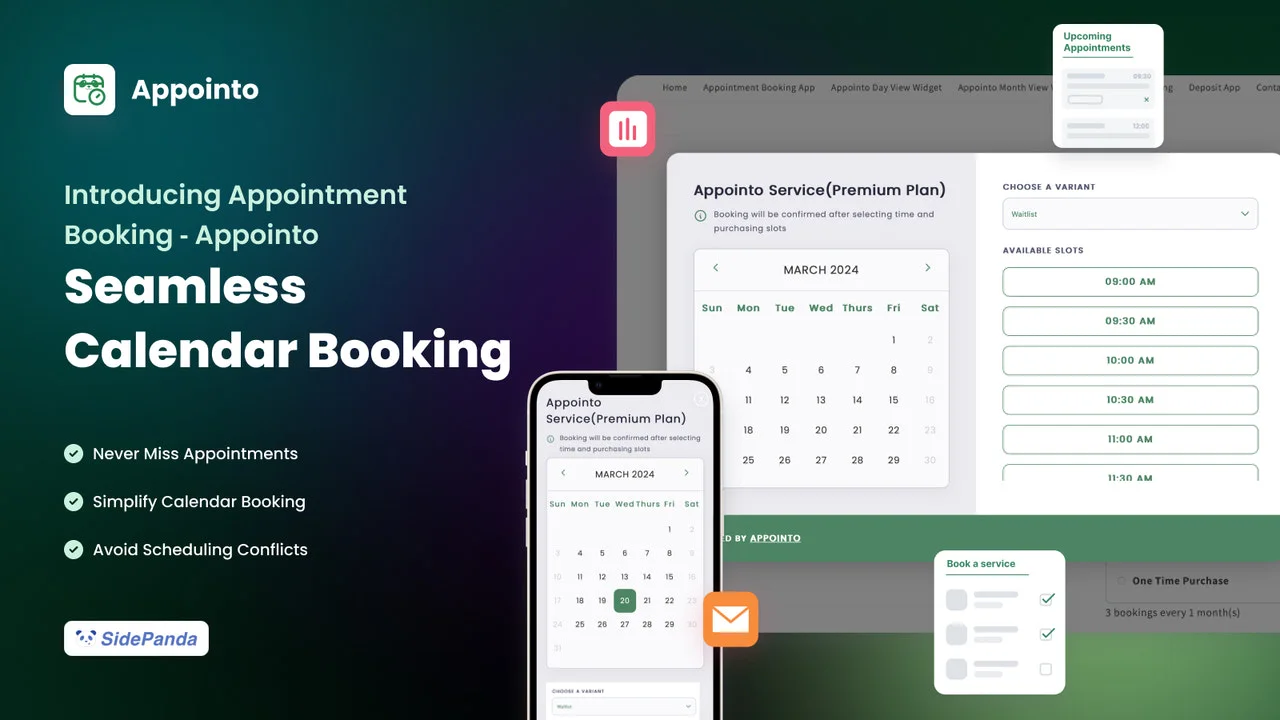
Appointo calendar and booking product image from its official Shopify listing
Product image: Appointo on Shopify.

Best fitSeveral basic services before paid feature upgrades

Cost to rememberListed 2% subscription/bundle charge

Appointo's free tier is attractive for a merchant who needs unlimited basic services and bookings. Pro introduces reminders and calendar connections; Premium adds group appointments and waitlists; Advanced adds more sophisticated widgets and portals. **What would you pay?** Pro is $14/month. If a qualifying subscription or bundle workflow generates $800 and the listed 2% charge applies to that revenue, the planning total is $30: $14 + $16. At $2,000 of that revenue, it is $54. These examples assume all the entered revenue is subject to that fee; SMS/WhatsApp and other relevant charges are separate. **Why consider Cowlendar?** Revenue-tier pricing gives a different way to budget recurring and bundled bookings. Compare the final Appointo tier and usage charge with Cowlendar's applicable revenue tier, especially as repeat purchases become a larger part of the business.
## 5. Easy Appointment Booking — best for event operations
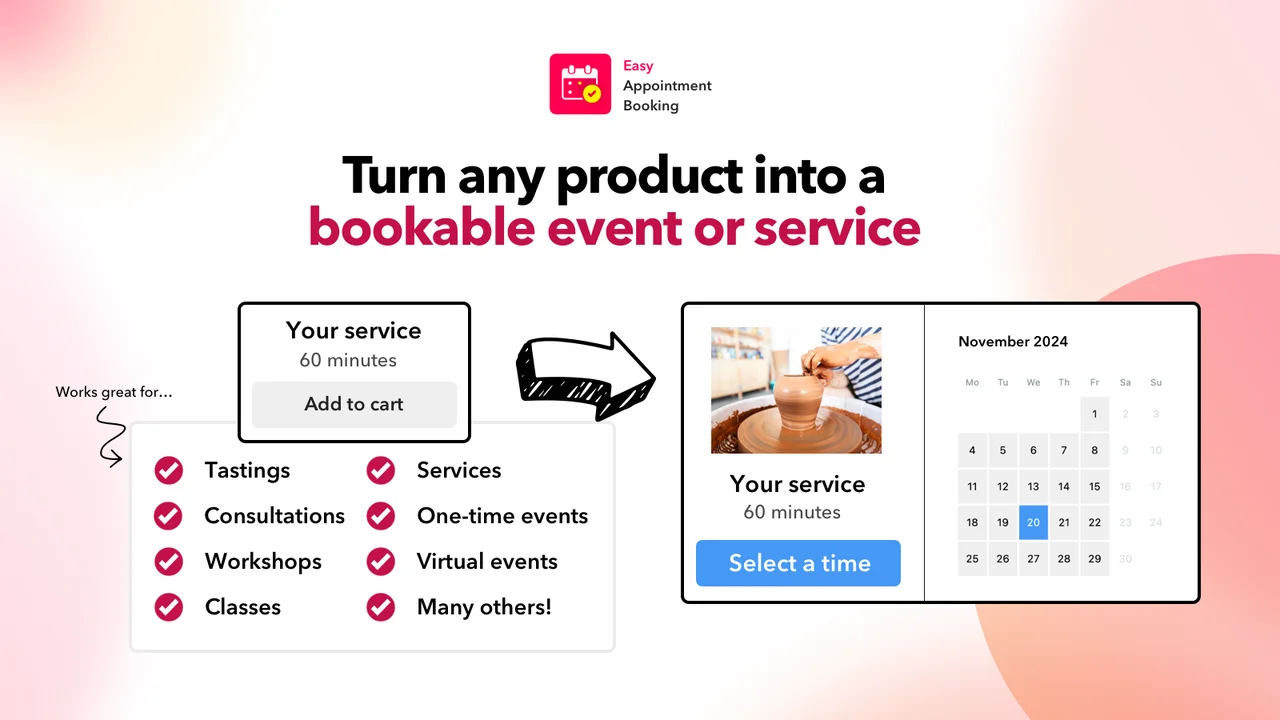
Easy Appointment Booking event and scheduling product image from Shopify
Product image: Easy Appointment Booking on Shopify.

Best fitWorkshops, tastings and repeat-visit packs

Relevant price$39 Pro Plus / $99 Ultimate

For an experience-led store, evaluate more than the date picker. The attendee list, customer changes, waitlist and redemption of a booking pack all matter. Easy Appointment Booking's documented offerings make it a relevant candidate for those operations. **What would you pay?** Pro Plus lists booking packs, deposits and waitlists at $39/month. The listing mentions Klaviyo and Shopify Flow on Ultimate at $99. Individual team logins are shown at $8 per staff member, so unlimited team members should not be interpreted as unlimited separate logins at no added cost. **Why consider Cowlendar?** A store needing packs and deposits at $800 monthly booking revenue can compare that $39 plan with Cowlendar Starter at $13.99. Bring a real pack-redemption and cancellation example into both trials, then check the staff access your operation needs.
## 6. BookX — best for location-based growth
BookX booking widget and calendar product image from the official Shopify listing
Product image: BookX on Shopify.

Best fitLocations, team capacity and seasonal rentals

Relevant price$19.99 Growth / $39.99 Business

BookX offers explicit location/team tiers and documents seasonal rental pricing. That makes it useful to evaluate when location count is a central planning constraint. Its Starter plan includes multi-day and bundle bookings; Growth adds deposit and seasonal-pricing features. **What would you pay?** Bundles plus deposits point to Growth at $19.99/month. Two-way Google Calendar synchronization, Klaviyo and webhooks are listed on Business at $39.99. Do not budget the entry tier if incoming external calendar events need to block your availability. **Why consider Cowlendar?** For a varied offer, compare Cowlendar's equipment availability, recurring subscriptions and beta API with your specific BookX tier. A good test is two services competing for the same resource, followed by a cancellation and rebooking. The result tells you more than a long list of integration logos.
## How to choose the right Shopify booking app **Write the workflow before choosing the plan.** List the services, staff, equipment, booking formats and payment rules you need. Specify whether a calendar connection must import busy time, export appointments or do both. Decide whether recurring customers buy separate sessions, a prepaid pack or a renewing subscription. **Price a normal month and a busy month.** The [comparison directory](/compare) includes calculators for ten apps, with booking volume, average value and feature requirements. Keep app subscriptions separate from Shopify costs, payment processing, messaging and extra staff access. Use the [service price calculator](/free-tools/service-price-calculator) to check your own service economics. **Test the awkward booking.** Fill the last seat, create an external calendar conflict, move an appointment and cancel a paid reservation. Confirm which emails fire and how the booking, order and refund records change. For an API integration, inspect the actual endpoints and event payloads. **Make the schedule realistic.** Use our [time slot generator](/free-tools/time-slot-generator) to plan service duration and buffer time. Use the [no-show calculator](/free-tools/no-show-calculator) to put numbers on missed visits, without assuming that any app guarantees a particular improvement. ## What about rental specialists and larger retail teams? This top six focuses on general service businesses. **IzyRent** is another useful option for rental-first stores, especially when date-based rates and iCalendar connections matter. **BookThatApp** is worth considering for specialized resource and bond workflows. **Sesami** belongs on an agency-led retail shortlist when an SDK is part of the brief. Explore [Cowlendar vs IzyRent](/cowlendar-vs-izyrent), [Cowlendar vs BookThatApp](/cowlendar-vs-book-that-app) and [Cowlendar vs Sesami](/cowlendar-vs-sesami) for their separate tradeoffs. The best selection is the app whose documented behavior matches the business you want to run. ## Sources and how we keep this useful The monthly prices, tier descriptions and product images in each entry link directly to the relevant Shopify listing. Advanced capabilities are checked against the vendor's documentation where available. We distinguish a confirmed limitation from a capability that was not established in those sources. - [Cowlendar: listing and pricing](https://apps.shopify.com/cowlendar) · [API and webhooks](https://help.cowlendar.com/how-to-integrations/connect-cowlendar-to-crm-erp-or-app-public-api-webhooks) - [Meety: listing and pricing](https://apps.shopify.com/meety-appointment-booking) · [Webhook documentation](https://meetyapp.io/docs/settings/third-party-integrations-advanced-webhook-shopify-flow/) - [Apntly: listing and pricing](https://apps.shopify.com/appointly) - [Appointo: listing and pricing](https://apps.shopify.com/appointo-appointments-and-bookings) - [Easy Appointment Booking: listing and pricing](https://apps.shopify.com/appointments-and-bookings) - [BookX: listing and pricing](https://apps.shopify.com/appointment-booking-bookeasy) - [Shopify: selling services](https://help.shopify.com/en/manual/products/digital-service-product/selling-services-or-digital-products) Before installing, verify the current offer on Shopify. If a price or feature changes, the exact plan needed for your workflow can change too. ## Common questions ### What is the best Shopify booking app for service businesses? Our first pick is Cowlendar when you need appointments, group sessions, rentals, bundles and subscriptions in one app. Apntly is a useful low-cost appointment option; Meety, Appointo, Easy Appointment Booking and BookX offer other feature and pricing tradeoffs. This is an editorial recommendation by the Cowlendar team. ### Does Cowlendar have a free plan with all features? Yes. Cowlendar’s free plan includes all features. Usage allowances apply; consult the pricing page for the free allowance, revenue thresholds and optional charges. ### Can Shopify sell appointments without a booking app? Shopify supports service products, but appointment availability and scheduling normally require a booking app or a custom integration. ### Which Shopify booking apps support subscriptions or bundles? Cowlendar, Meety and Appointo list subscriptions and bundles. Easy Appointment Booking lists booking packs, while BookX lists bundle bookings. Confirm the applicable tier and any transaction-linked charge. ### Is the cheapest starting price the best comparison? No. Compare the required plan for your calendars, deposits, bundles, staff access and integrations. Include usage charges and test both a typical and a busy month. --- # Five Practical Ways to Reduce No-Shows for Shopify Bookings Improve attendance with clear confirmations, useful reminders, easy rescheduling, appropriate payment terms and a measurable follow-up process. - Canonical: https://cowlendar.com/blog/5-powerful-strategies-to-instantly-reduce-no-shows-and-boost-sales-in-your-shopify-store - Published: 2025-07-01T00:00:00.000Z - Updated: 2026-09-22T10:00:00Z - Publisher: Cowlendar ## The short answer Reduce preventable confusion and make changes easy before increasing penalties. Measure attendance and late cancellations separately; no tactic guarantees a specific improvement. ## 1. Make the confirmation impossible to misunderstand Show the booked service, date, local time, time zone, location or meeting link, and the customer's next action. Use an explicit date rather than an ambiguous numeric format when serving international customers. Test the confirmation on a phone and in a different time zone. If customers cannot quickly find where to go or how to join, another reminder will repeat the same problem rather than solve it. ## 2. Send reminders that let people act A useful reminder includes a clear way to confirm, reschedule within policy or contact the business. Choose timing that gives customers a realistic opportunity to respond and gives you time to refill the slot. Do not assume more messages are always better. Review delivery failures, customer feedback and actual attendance. SMS and other channels can carry usage costs and consent requirements, so configure them for your audience and applicable rules. ## 3. Make permitted changes easier than disappearing If a customer knows they cannot attend, a simple rescheduling path can preserve the relationship and release the original time. State the cutoff clearly and show the next available options. Test the change flow from the customer's confirmation email. Verify the old slot is released, the new slot is reserved, and both staff and customer receive the updated details. Keep cancellations, reschedules and no-shows as separate statuses in reporting. ## 4. Use payment terms that fit the service Full prepayment or a booking advance may be appropriate where missed appointments create preparation costs. That does not mean deposits always improve conversion or attendance. Make the terms clear before booking and evaluate the effect for your business. Check the refund and remaining-balance process with the actual payment setup. A payment policy should be understandable and workable, not merely a deterrent copied from another company. ## 5. Learn from missed appointments Use a short, respectful follow-up to understand whether the problem was timing, unclear instructions, a technical issue or something else. Do not expose private information or pressure the customer into sharing unnecessary details. | Metric | What it helps distinguish | | --- | --- | | Attended bookings / expected bookings | Actual attendance outcome | | Cancellations before cutoff | Timely changes that may release capacity | | Late cancellations | Lost preparation or refill time | | Reschedules completed | Demand retained at another time | | Failed reminder deliveries | Contact or notification problems | Compare similar services and periods. A change in service mix or advertising audience can affect the numbers, so avoid attributing every improvement to the latest reminder template. ## Put the workflow into your booking system Cowlendar lists reminders, cancellation/rescheduling and payment options. Configure these together around a clear policy, then test the full customer journey. Our [cancellation guide](/blog/manage-cancellations-and-rescheduling-in-shopify-bookings) covers the operational details. Start with the most common preventable problem. If people arrive at the wrong location, fix the address and directions. If they forget, test useful reminders. If they cannot change a booking, improve that path. Specific fixes are more credible than a promised percentage reduction. ## Official sources - [Cowlendar reminders and booking management](https://apps.shopify.com/cowlendar) - [Shopify refund handling](https://help.shopify.com/en/manual/orders/refund-cancel-order) ## Common questions ### How much will reminders reduce no-shows? There is no guaranteed percentage for your business. Measure comparable bookings before and after the change, including delivery failures and cancellations. ### Are deposits always the best solution? No. First identify why customers miss appointments. Payment terms may help some services, while clearer instructions or easier rescheduling may address other causes. --- # Hotel Booking on Shopify: Rooms, Nights & Daily Operations Plan hotel bookings on Shopify with a room inventory checklist, arrival and departure rules, payment checks and a practical launch test. - Canonical: https://cowlendar.com/blog/best-booking-apps-for-hotels-on-shopify - Published: 2025-07-30T00:00:00.000Z - Updated: 2026-09-22T10:00:00Z - Publisher: Cowlendar ## The short answer For hotels, the hardest question is not how the calendar looks. It is whether every occupied night and every room are accounted for correctly. ## Map rooms before mapping screens List each room or room category and its sellable quantity. Include rooms temporarily unavailable for maintenance and any rooms you reserve for direct requests. Decide whether staff assign an exact room after booking or whether the customer chooses it upfront. For a small property, a Shopify booking app can support a direct-sales workflow. For a larger hotel, front-desk operations, housekeeping, channel distribution and reporting may require a dedicated property-management system. Do not remove those systems simply because a booking app displays a date picker. ## Check arrival and departure logic A guest checking in on June 10 and leaving on June 12 normally occupies two nights. Test how the app counts that interval, and whether another guest may arrive on the 12th. Add the appropriate cleaning or turnaround window where the product supports it. Try a stay that crosses a month boundary, a daylight-saving change and a blocked maintenance date. These edge cases reveal problems that a simple one-night test will miss. Use the property's local timezone consistently in staff views and confirmation messages. ## Compare the relevant booking models Cowlendar and BookX explicitly list multi-day booking, while BookThatApp describes rental and hotel scheduling. These are candidates for a direct-booking implementation. Their public descriptions do not establish every PMS or channel-management requirement. | Operational question | Evidence to request | | --- | --- | | Can the last room be sold only once? | Two simultaneous booking attempts | | Can an existing stay change dates? | Availability before and after the change | | Does each channel share inventory? | A demonstrated connection and refresh behavior | | Can staff block maintenance? | A block that affects every sales path | | Are extras priced correctly? | A complete test checkout with all fees | Our [hotel app comparison guide](/blog/best-shopify-hotel-and-vacation-rental-booking-apps-in-2026) helps build the shortlist. Use the [multi-day setup guide](/blog/how-to-manage-multi-day-rental-bookings-on-shopify) for interval testing. ## Build a daily front-desk routine Give the team a consistent arrival list, departure list and unresolved-payment list. Include only the information they need for the task. Confirm who can alter reservations and how changes are communicated to the guest and cleaning team. A booking record, a Shopify order and a payment transaction are related but not identical. If a stay is cancelled, verify the inventory change and the financial action separately. Do not assume a calendar cancellation automatically returns money. ## Explain the stay before payment Show arrival hours, departure time, occupancy, accessibility information, location and cancellation terms on the product page. Clarify whether the initial amount is a full payment, an advance toward the stay or a separate refundable deposit. Avoid burying essential restrictions in a reminder sent after checkout. Customers should understand the practical conditions before committing, and the confirmation should repeat the most useful arrival details. ## Reconcile before opening the calendar Export or list every future stay, including offline reservations and room blocks. Check the new calendar against that list date by date. Make a small controlled booking and refund test, then open a limited date range first. Keep the previous reservation records accessible during the transition. If an integration cannot demonstrate reliable cross-channel inventory behavior, use a request-to-book process or keep the established channel manager until the issue is resolved. ## Official sources - [Cowlendar rental and multi-day features](https://apps.shopify.com/cowlendar) - [BookX multi-day booking](https://apps.shopify.com/appointment-booking-bookeasy) - [BookThatApp booking types](https://apps.shopify.com/bookthatapp) ## Common questions ### Can I sell room nights as a normal Shopify product? A normal product quantity does not by itself reserve availability across a date range. Use and test a booking workflow that models each occupied night and room capacity. ### Should I cancel my hotel management software? Only after verifying every operational requirement. A Shopify booking app is not automatically a replacement for a PMS, housekeeping system or channel manager. --- # How to Choose a Nail Salon Booking App for Shopify in 2026 Evaluate nail salon booking on Shopify with treatment durations, technician skills, add-ons, cleanup time and repeat-customer workflows. - Canonical: https://cowlendar.com/blog/best-nail-salon-booking-app-for-shopify-in-2026 - Published: 2026-07-05T00:00:00.000Z - Updated: 2026-09-22T16:38:32.222451Z - Publisher: Cowlendar ## The short answer Choose a booking app that reflects the time and technician each treatment actually needs. Removal, repair and nail-art add-ons must not silently overrun the next appointment. ## Build a menu around duration, not just names A manicure, gel removal and a detailed nail-art appointment can take very different amounts of time. Define each service clearly and explain what is included. If an add-on changes the duration, the booking setup needs to reserve that extra time. Avoid accepting a short basic appointment while asking customers to describe unlimited extras in a notes field. Use defined options or a consultation route for work that requires an assessment. ## Match treatments to qualified technicians A customer choosing “any technician” should only see staff who can perform the selected treatment. Give each person a realistic schedule, breaks and preparation time. Where equipment or stations are shared, protect that resource as well. | Booking detail | Test before launch | | --- | --- | | Removal before a new set | Duration expands as intended | | Detailed nail art | Suitable technician and sufficient time | | Two customers booking together | Correct number of staff and stations | | Repair appointment | Clear scope and appropriately short slot | | Cleanup buffer | The next customer cannot book inside it | ## Compare apps by workflow and plan For a solo technician with a simple offer, Apntly and Appointo have free entry points worth evaluating. Cowlendar provides its feature set on the free plan, with paid booking-revenue tiers. Tipo offers staff and service limits by plan. These are starting points, not a guarantee that every add-on or paired appointment works identically. Show the vendor a realistic service combination and ask them to demonstrate it on the plan you would use. ## Make repeat visits easy without creating confusion If you sell a treatment pack, distinguish purchasing the pack from reserving each visit. Check how credits are redeemed, what happens after a cancellation and whether customers can see their remaining entitlement. For recurring appointments, verify how changes to one visit affect the series. A customer moving a single appointment should not unintentionally move every future reservation. ## Set clear payment and cancellation expectations Show the amount due now, any remaining balance and the applicable change deadline. If a deposit is required, describe its purpose accurately. Check refunds and booking cancellations separately. Reminders should include the service, date, location and a useful change link. Preparation instructions should be relevant and concise. Avoid filling messages with marketing content that makes the appointment details harder to find. ## Run a realistic half-day trial Create several consecutive appointments with different durations. Add a staff break, a late change and a treatment requiring a specific technician. Ask the team whether the resulting schedule is workable. The best app is the one that passes this practical test and remains affordable at your expected volume. Use our [salon app comparison](/blog/best-shopify-booking-apps-for-salons-and-spas-in-2026-reviews-and-pricing) for a wider shortlist. ## Official sources - [Cowlendar](https://apps.shopify.com/cowlendar) - [Apntly](https://apps.shopify.com/appointly) - [Appointo](https://apps.shopify.com/appointo-appointments-and-bookings) - [Tipo](https://apps.shopify.com/tipo-appointment-booking) ## Common questions ### Can nail-art add-ons extend appointment duration? That depends on the app and configuration. Verify that the selected option changes occupied time, not just the price. ### Should I offer an “any technician” option? It can simplify booking if the system only includes qualified, available staff and protects the required station or equipment. --- # Best Shopify Rental Apps: Equipment, Dates & Deposits (2026) Compare Shopify rental booking apps for equipment, date ranges, stock and deposits. Learn what to test before you start taking reservations. - Canonical: https://cowlendar.com/blog/best-shopify-apps-for-rental-businesses-in-2026 - Published: 2026-06-23T00:00:00.000Z - Updated: 2026-09-22T10:00:00Z - Publisher: Cowlendar ## The short answer Choose a rental app by how it reserves resources over time. Selling a product quantity is not enough to guarantee that equipment is available for the entire rental. ## Define what one rental consumes List the resources required by a booking: the item, accessories, staff time and any preparation or cleaning period. A kayak booking might consume a boat, paddle and guide. A camera rental may reserve a particular kit for several consecutive days. The reservation must protect the scarce resource for the whole interval. Write down your inventory units before installing an app. Decide whether customers select a named item or any available unit within a category. That distinction affects how you handle substitutions, repairs and maintenance. ## Which apps belong on the shortlist? Cowlendar, BookX and BookThatApp advertise rental-oriented or multi-day capabilities. Tipo also lists full-day and multi-day booking on Basic. These are candidates to test against your inventory model, not interchangeable rental-management systems. | Situation | Candidates to investigate | Important test | | --- | --- | --- | | Rentals alongside appointments and classes | Cowlendar, BookX | One resource shared between service types | | Equipment with deposits or bonds | BookThatApp, Cowlendar | Distinguish a booking payment from a damage bond | | Seasonal rental prices | BookX | A date range crossing two price periods | | A small catalogue and staff team | Tipo | Resource count and overlapping intervals | The [comparison library](/compare) links to each vendor's official listing and shows plan limits. Use current quotes for any special inventory or payment requirement. ## Test overlapping dates, not only identical start times Create a reservation from Monday morning to Wednesday evening. A second reservation starting Tuesday must not be accepted for the same unit just because its start time differs. Then try a reservation after the configured turnaround buffer; it should become available when the equipment is genuinely ready. Test cancellations and early returns too. The inventory should recover according to your intended process. If an app requires a manual action to reopen stock, make that task explicit for the team. ## Deposits need a clear definition An advance payment contributes to the rental price. A refundable damage deposit protects against a different risk. A card authorization is different again: it has processor-specific rules and is not the same as taking a payment and refunding it later. Ask the app and payment provider to demonstrate the exact mechanism you need. Show the customer what is charged now, what remains due, when a refundable amount is returned, and how a dispute is handled. Our [rental deposit workflow](/blog/how-to-build-a-rental-damage-deposit-workflow-that-protects-you) separates these steps. ## Make pickup and return usable Tell customers where to collect the item, what to bring and how late returns affect their booking. Include opening hours and the correct timezone. If the return location differs from pickup, collect that choice before payment and check that your operations can support it. Use custom questions for useful logistics, not as a substitute for inventory rules. Asking “which bike do you want?” does not reserve that bike unless the answer is connected to an actual resource allocation. ## Compare the total cost Model a quiet month and a busy month. Count bookings, revenue, team accounts, locations and integrations. Cowlendar's published tiers scale with booking revenue; BookThatApp lists booking-volume limits; BookX and Tipo use their own feature and team/service tiers. The cheapest entry plan may not cover peak season. Before switching, import or manually reconcile every future reservation and blackout period. Keep a dated inventory snapshot, then test one real item from booking to return. Avoid running two independently bookable calendars against the same stock. ## Official sources - [Cowlendar](https://apps.shopify.com/cowlendar) - [BookX](https://apps.shopify.com/appointment-booking-bookeasy) - [BookThatApp](https://apps.shopify.com/bookthatapp) - [Tipo Appointment Booking](https://apps.shopify.com/tipo-appointment-booking) ## Common questions ### Can I rent physical products on Shopify? Yes, with a workflow that handles date-based availability and rental operations. Verify resource allocation, overlapping dates, pickup, returns and payments before launch. ### Is a rental deposit the same as a booking deposit? No. A booking deposit is usually an advance toward the price. A refundable damage deposit or card authorization has a different purpose and needs its own clearly documented process. --- # Best Shopify Booking Apps for Yoga & Fitness Classes (2026) Compare yoga and fitness booking apps for Shopify by class capacity, passes, waitlists, instructor schedules and real operating costs. - Canonical: https://cowlendar.com/blog/best-shopify-booking-app-for-yoga-studios-and-fitness-classes-(2026) - Published: 2026-07-22T00:00:00.000Z - Updated: 2026-09-22T16:38:32.222451Z - Publisher: Cowlendar ## The short answer A class booking needs both a seat and an available instructor or room. Test those constraints together before choosing an app for your studio. ## Decide whether you sell a seat, a pass or a membership A single drop-in class reserves one seat in one session. A five-class pass creates a balance that the customer redeems over time. A membership may involve recurring billing and rules about what can be booked. Those are separate workflows; support for one does not prove support for the others. Write down your actual policy: how many sessions a pass includes, when credits expire, whether a cancellation restores a credit, and whether no-shows consume one. Then ask the vendor to demonstrate that policy rather than accepting the word “subscription” as a complete answer. ## Compare apps by the class operation Cowlendar lists group bookings, bundles and subscriptions. Easy Appointment Booking lists booking packs and waitlists on Pro Plus. Meety documents bundles/subscriptions on Starter and waitlists on Business. Sesami lists group appointments on Pro. These are useful starting points, with different plan structures and prices. | Studio requirement | What to verify | | --- | --- | | Drop-in classes | Per-session capacity and a clear attendee count | | Shared studio room | Two instructors cannot reserve the room simultaneously | | Passes | Purchase, redemption, remaining balance and expiry | | Waitlist | How a released place is offered and how long it is held | | Recurring payments | Billing, failed payments, cancellation and booking entitlement | | Instructor changes | Substitute coverage without duplicating the class | See [Cowlendar vs Easy Appointment Booking](/cowlendar-vs-easy-appointment-booking) and [Cowlendar vs Meety](/cowlendar-vs-meety) for sourced feature and pricing comparisons. ## Check what happens when a class fills up Create a class with a capacity of three, then reserve three seats across different customers. Try adding a fourth. Next cancel one reservation and confirm the capacity and any waitlist update as expected. Test multi-seat bookings separately. If a customer brings two friends, the booking should consume three places, not one. Decide whether you need each attendee's name or only the purchaser's contact information. ## Make the timetable easy to understand Use consistent class names, difficulty levels, durations and locations. Describe equipment provided, arrival time and any access instructions. A class description should let a newcomer decide whether the session is suitable without needing a support conversation. On mobile, the customer should be able to see the date, start time, instructor and price without jumping between several pages. If you offer online classes, display the timezone and send the meeting link through the intended confirmation workflow. ## Budget for the studio you are becoming Calculate the next six months of expected bookings and revenue, then include staff logins, required integrations and any messaging or subscription charges. Some free plans are generous for a single service; they may still lack the pass or calendar behavior you need. Cowlendar's free plan with all features is a small test allowance. A studio running daily classes should compare the relevant paid revenue tier with the competitor plan that actually includes groups, passes and waitlists. ## Pilot one recurring class Start with one class type and two weeks of dates. Test payment, cancellation, a full class, a substitute instructor and a credit redemption if you sell packs. Keep your current attendance records until the new system's counts are reconciled. If you are already committed to Shopify and need setup guidance, follow [yoga and wellness booking setup](/blog/how-to-offer-yoga-and-wellness-class-bookings-on-shopify). A separate studio-management platform may still be needed for requirements outside booking and commerce. ## Official sources - [Cowlendar plans and formats](https://apps.shopify.com/cowlendar) - [Easy Appointment Booking packs and waitlists](https://apps.shopify.com/appointments-and-bookings) - [Meety feature tiers](https://apps.shopify.com/meety-appointment-booking) - [Sesami group appointments](https://apps.shopify.com/sesami) ## Common questions ### Can a Shopify booking app manage a class pass? Some apps document bundles or packs. Verify credit balances, expiry, cancellation restoration and the exact plan before selling your pass. ### Is a subscription the same as class access? No. Recurring payment and permission to reserve classes are separate behaviors that must be connected and tested. --- # Best Shopify Booking Apps for Salons and Spas in 2026 Compare salon and spa booking apps for Shopify by staff, treatment rooms, reminders, deposits and the cost of the required plan. - Canonical: https://cowlendar.com/blog/best-shopify-booking-apps-for-salons-and-spas-in-2026-reviews-and-pricing - Published: 2026-06-27T00:00:00.000Z - Updated: 2026-09-22T16:38:32.222451Z - Publisher: Cowlendar ## The short answer Choose around the treatment workflow: qualified staff, required space, realistic duration and customer changes. A salon needs dependable availability more than a long feature list. ## Start with your hardest treatment to schedule A simple haircut can be easier to model than a treatment requiring a specialist, a room and preparation time. Evaluate apps against the most important constraint first. If the system cannot protect that resource combination, an attractive booking page will not solve the operational problem. This shortlist reflects documented product capabilities, not hands-on testing of every salon configuration. Verify plan details and demonstrate your own workflow before committing. | Salon situation | Apps to investigate | What to test | | --- | --- | --- | | Solo practitioner, one service | Apntly, Appointo | Free-plan limits and calendar conflicts | | Several treatment types | Cowlendar, Meety | Staff skills, rooms and customer changes | | Retail store adding consultations | Sesami, Cowlendar | POS workflow and staff/resource model | | Repeat visits and packages | Easy Appointment Booking, Appointo | Credit redemption, expiry and extra charges | | Team with clear service limits | Tipo, BookX | Required tier as staff and locations grow | ## Compare the complete monthly cost Apntly lists paid plans from $5 and a $9 Pro plan with groups, calendar integrations and deposits. Cowlendar starts at $13.99 after its free plan, with tiers tied to booking revenue. Tipo lists Basic at $9.90 and Pro at $14.90 with different staff and service limits. These are monthly USD figures checked September 22, 2026. They do not imply that the entry tier of every app includes the same workflow. Add applicable staff, messaging, package or payment costs to the comparison. ## Verify staff and room availability together Book the same therapist into two services that use different rooms. Then book two therapists into the same room. The setup should block whichever shared resource is unavailable. Test buffers around treatments and the handling of staff breaks. If customers can choose “any available professional,” verify the system only assigns people qualified for that treatment. ## Look beyond the first appointment A useful salon workflow handles rescheduling, late cancellations, repeat visits and package use. Make a booking, change it and check both the calendar and payment status. If customers buy a course of treatments, confirm how individual visits are reserved and consumed. Ask whether the app replaces any existing salon tools or merely adds online booking. Inventory, commissions, clinical records and payroll are separate requirements unless explicitly supported. ## Make the team part of the trial A receptionist should be able to find a customer's appointment, understand the service and payment status, and make an allowed change. A practitioner should see the information needed for the day without unnecessary access to unrelated customer data. Choose the app that passes those operational tests on a sustainable plan. For step-by-step setup, use our [salon and spa implementation guide](/blog/how-to-set-up-salon-and-spa-appointments-on-shopify). ## Official sources - [Cowlendar](https://apps.shopify.com/cowlendar) - [Apntly](https://apps.shopify.com/appointly) - [Tipo](https://apps.shopify.com/tipo-appointment-booking) - [Sesami](https://apps.shopify.com/sesami) - [Appointo](https://apps.shopify.com/appointo-appointments-and-bookings) - [Easy Appointment Booking](https://apps.shopify.com/appointments-and-bookings) - [Meety](https://apps.shopify.com/meety-appointment-booking) - [BookX](https://apps.shopify.com/appointment-booking-bookeasy) ## Common questions ### Which app is best for a one-person salon? Start with the complete workflow and budget. Apntly and Appointo have documented free entry points worth comparing; Cowlendar offers a free plan with all features; usage allowances apply. ### Do all booking apps include treatment-room management? No. Confirm how shared resources are modeled and whether staff plus room can be reserved together. --- # Shopify Hotel & Vacation Rental Booking Apps: What to Compare (2026) Choose a Shopify hotel or vacation rental booking app with a practical checklist for nights, availability, payments and channel synchronization. - Canonical: https://cowlendar.com/blog/best-shopify-hotel-and-vacation-rental-booking-apps-in-2026 - Published: 2026-06-28T00:00:00.000Z - Updated: 2026-09-22T10:00:00Z - Publisher: Cowlendar ## The short answer A Shopify booking app can support direct stays, but it is not automatically a hotel property-management system or an Airbnb channel manager. ## Start with the property model A single vacation cottage, six identical rooms and a hotel with several room categories are three different inventory problems. Before comparing apps, write down exactly what can be reserved and what should become unavailable after a booking. For a cottage, one reservation usually blocks the whole property for a date range. For identical rooms, you need a capacity count for each overlapping night. For a hotel with named rooms, you may need room assignment as well as category availability. Test the most complicated version you actually sell. ## Build a shortlist around your requirements Cowlendar, BookX and BookThatApp document rental or multi-day booking workflows. That makes them reasonable Shopify candidates to investigate, not proof that each meets every hospitality requirement. Our detailed [BookX comparison](/cowlendar-vs-bookx) and [BookThatApp comparison](/cowlendar-vs-book-that-app) explain the relevant plan distinctions. | Requirement | What a successful test looks like | | --- | --- | | Night-based availability | A Tuesday check-in and Friday check-out occupies three nights | | Same-day turnover | A departing guest does not incorrectly block the next permitted arrival | | Minimum stay | A one-night selection is refused when your rule requires two | | Room capacity | The last available unit disappears after a confirmed reservation | | Fees | Cleaning, extras and taxes appear clearly before payment | | Changes | Shortening or cancelling a stay updates availability correctly | ## Be precise about calendar connections Google Calendar synchronization is not the same as synchronizing availability with Airbnb, Booking.com or a property-management system. Likewise, an iCalendar export may be a periodically refreshed feed rather than a real-time conflict check. Ask each vendor which direction data moves, how often it refreshes, and what happens when two channels receive a booking close together. If multiple channels sell the same property, choose a verified source of truth for inventory. Do not activate instant booking on a new channel until you have demonstrated the overlap protection. Where a dedicated channel manager is necessary, treat the Shopify app as one part of the stack. ## Price a realistic stay Use one short stay, one longer stay and one stay crossing a seasonal price boundary. Check whether pricing is per night, per day, per guest or a fixed booking amount. Confirm how extras and discounts interact with that calculation. Cowlendar's current published plans use booking-revenue tiers. BookX lists seasonal-pricing capabilities on paid tiers. BookThatApp's public plans use booking-volume and staff limits. Compare the applicable plan using expected turnover and booking volume, not just the number of properties. ## Set expectations before checkout The product page should explain check-in and check-out times, maximum occupancy, location, included amenities and the cancellation policy. A booking payment or advance payment is not necessarily a refundable damage bond; describe each amount separately. Collect only the information needed at reservation time. Put operational arrival instructions in the confirmation message and send sensitive access details through an appropriate process. Never put door codes in a publicly accessible calendar description. ## A safe launch sequence Start with one property or room category. Make a test reservation, change its dates, cancel it, and repeat the process on mobile. Verify the order amount, confirmation email and blocked nights each time. Reconcile existing stays before opening dates to the public. If you need an implementation walkthrough rather than an app shortlist, follow our [Airbnb-style booking guide](/blog/how-to-offer-airbnb-style-bookings-on-your-shopify-store). For room operations, see [hotel booking on Shopify](/blog/best-booking-apps-for-hotels-on-shopify). ## Official sources - [Cowlendar booking formats and pricing](https://apps.shopify.com/cowlendar) - [BookX multi-day and seasonal options](https://apps.shopify.com/appointment-booking-bookeasy) - [BookThatApp rental scheduling](https://apps.shopify.com/bookthatapp) ## Common questions ### Can Shopify replace my hotel PMS? A store and booking app may cover direct reservations, but you should separately verify room assignment, housekeeping, channel management and reporting requirements. ### Does Google Calendar sync prevent double bookings across Airbnb and Booking.com? Not by itself. Verify a specific channel integration or inventory synchronization workflow with the vendors involved. --- # Best Website Builders for Online Booking: Shopify, Wix, Squarespace and WordPress Compare booking website approaches by commerce needs, maintenance, scheduling tools and total cost—not just the design template. - Canonical: https://cowlendar.com/blog/best-website-builders-for-online-booking-systems - Published: 2026-07-02T00:00:00.000Z - Updated: 2026-09-22T10:00:00Z - Publisher: Cowlendar ## The short answer Choose the website platform around the business you run. Shopify suits commerce-led services, while a simpler appointment site or a highly customized system may fit a different platform. ## Start with the role of the website A booking website can be a simple appointment page, a product-and-service store, a class schedule or a rental catalog. Before choosing a builder, identify what customers must buy and what your team must manage afterward. This is a workflow comparison, not a claim that one platform is best for every business. Plan inclusions and prices change, so verify the linked official documentation before purchasing. | Platform approach | Worth considering when | Main thing to evaluate | | --- | --- | --- | | Shopify with a booking app | Products and services should share a commerce storefront | App workflow, Shopify costs and order integration | | Wix with Wix Bookings | The website and service scheduling are the main project | Required site plan, service types and payment setup | | Squarespace with Acuity | A design-led site needs a dedicated scheduling experience | Acuity subscription and how it connects to the site | | WordPress with WooCommerce Bookings | You want control and can maintain the system | Hosting, extensions, updates and resource configuration | ## Shopify: useful when booking belongs in commerce Shopify supports selling services, with a suitable booking app adding scheduling. This can make sense when customers browse physical products and appointments in the same store, or when your team already works with Shopify orders. Evaluate the combined cost of Shopify, the booking app and payment processing. Cowlendar is one option, but our [comparison directory](/compare) covers several alternatives. The right app must handle your duration, capacity and payment requirements. ## Wix: evaluate the booking-enabled site plan Wix Bookings supports service scheduling within a Wix site. Its documentation says you can add the app for free, but the site must be upgraded to accept bookings. Check the exact plan and payment capabilities for your region and business. Test the service types you need—such as appointments, classes or courses—and how staff availability works. A builder's attractive templates do not prove it can enforce every resource conflict. ## Squarespace and Acuity: understand the separate system Squarespace scheduling blocks can display an Acuity scheduler. An Acuity subscription is part of the setup; do not assume the website subscription alone includes the scheduling service you need. Evaluate booking questions, calendars, reminders and payment behavior in Acuity, then test how customers move between the website and scheduler. Keep product purchases and appointment records conceptually distinct unless your configuration explicitly connects them. ## WordPress and WooCommerce: more ownership, more upkeep WooCommerce Bookings provides a bookable-product model, with documented concepts such as persons and resources. It is worth investigating when you need control and have the skills or support to maintain a WordPress stack. Include hosting, backups, security updates, extension compatibility and development work in the budget. A flexible system still needs someone responsible when a theme update changes the booking page. ## Compare a complete customer journey Build or view a representative service on each shortlisted platform. Check mobile booking, payment, confirmation, cancellation and staff access. For rentals or shared resources, attempt an overlapping reservation. Then ask who will maintain the system six months from now. The best choice balances the customer experience with the team's ability to operate it reliably. If you already have a working Shopify store, changing the entire platform may create more work than selecting the right booking app. ## Official sources - [Shopify: selling services](https://help.shopify.com/en/manual/products/digital-service-product/selling-services-or-digital-products) - [Wix: about Wix Bookings](https://support.wix.com/en/article/wix-bookings-about-wix-bookings) - [Squarespace: scheduling blocks](https://support.squarespace.com/hc/en-us/articles/206545577-Scheduling-blocks) - [WooCommerce Bookings documentation](https://woocommerce.com/documentation/products/extensions/woocommerce-bookings/) ## Common questions ### Do all website builders include booking for free? No. Scheduling may require a paid website plan, a separate subscription or a paid extension. Compare the complete setup. ### Should I move away from Shopify to add appointments? Not necessarily. If the store already fits your commerce needs, test suitable Shopify booking apps before taking on a platform migration. --- # Cowlendar vs Appointo in 2026: Free Limits, Paid Features and Booking Fit Compare Cowlendar and Appointo for Shopify, including free booking allowances, calendar sync, packages and paid-plan costs. - Canonical: https://cowlendar.com/blog/cowlendar-vs-appointo-2026-shopify-booking-app-comparison - Published: 2026-06-19T00:00:00.000Z - Updated: 2026-09-22T16:38:32.222451Z - Publisher: Cowlendar ## The short answer Appointo is worth considering for unlimited free bookings with feature-based upgrades. Cowlendar offers a small free allowance and a common feature set across booking-revenue tiers. ## The main difference is the upgrade path Both apps address Shopify booking needs, but the pricing models ask different questions. With Cowlendar, estimate booking volume during the free allowance and booking revenue on paid tiers. With Appointo, identify the plan containing your required features and any applicable usage charges. Our [permanent Cowlendar vs Appointo page](/cowlendar-vs-appointo) contains the detailed feature table. This guide focuses on how to evaluate the choice for your store. It is written by the Cowlendar team, not an independent testing organization. ## Compare the free plans honestly Appointo's listing includes unlimited services and bookings on the free plan, plus multi-day booking. Calendar integrations and reminders are listed on paid plans. Cowlendar's free plan includes all features on the free plan. If your ongoing needs fit Appointo's free capabilities, that is a meaningful advantage. If you need to evaluate several advanced booking features with a few test reservations, Cowlendar's allowance may be useful. Neither conclusion requires pretending the two free offers are identical. | Decision | Cowlendar | Appointo | | --- | --- | --- | | Free booking volume | 5/month | Unlimited listed | | Paid structure | Booking-revenue tiers | Feature tiers | | Entry paid price | $13.99/month | $14/month | | Groups | Included feature set | Premium listed at $25/month | | Advanced portals/add-ons | Verify the precise workflow | Advanced listed at $39/month | | Subscription/bundle charges | Confirm any applicable usage costs | 2% charge disclosed in paid-plan descriptions | Prices are monthly USD checked September 22, 2026; Shopify, taxes and applicable usage costs are separate. ## Test the features that define your business For appointments, test external calendar conflicts and customer rescheduling. For groups, test participant capacity and changing one attendee in a multi-person booking. For rentals, test overlapping dates and the end-date boundary. If you sell repeat-visit packages, follow the complete path from purchase to redeemed sessions. Check expiration, cancellation and reporting, and include any percentage-based charges in the business model. ## Evaluate customer and team access A portal can be valuable when customers or staff need regular access to bookings. Ask what each role can see and edit, and test it with the permissions you intend to grant. Do not infer that a portal handles every change automatically. Verify cutoffs, payment adjustments and whether the booking history remains understandable after a reschedule. ## Calculate a realistic month Estimate bookings multiplied by average service value for Cowlendar's revenue tier. For Appointo, choose the feature tier and add any relevant subscription/bundle or messaging costs. Use the same service mix in both calculations. Then have the person responsible for the schedule run a test day in each system. A modest subscription difference can matter less than repeated manual corrections, but those corrections should be observed in your trial rather than assumed. ## Switch with a reconciliation plan Export or document upcoming appointments, outstanding balances and repeat commitments. Confirm import support with the destination vendor. Keep the old system available until the future schedule and customer communications are reconciled. ## Official sources - [Cowlendar plans and features](https://apps.shopify.com/cowlendar) - [Appointo plans and disclosed charges](https://apps.shopify.com/appointo-appointments-and-bookings) - [Appointo help center](https://help.appointo.me/) ## Common questions ### Is Appointo free for unlimited bookings? Its checked free plan lists unlimited services and bookings. Features such as calendar integrations and reminders require paid-plan evaluation. ### Which is cheaper for booking packages? Calculate the required subscription and applicable package-related charges using your expected revenue. Appointo discloses a 2% subscription/bundle charge in its paid-plan descriptions. --- # Cowlendar vs Sesami in 2026: Choosing a Shopify Booking Workflow Compare Cowlendar and Sesami by resource model, retail customization, group bookings and the plan your Shopify business actually needs. - Canonical: https://cowlendar.com/blog/cowlendar-vs-sesami-which-shopify-booking-app-is-better-in-2026 - Published: 2026-06-29T00:00:00.000Z - Updated: 2026-09-22T16:38:32.222451Z - Publisher: Cowlendar ## The short answer Consider Sesami for a tailored retail booking experience and developer tooling. Consider Cowlendar for mixed booking types with a common feature set; compare the revenue tier you will need. ## Begin with the business you are building The useful difference is not which app has the longest list. It is how your service operation should work. A retailer creating a custom consultation journey with an agency may value a different architecture from a merchant adding bookable activities to an existing store. This guide explains the buying decision. Our [permanent Cowlendar vs Sesami comparison](/cowlendar-vs-sesami) contains the full feature table, current checked plans and source links. We publish Cowlendar, so treat our recommendation as a vendor's editorial perspective, not an independent test result. ## Understand the two pricing models Cowlendar provides all features on the free plan, followed by booking-revenue tiers: $13.99 up to $1,000, $29.99 up to $3,000 and $59.99 up to $10,000. Sesami's listing organizes paid plans by resources and capabilities. Small is $19 with five resources, Pro is $129 with twenty, and Premium is $299 with forty. The free option is for development stores. These monthly USD figures were checked September 22, 2026. | Your requirement | What to examine | | --- | --- | | One-to-one retail appointments | Staff/resource assignment, POS workflow and customer changes | | Group activities | Capacity behavior and the plan including groups | | Several locations | Resource model, routing and the required tier | | Custom storefront experience | Available APIs/SDK, implementation effort and maintenance | | Rentals alongside appointments | Explicit date-range and shared inventory behavior | ## When Sesami deserves a close look Sesami documents an API/SDK and POS support, which can matter when booking is part of a larger retail experience. Its higher tiers list groups, customer rescheduling, flows and multi-location capabilities. If your agency plans a tailored interface, ask for a technical design before comparing subscriptions. Include development time, responsibility for theme updates and how errors are monitored. The ability to customize is valuable when there is a real requirement and a team to maintain it. ## When Cowlendar may be the simpler fit Cowlendar explicitly lists one-to-one, group, multi-day, bundle and full-day bookings. A merchant combining several of those offers can evaluate them without first mapping each feature to a separate paid tier. Usage allowances still apply to the free plan. Model the relevant revenue tier and ask support about any usage charges or requirements beyond the public plan description. ## Run a focused evaluation Create the same service in both apps. Use the same duration, staff member, buffer, payment rule and customer information. Then attempt a conflicting reservation and a reschedule. For a retail business, include the in-store staff workflow. For a group activity, test multiple attendees and a partial change. For a custom implementation, demonstrate both a successful booking and a failed request; customers need a usable recovery path. ## Plan a switch without losing appointments Keep an inventory of future reservations and outstanding balances. Confirm the supported import method with the destination vendor. Run the new booking flow on an unpublished theme where possible, then reconcile availability before enabling it for customers. Do not delete the old system until your team can account for future bookings, confirmations and payment obligations. The right choice is the system that fits your operation after launch, not only the more attractive demo. ## Official sources - [Cowlendar Shopify listing](https://apps.shopify.com/cowlendar) - [Sesami Shopify listing](https://apps.shopify.com/sesami) - [Sesami developer documentation](https://sesami.dev/) ## Common questions ### Does Sesami have a free plan for live stores? The checked free plan is for development stores. Live merchants should compare the paid tier that covers their resources and features. ### Does Cowlendar replace every custom Sesami implementation? No. Evaluate APIs, resource rules and any custom storefront behavior individually. A standard booking widget and a bespoke implementation are different projects. --- # Shopify Booking App Features: A Practical Buyer’s Checklist Evaluate Shopify booking apps with a concrete checklist for availability, payments, reminders, staff, integrations and customer self-service. - Canonical: https://cowlendar.com/blog/features-shopify-booking-app - Published: 2025-07-06T00:00:00.000Z - Updated: 2026-09-22T10:00:00Z - Publisher: Cowlendar ## The short answer Evaluate features as complete customer and staff workflows. A checkmark for “calendar sync” or “deposits” is only the beginning of the buying decision. ## Availability comes first The booking engine must prevent the conflicts your business cannot accept. List the resources each service requires: a person, room, item, location or number of participant places. Check working hours, holidays, buffers and minimum notice. Ask whether several required resources can be reserved together. An instructor and a room must both be free for the same session. For rentals, the system needs to protect the entire occupied date range, not just the pickup time. ## Check the meaning behind common features | Feature label | What to verify | | --- | --- | | Calendar sync | Which calendars, which direction, which events block time, and expected delay | | Group bookings | Capacity per session, participant counts and partial cancellations | | Deposits | Amount collected now, remaining balance workflow and refund handling | | Reminders | Channels, timing, supported languages and any usage charges | | Multi-day bookings | End-date behavior, turnaround time and overlapping inventory | | Staff management | Availability, access permissions, assignment and per-person costs | | Booking packs | How a purchase creates credits and how visits consume them | | Self-service | Cutoffs, rescheduling limits and updated confirmations | ## Follow the money through a change Make a test payment, then cancel or move the booking. Verify the reservation status and Shopify order separately. If you use a deposit, check who collects the remaining amount and when. A feature named “partial payment” does not answer every operational question. For subscriptions or bundles, include transaction-based charges in the comparison. For SMS, estimate message volume rather than comparing only the app subscription. Your true monthly budget includes the Shopify plan, relevant app tier and applicable usage costs. ## Inspect the customer experience on a phone A booking widget should explain the selected service, date, time and time zone without forcing the customer to guess. Check text size, keyboard access, error messages and the transition into checkout. Test with a long service name and a narrow screen. Look for clear loading and unavailable states. A calendar that appears empty should say why, or provide an alternative, rather than looking broken. ## Make staff access part of the evaluation Ask the person who handles tomorrow's schedule to complete three tasks: find an appointment, move it, and explain its payment status. If they need access to the entire Shopify admin for a limited operational role, review whether that fits your permissions policy. Confirm export options and the process for leaving the app. A good evaluation includes how future bookings, customer records and recurring commitments would be preserved during a switch. ## Score the requirements that matter Divide requirements into essential, useful and optional. Reject an app that cannot enforce an essential availability rule even if its feature list is long. Among the remaining options, choose based on usability, total cost and support for your specific workflow. Cowlendar documents appointments, groups, multi-day bookings, reminders, calendar connections and payment options. Our [features page](/features) explains the building blocks; the [comparison directory](/compare) shows documented differences across nine other apps. ## Official sources - [Cowlendar features and pricing](https://apps.shopify.com/cowlendar) - [Shopify service products](https://help.shopify.com/en/manual/products/digital-service-product/selling-services-or-digital-products) ## Common questions ### What is the most important booking feature? Accurate availability for the resources your service requires. Payments and a polished interface cannot compensate for a system that accepts conflicting reservations. ### Should I choose the app with the longest feature list? No. First verify essential workflows, then compare usability and total cost. Some features are irrelevant to your business or only available on higher plans. --- # Free Shopify Booking Apps in 2026: Limits, Pricing and Setup Compare free Shopify appointment apps honestly: booking limits, service counts, staff restrictions and the features that require an upgrade. - Canonical: https://cowlendar.com/blog/free-shopify-booking-apps-in-2026-reviews-pricing-and-setup - Published: 2026-06-25T00:00:00.000Z - Updated: 2026-09-22T16:38:32.222451Z - Publisher: Cowlendar ## The short answer “Free” can mean a small monthly allowance, unlimited bookings with restricted services, or development-store access only. Match the free plan to your complete workflow. ## What can you actually run for free? Some free booking plans are suitable for an ongoing simple service. Others are best used to evaluate an app before upgrading. The important question is whether the free plan covers your booking volume and essential features together. The following facts come from official listings checked September 22, 2026. This is a selection by Cowlendar, not an independent ranking. Shopify subscription and payment costs are separate from app pricing. | App | Documented free allowance | Important boundary | | --- | --- | --- | | Cowlendar | Free plan; see usage allowance, all features | Paid tier needed beyond the allowance | | Apntly | Unlimited bookings, 1 service, 1 staff member | Advanced features require paid plans | | Appointo | Unlimited services and bookings | Reminders and calendar integrations are paid features | | Easy Appointment Booking | 1 event, unlimited bookings/team | More advanced workflows require upgrades | | Meety | Unlimited bookings and team members | Unlimited services and advanced capabilities vary by tier | | BookThatApp | 10 bookings listed | Verify how that allowance is counted | | Sesami | Development-store plan | Not a free live-store plan | Hoppy also advertises a free plan, but the checked listing does not state a booking quota clearly enough for us to call it unlimited. Confirm the current limits with the vendor. ## Find the first feature that forces an upgrade Calendar conflict detection, reminders, deposits and multiple staff are common decision points. A free plan with unlimited reservations may still require a paid tier for your working calendar connection. Write down the essential features before comparing plans. For a solo free consultation, a narrow free plan may be enough. For paid group classes with waitlists and reminders, compare the appropriate paid plans from the start. ## Estimate the next stage, not only launch week Model your expected service count, staff count, bookings and revenue. Check whether an upgrade is based on usage, resources or features. Include any messaging or subscription/bundle charges disclosed by the vendor. Avoid configuring a business-critical workflow around a feature that disappears after a trial. Distinguish a permanent free tier from a temporary paid-plan trial in your notes. ## Set up and test one real service 1. Create a representative service product with a clear duration and price. 2. Configure availability, staff, buffers and booking notice. 3. Add the supported booking widget to the correct product template. 4. Complete a booking on a phone using a customer email address. 5. Test a conflict, cancellation and any payment change. 6. Confirm which plan features were active during the test. Cowlendar's free plan lets you evaluate all features before choosing a paid revenue tier. If you need unlimited ongoing free bookings for a simple service, compare the other documented options fairly. The best free choice is the one that stays usable for your actual operation. ## Official sources - [Cowlendar](https://apps.shopify.com/cowlendar) - [Apntly](https://apps.shopify.com/appointly) - [Appointo](https://apps.shopify.com/appointo-appointments-and-bookings) - [Easy Appointment Booking](https://apps.shopify.com/appointments-and-bookings) - [Meety](https://apps.shopify.com/meety-appointment-booking) - [BookThatApp](https://apps.shopify.com/bookthatapp) - [Sesami](https://apps.shopify.com/sesami) - [Hoppy](https://apps.shopify.com/suppr-appointment-booking) ## Common questions ### Is Cowlendar free for unlimited bookings? No. The checked free plan allows five bookings per month. Paid tiers are based on booking revenue. ### Can a free booking app still create other costs? Yes. Shopify, payment processing, optional messaging and features outside the free tier may have separate charges. --- # Google Calendar Appointment Schedules vs Cowlendar Choose between Google Calendar appointment schedules and Cowlendar for Shopify, based on checkout, service products, groups and calendar needs. - Canonical: https://cowlendar.com/blog/google-calendar-appointments-versus-cowlendar - Published: 2024-06-03T00:00:00.000Z - Updated: 2026-09-22T16:38:32.222451Z - Publisher: Cowlendar ## The short answer Google Calendar appointment schedules suit a calendar-first booking page. Cowlendar is designed around bookable Shopify products, store checkout and several service formats. ## Compare the job each tool is doing Google Calendar appointment schedules let people choose available times through a booking page. Cowlendar turns Shopify products into bookable services. Both can help a customer reserve time, but they start from different business systems. If you only need someone to choose a consultation slot, begin with the simplest tool that meets that need. If the booking should be part of your Shopify catalog and order workflow, evaluate the storefront integration carefully. ## Understand Google's free and paid boundaries Google documents a single booking page for a personal Google account. Additional capabilities depend on an eligible Google Workspace or Google One subscription, and the eligibility is not identical for every premium feature. Payment collection through Stripe is available with eligible Workspace subscriptions. Do not assume that any paid Google plan includes paid appointments, multiple calendars and automated reminders. Check Google's current feature table against the exact account you use. | Requirement | Google Calendar approach | Shopify booking app approach | | --- | --- | --- | | Share an available time | Dedicated booking page | Bookable service in the storefront | | Sell alongside products | Requires evaluating a separate commerce flow | Designed around Shopify products and orders | | Collect payment | Stripe on eligible Workspace plans | Supported booking/payment flow through the store setup | | Group or multi-day services | Verify the specific schedule model | Select an app that explicitly supports the format | | Staff and shared resources | Depends on calendar/account setup | Depends on the app's resource rules and plan | ## When Google Calendar is a sensible choice A consultant who already works in Google Calendar and needs a simple appointment page may not need a Shopify booking app at all. Test conflict detection, booking questions, reminders and the customer-facing confirmation with the relevant account. If the booking is free or does not belong in your store's order history, a separate booking page may be perfectly adequate. Consider the cost of the eligible Google subscription only when you need its paid capabilities. ## When Cowlendar fits better Cowlendar is worth evaluating when customers should discover a service in your Shopify store, select a date or time and follow the configured store payment flow. It lists groups, multi-day bookings, bundles, deposits and several calendar/meeting integrations. Its free plan includes all features; paid plans follow booking-revenue tiers. That is a different cost model from a Google subscription. Compare the total system you need, including Shopify, rather than claiming that either option is universally cheaper. ## Test calendar conflicts rather than assuming sync Create a busy event in the relevant external calendar, then check whether the customer can still choose that time. Test a cancellation and a reschedule in both directions supported by the tool. Record where staff should make changes. Also test a customer in another time zone. The displayed local time, confirmation and staff event must represent the same instant. Our [timezone converter](/free-tools/timezone-converter) helps compare locations when planning the test. ## Official sources - [Google: create an appointment schedule](https://support.google.com/calendar/answer/11608416?hl=en) - [Google: premium appointment schedule features](https://support.google.com/calendar/answer/16287038?hl=en) - [Google: paid appointments](https://support.google.com/calendar/answer/13762729?hl=en) - [Cowlendar Shopify listing](https://apps.shopify.com/cowlendar) ## Common questions ### Can Google Calendar take payment for an appointment? Yes, through Stripe with eligible Google Workspace subscriptions. Check the exact account eligibility; not every Google plan includes the same premium features. ### Can I use Google Calendar with Cowlendar? Cowlendar lists Google Calendar integration. Configure the connection and test which events block availability and how booking changes synchronize. --- # How to Sell and Book Workshop Events on Shopify Build a workshop booking flow on Shopify with session dates, participant capacity, clear tickets and a practical check-in process. - Canonical: https://cowlendar.com/blog/how-to-book-workshop-events-using-shopify-apps - Published: 2025-07-24T00:00:00.000Z - Updated: 2026-09-22T10:00:00Z - Publisher: Cowlendar ## The short answer Sell a place in a specific session, not just a generic workshop product. The booking must connect the date, number of attendees, payment and remaining capacity. ## Define what one purchase reserves Start with a workshop people can understand in one glance: what they will make or learn, where it happens, how long it lasts and what is included. Clarify whether the displayed price is per person, per group or for a private session. A customer buying quantity three should reserve three participant places if that is your intended model. Test this explicitly. Some configurations treat product quantity, attendee count and number of bookings as separate values. ## Build the session schedule Create the workshop product, then connect the booking app and configure the permitted dates. Assign the instructor and room if their availability is limited. Add setup and cleanup time around each session so the next group does not arrive while the previous group is still finishing. For recurring workshops, verify that editing one date does not unexpectedly change every future session. Holidays, guest instructors and special editions are easier to manage when the distinction between a recurring rule and an individual session is clear. ## Choose the right capacity model | Offer | Capacity should represent | Useful intake | | --- | --- | --- | | Public pottery class | Participant seats | Names and relevant accessibility needs | | Private team workshop | One group or one session | Group size and organizer details | | Parent-and-child activity | The actual resources used | Adult/child count, where required | | Workshop series | Each session in the series | Attendance and scheduling expectations | Do not use a single product stock number as a substitute for date-specific capacity unless your setup explicitly maintains that relationship. ## Make the confirmation operational Include the selected date, start time and time zone, venue directions, arrival time and contact details. Tell customers what to bring and what happens if they arrive late. Explain how attendee names can be changed without accidentally canceling the order. If you use booking questions for dietary or accessibility requirements, collect only what is needed and restrict staff access appropriately. Avoid sending sensitive intake answers to every participant in a group email. ## Run a sold-out and cancellation test Purchase the last two places, then attempt another booking. Cancel one place according to your policy and check whether exactly one seat returns. If there is a waitlist, verify whether joining it reserves anything and how a person is invited to pay when a space opens. Cowlendar supports group bookings and participant workflows. Easy Appointment Booking lists packs and waitlists on its higher plans; Meety also separates these features by tier. Compare the cost of the complete workflow, including staff access and reminders, before choosing. ## Give the instructor a usable attendance list Before launch, simulate the day of the workshop. The instructor should be able to identify the session, see the expected attendees and distinguish paid, canceled and changed bookings. Reconcile the list with the booking system after any last-minute edit. For online sessions, continue with our [workshop and webinar ticket guide](/blog/how-to-sell-workshop-and-webinar-tickets-on-your-shopify-store), which covers meeting links and access instructions. ## Official sources - [Cowlendar group booking](https://apps.shopify.com/cowlendar) - [Easy Appointment Booking plans](https://apps.shopify.com/appointments-and-bookings) - [Meety event features](https://apps.shopify.com/meety-appointment-booking) ## Common questions ### Can customers buy several workshop seats at once? Many booking apps support group or participant bookings, but verify how participant count relates to Shopify product quantity and session capacity. ### Does a waitlist guarantee a place? Usually it expresses interest rather than a confirmed reservation. Explain your actual notification, payment and expiry process to customers. --- # How to Build a Rental Damage Deposit Workflow on Shopify Separate rental payment from security deposits, document handover and return, and verify authorization, refund and dispute processes. - Canonical: https://cowlendar.com/blog/how-to-build-a-rental-damage-deposit-workflow-that-protects-you - Published: 2025-09-09T00:00:00.000Z - Updated: 2026-09-22T10:00:00Z - Publisher: Cowlendar ## The short answer A booking advance, a refundable damage deposit and a card authorization are different mechanisms. Confirm the supported payment workflow before promising protection or automatic charges. ## Name the money correctly A rental payment buys the service. A booking advance pays part of that price early. A security deposit supports a defined obligation, such as returning equipment in the agreed condition. A card authorization may temporarily reserve funds without completing a charge, subject to provider rules and timing. These mechanisms have different operational and legal implications. This guide is a workflow checklist, not a promise that a particular charge or deduction is lawful in every jurisdiction. ## Verify the payment provider before designing the policy Ask which mechanisms your app and provider actually support. Confirm authorization validity, capture or refund behavior, fees and the steps required if a rental extends beyond the original period. Do not assume a booking app's “deposit” feature means a refundable damage bond or a reusable permission to charge a card later. Get confirmation of the exact flow you intend to use. | Stage | Decision to document | | --- | --- | | Before booking | Amount, purpose, conditions and expected release process | | Collection | Payment, authorization or another supported method | | Handover | Item identity, condition and agreed accessories | | Return | Inspection owner, timing and evidence process | | Release | Who initiates it and how the customer is informed | | Disagreement | Contact route and documented review procedure | ## Make the terms visible before commitment Explain the deposit separately from the rental price. State when it is collected and the process after return. Avoid promising an exact bank posting time that you cannot control; distinguish your processing time from the provider's and customer's bank timing. Have the terms reviewed for your business and location where appropriate. Provider rules, consumer protections and permitted deductions are not universal. ## Document handover and return consistently Use an item identifier, a practical condition checklist and any necessary photographs. Let the customer understand the recorded condition and how to report a discrepancy. Collect and retain evidence in an appropriate system with access limited to those who need it. At return, compare against the same checklist. Separate ordinary wear from a specific issue under the applicable agreement. A standardized process helps staff make consistent decisions and gives customers a clearer explanation. ## Reconcile the deposit with the booking The reservation, Shopify order, payment transaction and deposit record should be traceable to each other. Assign one person or role to review outstanding deposits so completed rentals do not remain unresolved. Test a normal release, a canceled rental and a disputed issue using safe test transactions where supported. Confirm the booking app does not automatically issue a customer message that contradicts the actual payment state. ## Choose software based on the demonstrated flow Cowlendar lists booking deposits and prepayment; BookThatApp lists deposit/bond capabilities on relevant plans. These descriptions are starting points for verification, not evidence that every provider or jurisdiction supports your intended workflow. Before launch, ask the vendor to demonstrate the full lifecycle with your payment provider. If the required bond or authorization process is not supported, use a suitable specialist system rather than improvising around a generic partial-payment feature. ## Official sources - [Cowlendar payment features](https://apps.shopify.com/cowlendar) - [BookThatApp plans and deposits](https://apps.shopify.com/bookthatapp) - [Shopify refund process](https://help.shopify.com/en/manual/orders/refund-cancel-order) ## Common questions ### Is a booking deposit the same as a damage deposit? No. A booking advance usually pays part of the service price; a damage deposit has a separate purpose and release process. Confirm what the software actually supports. ### Can I automatically charge for damage after return? Do not assume so. Verify the payment authorization, provider rules, customer agreement and applicable legal requirements for the exact workflow. --- # How to Add a Booking Calendar to Your Shopify Theme Add a booking calendar to a Shopify product page, customize it to your theme and test the complete appointment-to-checkout flow. - Canonical: https://cowlendar.com/blog/how-to-embed-a-booking-calendar-in-your-shopify-theme - Published: 2025-07-22T00:00:00.000Z - Updated: 2026-09-22T10:00:00Z - Publisher: Cowlendar ## The short answer Create the service and availability first, then add the app’s supported widget to the correct theme template. Test the live customer flow, not just the editor preview. ## Prepare a service product Create or choose the Shopify product that represents the appointment, class or experience. Give it a clear name, description, price and duration. For a service that does not ship, configure the product accordingly so checkout does not ask for irrelevant shipping choices. Shopify's [service-selling guide](https://help.shopify.com/en/manual/products/digital-service-product/selling-services-or-digital-products) explains the platform basics. If the product has variants, decide whether each variant changes the service duration, price, resource or capacity. A “30-minute” variant should not silently reserve the same interval as a “90-minute” variant. ## Configure the booking rules before styling In your booking app, connect the product to a service and set its timezone, opening hours, duration and any buffer or notice period. Add the relevant staff member or resource, and define how many people can reserve a time slot. The exact labels depend on the app and version. With Cowlendar, start with the official [beginner's guide](https://help.cowlendar.com/beginners-guide) and the in-app setup flow. A widget cannot display useful times until the service actually has availability. ## Add the supported widget to the right template Open Shopify's theme editor and select the product template used by the service. Use the app's documented installation method: this may be an app block, an app embed or a supported booking button. Do not paste an arbitrary calendar iframe into checkout or edit theme code unless that is the vendor's supported approach. If several products share the template, confirm whether the booking widget appears only on products enabled in the app. If you use a dedicated service template, assign it to the intended product before judging the result. For themes with multiple product templates, repeat the check on each relevant template. A successful installation on the default product page does not prove the widget is enabled on a custom landing page. ## Match the design without hiding useful information Keep the button label explicit, such as “Choose a date” or “Book an appointment”. Use your brand color with readable contrast, comfortable touch targets and a visible selected state. Keep the service duration, timezone and price close to the booking controls. Avoid placing the calendar in a very narrow column or a container with a fixed height. Test long service names, translated labels and a month with six calendar rows. The booking area should resize without clipped buttons or horizontal scrolling. ## Run this acceptance test | Test | Expected result | | --- | --- | | Open an available product | A usable date and time can be selected | | Open an unrelated product | Its normal purchase flow still works | | Choose an unavailable date | The customer cannot reserve it | | Book the last slot | Another visitor cannot exceed capacity | | Complete checkout | Date, time and service appear correctly in the booking record | | Reschedule | The old slot reopens and the new slot is reserved | | Use a phone | Every field and button remains accessible | Test in a separate private browser window as a customer. The theme editor, app preview and administrator session can behave differently from the published storefront. ## If the calendar does not appear Check the product-to-service connection, template assignment, app embed/block status and available dates first. Then look for another booking app or theme customization controlling the same purchase button. Disable conflicting components in a duplicate theme before changing the live store. When contacting support, include the product URL, theme name, device, a precise reproduction step and whether the problem happens before or after checkout. That is more useful than a screenshot alone. ## Keep it maintainable Document which templates use the calendar and recheck the flow after a theme upgrade. Avoid removing a working installation until the replacement is verified. See the [booking feature checklist](/blog/features-shopify-booking-app) for the operational checks beyond the widget itself. ## Common questions ### Do I need to code to add a Shopify booking calendar? Many booking apps provide supported theme blocks, embeds or buttons. Follow the installation method documented for your app and theme. ### Why does the calendar appear in the editor but not on the product? Check that the published theme and product template match the ones you edited, that the product is enabled in the booking app, and that availability is configured. --- # How to Handle Complex Booking Scenarios on Shopify Model staff, shared equipment, capacity, buffers and multi-day bookings on Shopify, then test the conflicts that matter before launch. - Canonical: https://cowlendar.com/blog/how-to-handle-complex-booking-scenarios-on-shopify - Published: 2025-08-03T00:00:00.000Z - Updated: 2026-09-22T10:00:00Z - Publisher: Cowlendar ## The short answer Write each availability rule in plain English, identify the resource it protects, and test conflicting reservations. A calendar alone does not prove a booking setup is correct. ## Start with constraints, not app features Complexity usually comes from several simple rules interacting. A workshop needs one instructor, one room and eight seats. A rental needs one item for several days and a turnaround period. A consultation may require a qualified specialist in the customer's preferred language. Write those rules before configuring the software. “One kayak cannot be rented twice during an overlapping period” is testable. “Flexible booking” is not. ## Create an availability map | Booking type | Limited resources | Common hidden conflict | | --- | --- | --- | | Private lesson | Instructor and room | Instructor is free but room is occupied | | Group class | Instructor, room, participant capacity | Several participants are counted as one booking | | Equipment rental | Individual item and date range | Return-day handover overlaps the next rental | | Multi-location service | Staff, travel time, location | The same person is offered in two places | | Service bundle | Several future sessions | A purchase is mistaken for reserved appointments | Identify the system that owns each rule. Product inventory, staff calendars and booking capacity do not always share the same meaning. A stock quantity of five products does not automatically create five reservable resources across every date range. ## Separate duration, buffers and business hours A 60-minute appointment with a 15-minute cleanup period occupies more availability than the customer-facing hour. Define the difference explicitly. Also check whether a buffer may extend beyond closing time, and whether staff breaks are represented as unavailable periods. For multi-day services, specify whether the end date is an occupied day or the return boundary. Test a reservation ending on the date another begins. This one example catches many assumptions that look correct in a monthly calendar. ## Test combinations that should fail Build a short acceptance sheet before inviting real customers: 1. Two customers request the last available seat. 2. A staff member gets an external calendar conflict. 3. A service requests equipment already used by another service. 4. A customer reschedules into a buffer period. 5. A rental spans a closed day or a daylight-saving change. 6. A booking is canceled and the expected capacity returns. Record the expected result and the actual result. Ask support about a failed rule before building a manual workaround. Manual overrides may be appropriate, but your team needs to understand their consequences. ## Choose the app around the hardest rule Cowlendar, BookX and BookThatApp document multi-day or rental workflows. Several appointment apps also support staff and group bookings. The useful question is whether the necessary features work together on the plan you intend to use. Show the vendor your availability map and ask for a demonstration of the hardest case. If it requires a custom integration, clarify ownership, monitoring and failure behavior. A workflow that needs a daily spreadsheet reconciliation may still work for a small business, but that effort belongs in the buying decision. After launch, review exceptions weekly. Repeated manual corrections are a signal that a rule is missing or that the software model does not match the business. ## Official sources - [Cowlendar](https://apps.shopify.com/cowlendar) - [BookX](https://apps.shopify.com/appointment-booking-bookeasy) - [BookThatApp](https://apps.shopify.com/bookthatapp) ## Common questions ### Which app is best for complex bookings? There is no universal answer. Choose the app that can demonstrate your most restrictive combination of resources, capacity, duration and payment rules on an appropriate plan. ### Should inventory and availability always match? They represent different concepts in many setups. Define how sellable product quantities, physical resources and occupied time interact, then test the integration. --- # Clinic Appointment Booking on Shopify: Workflow and Privacy Limits Understand the operational and privacy questions before using Shopify for clinic appointments, including sensitive data, access and system boundaries. - Canonical: https://cowlendar.com/blog/how-to-manage-clinic-appointments-on-shopify - Published: 2025-07-09T00:00:00.000Z - Updated: 2026-09-22T10:00:00Z - Publisher: Cowlendar ## The short answer Do not assume Shopify or a general booking app is suitable for regulated patient scheduling. Verify applicable obligations, contracts and data handling before collecting appointment or health information. ## Decide whether this is a patient-care workflow A clinic may sell non-clinical products, offer a general information session or schedule regulated care. Those activities do not necessarily have the same data requirements. Even an appointment's date, location or service name can reveal sensitive information when associated with a person. Start with a data and compliance assessment for your jurisdiction and type of practice. This guide does not establish that Shopify or Cowlendar is HIPAA-compliant or suitable for your patient records. ## Identify every system that receives data Map the storefront, booking app, payment provider, email service, calendars, analytics and staff devices. For each system, record what it receives, who can access it, how long data is retained and what contractual protections apply. A minimal booking form can reduce data collection, but it does not automatically remove regulatory obligations. Avoid sending appointment details into general marketing tools without assessing the purpose and permissions. | Data or event | Question to resolve before launch | | --- | --- | | Appointment type | Could it disclose a condition or treatment? | | Patient identity | Which systems receive identifiable information? | | Intake answers | Is a dedicated clinical system required? | | Calendar event | Can other staff or calendar viewers see private details? | | Reminder | What appears on a shared device or lock screen? | | Cancellation | How is the record retained or removed under your policy? | ## Understand the US HIPAA example The US Department of Health and Human Services explains that a cloud provider maintaining electronic protected health information can be a business associate even if the provider cannot read the encrypted information. An appropriate business associate agreement and other safeguards may be required. That means a generic vendor statement about security, encryption or privacy is not enough to establish suitability. Obtain the necessary written confirmation for the exact service and use case. Outside the US, assess the applicable local framework with qualified advice. ## Keep clinical records in the appropriate system Do not use a general booking notes field for symptoms, diagnoses, prescriptions or treatment history without confirming that the entire workflow is appropriate. If regulated scheduling belongs in a specialist clinical platform, keep it there and use Shopify only for activities that fit its verified role. A storefront can link customers to an approved scheduling system where appropriate. A visually seamless embed does not change the underlying data responsibilities. ## Test operations only after suitability is established If the workflow is approved, verify practitioner qualifications, locations, duration, breaks and cancellation handling. Use fictitious test identities and avoid real patient data during evaluation. Review staff permissions and the content of notifications. Confirm what happens when a calendar disconnects, an email is misaddressed or a customer requests a correction. Document the responsible owner for each issue. ## Choose clarity over an unsupported compliance claim Cowlendar is a general Shopify booking app. Its public listing describes booking features; this article does not certify a clinical use case. A dedicated healthcare scheduling and records platform may be the correct choice for your practice. ## Official sources - [HHS: HIPAA and cloud computing](https://www.hhs.gov/hipaa/for-professionals/special-topics/health-information-technology/cloud-computing/index.html) - [HHS: business associate agreements](https://www.hhs.gov/hipaa/for-professionals/covered-entities/sample-business-associate-agreement-provisions/index.html) - [Cowlendar's stated product scope](https://apps.shopify.com/cowlendar) ## Common questions ### Is Cowlendar certified for HIPAA-regulated patient scheduling? This guide makes no such claim. Obtain explicit contractual and technical confirmation for your use case before using any general booking platform with regulated patient data. ### Does collecting only a name and appointment time avoid privacy obligations? Not necessarily. Appointment metadata can itself be sensitive or protected in context. Assess the complete workflow and applicable law. --- # How to Manage Multi-Day Rental Bookings on Shopify Configure date-range rentals on Shopify with accurate inventory, pickup and return boundaries, turnaround time and clear customer instructions. - Canonical: https://cowlendar.com/blog/how-to-manage-multi-day-rental-bookings-on-shopify - Published: 2025-09-15T00:00:00.000Z - Updated: 2026-09-22T10:00:00Z - Publisher: Cowlendar ## The short answer Reserve the resource for the complete rental interval, including any turnaround period. Explicitly test whether one rental may end on the day another begins. ## Define the rental interval precisely A date range needs a clear beginning and end. For equipment, those may be pickup and return times. For accommodation, they are usually check-in and check-out boundaries. Decide whether the end date is occupied or simply marks the return deadline. For example, a camera collected Friday morning and returned Monday afternoon cannot be offered to another customer on Monday morning. A date picker that only displays “Friday–Monday” may hide that conflict unless the resource rules account for it. ## Choose individual items or pooled capacity An individual-item model reserves a specific unit. A pooled model reserves one of several equivalent units. Both can work, but maintenance, substitutions and serial-number tracking may require a separate operational process. | Business rule | Configuration question | | --- | --- | | Three equivalent bicycles | Does each overlapping rental reduce the shared pool? | | One specialist camera | Is the same resource protected across all offers? | | A package containing several items | Are all required items reserved together? | | Cleaning or inspection after return | Is the turnaround interval unavailable? | | Closed pickup days | Can customers start or end a rental on those dates? | ## Separate pricing from availability A daily price does not determine which dates are occupied. Verify how the app calculates the charge for partial days, minimum durations and longer rentals. Show customers the duration, total price and return deadline before they pay. If you offer bundles or discounted long rentals, test that the discount does not change the inventory rule. The same physical item must remain unavailable for the complete reservation regardless of the pricing structure. ## Test overlapping ranges Create one reservation from the 10th to the 13th. Attempt another from the 12th to the 15th, then one beginning exactly at the first reservation's end. Record which should succeed based on your return and turnaround policy. Repeat the test with the final available item in a pool. Then cancel or shorten a rental and check the released dates. These tests reveal more than booking several non-overlapping examples. ## Plan extensions and late returns A customer requesting extra time may collide with the next reservation. Give staff a process for checking availability before accepting an extension. Explain how additional charges are collected and how the updated return deadline is confirmed. Late returns are an operational issue as well as a software issue. Keep a contact and escalation process rather than assuming a calendar will resolve the next customer's booking automatically. Cowlendar, Appointo, BookX and BookThatApp document multi-day booking capabilities. Compare their exact inventory and payment workflows on the required plan. Our [rental app guide](/blog/best-shopify-apps-for-rental-businesses-in-2026) helps narrow the shortlist. ## Official sources - [Cowlendar multi-day bookings](https://apps.shopify.com/cowlendar) - [Appointo multi-day features](https://apps.shopify.com/appointo-appointments-and-bookings) - [BookX date-based bookings](https://apps.shopify.com/appointment-booking-bookeasy) - [BookThatApp rentals](https://apps.shopify.com/bookthatapp) ## Common questions ### Does Shopify product inventory prevent overlapping rentals? Not by itself in a general product setup. A booking system must reserve capacity across the relevant time interval. ### Can one rental start when another ends? Only if your return, inspection and preparation process allows it and the app is configured accordingly. Test the boundary explicitly. --- # How to Manage Multiple Service Locations on Shopify Organize multi-location Shopify bookings with location-specific services, staff calendars, shared resources and travel buffers. - Canonical: https://cowlendar.com/blog/how-to-manage-multiple-locations-for-your-service-business-on-shopify - Published: 2025-07-03T00:00:00.000Z - Updated: 2026-09-22T10:00:00Z - Publisher: Cowlendar ## The short answer Make location part of availability, not just a label in the confirmation. A staff member or shared resource must not become available in two places at the same time. ## Define what belongs to each location Create a simple map of services, staff, rooms and equipment by site. Some services may exist everywhere; others may require a specialist room or a particular employee. Reflect those differences in the booking options. A Shopify inventory location and a booking location are not automatically the same concept. Confirm how your app connects them, if at all, before relying on storefront availability. ## Decide where customers choose the location Customers should know the venue before choosing a time and paying. Depending on your store, location can be selected on a service page or through separate location pages. Keep the selected location visible through confirmation. Avoid making customers discover the venue only in a post-purchase email. Include the address, arrival instructions and contact route in the booking details. ## Protect shared staff and equipment | Situation | Rule to model | | --- | --- | | One employee works at two sites | A single availability source plus travel time | | A room hosts several services | Shared room capacity across all relevant services | | Equipment moves between sites | One resource, with transport and setup time | | Locations have different opening hours | Location-specific schedules and exceptions | | Sites cross time zones | Clear local time and consistent calendar events | Test a booking at location A followed immediately by one at location B. If travel is required, the second should not be offered until the employee can realistically arrive. ## Compare the plan for the whole operation BookX lists location limits by plan. Sesami lists multi-location on its Premium tier. Other apps may model locations through services, staff or resource settings. Ask the vendor to demonstrate your specific structure rather than accepting the phrase “multi-location” alone. Cowlendar can be evaluated for staff and resource availability, but the exact location workflow should be confirmed with support. Price the configuration for your full team and expected booking revenue. ## Make permissions and reporting practical A site manager may need access to their own schedule without changing another location's configuration. Review the available staff portal and permissions. Check whether reports can distinguish location, service and staff rather than grouping everything into one total. Give the central team a process for transferring bookings between sites. A transfer may affect availability, price, customer travel and payment; it is not merely editing an address. ## Run a location-by-location acceptance test Book the same service at each site. Verify the customer sees the correct address, staff member, time zone and price. Then close one location for a day and confirm the other remains available. Finally, test a cancellation, staff absence and shared-resource conflict. Keep one written source of truth for schedule changes so local teams do not maintain competing calendars. For complex combinations, use our [booking constraints guide](/blog/how-to-handle-complex-booking-scenarios-on-shopify) to turn each operational rule into a test. ## Official sources - [BookX location limits](https://apps.shopify.com/appointment-booking-bookeasy) - [Sesami multi-location plans](https://apps.shopify.com/sesami) - [Cowlendar staff and booking features](https://apps.shopify.com/cowlendar) ## Common questions ### Are Shopify locations automatically booking locations? No. Inventory locations and service availability may be separate concepts. Verify the mapping in the booking app. ### How do I stop staff being booked at two branches? Use a shared availability model for the person and include travel time. Test cross-location conflicts rather than maintaining independent calendars that cannot see each other. --- # How to Manage Pet Grooming Bookings and Pet Profiles on Shopify Set up pet grooming appointments with useful intake questions, realistic service durations and safe handling of customer and pet information. - Canonical: https://cowlendar.com/blog/how-to-manage-pet-grooming-services-and-profiles-in-one-booking-app - Published: 2025-09-02T00:00:00.000Z - Updated: 2026-09-22T10:00:00Z - Publisher: Cowlendar ## The short answer Start with service duration and pet-specific requirements. A booking questionnaire can support intake, but it is not automatically a persistent pet profile or veterinary record. ## Organize services around the work they create A quick nail trim and a full groom need different appointment lengths, equipment and staff. Start with a small service menu whose names make sense to customers. Where size, coat condition or temperament affect the time required, explain whether the displayed price is fixed or an estimate. For example, define a bath-and-brush appointment with a standard duration, then a separate consultation route for dogs whose coat condition requires an assessment. Do not let an open-ended notes field silently change a 45-minute booking into a two-hour service. ## Ask useful questions before confirming Collect the pet's name, relevant size or coat information, the requested service and any handling needs your team must review. Explain why each question matters. Avoid gathering information simply because the form can hold it. A booking app's custom questions are typically attached to a reservation. That is different from a reusable profile with multiple pets per owner, service history, permissions and updates. If persistent profiles are essential, ask the vendor to demonstrate that exact workflow or connect an appropriate customer-management system. ## Reserve the groomer and the equipment | Resource | Example rule | Test | | --- | --- | --- | | Groomer | One full groom at a time | Two customers try the same slot | | Bathing station | Shared across two groomers | Simultaneous services request the station | | Drying area | A limited number of places | Overlapping drying periods reach capacity | | Cleanup time | Buffer after each appointment | The next bookable slot leaves enough time | Do not confuse the number of staff accounts with the number of staff who can perform a particular service. Assign qualifications and availability deliberately. Confirm whether your chosen app can reserve multiple required resources together; a service needing both a person and a station must not overbook either. ## Make the appointment instructions specific The confirmation should explain where to arrive, what to bring, your collection process and how to request a change. If you need a vaccination document or other information, use an appropriate secure collection process and a clear retention policy. Do not place private details in a public calendar title. Reminders should make the next action easy: confirm, reschedule within policy, or contact the team. A friendly message with a useful link is more actionable than several generic reminders. ## Test repeat customers and multiple pets Book two pets for one owner, then edit one appointment. Verify the right pet details remain attached to the right service. Check that a repeat customer can update outdated information rather than having staff copy it indefinitely. Cowlendar lists custom booking questions, reminders, staff and resource availability. These are useful building blocks, but they should not be described as a dedicated veterinary system. For larger operations, evaluate the booking flow alongside the records, consent and operational tools you already use. Before launch, have a groomer run the test appointment from intake through collection. Their feedback on timing and missing questions will be more valuable than adding another decorative field. ## Official sources - [Cowlendar appointment features](https://apps.shopify.com/cowlendar) - [Cowlendar help center](https://help.cowlendar.com/) - [Shopify: services and digital products](https://help.shopify.com/en/manual/products/digital-service-product/selling-services-or-digital-products) ## Common questions ### Can a booking form replace a pet profile system? Not necessarily. Intake answers and persistent records have different capabilities. Verify multiple-pet support, updates, access controls and service history before relying on a booking app for records. ### How should I handle uncertain grooming duration? Use a consultation or review step, or create clearly defined service variants. Make any final-price or duration assessment clear before the customer commits. --- # How to Offer Airbnb-Style Bookings on Your Shopify Store Create a direct accommodation booking journey on Shopify with date ranges, accurate availability and clear guest information—without confusing it with a marketplace. - Canonical: https://cowlendar.com/blog/how-to-offer-airbnb-style-bookings-on-your-shopify-store - Published: 2025-07-08T00:00:00.000Z - Updated: 2026-09-22T10:00:00Z - Publisher: Cowlendar ## The short answer You can build a direct stay-booking experience on Shopify, but a booking app does not automatically provide Airbnb’s marketplace, channel management or property operations. ## Decide what “Airbnb-style” means for your store For most merchants, it means a property page with photos, arrival and departure dates, guest count, availability and a clear total price. That is a direct booking journey. It is different from building a marketplace with multiple hosts, payouts, reviews and dispute handling. Write down which experience you actually need. A business renting one cabin has a different problem from a platform listing hundreds of independently managed homes. ## Model properties and nights correctly Create an identifiable bookable unit for each property or accommodation type. Define whether guests reserve a specific unit or any unit from a pool. Set minimum and maximum stay rules only if your chosen app can enforce them in the actual checkout path. For a two-night stay arriving Friday and departing Sunday, verify which nights are occupied and when the unit becomes available again. Add the cleaning or handover time your operation requires. An attractive date picker does not prove the underlying inventory is protected. ## Show a complete price before payment The service page should explain the nightly rate, included guests, additional charges and any refundable security deposit. Use a clear summary at checkout and in the confirmation. Do not label a booking advance as a refundable damage deposit if they have different purposes. | Item | What the guest needs to know | | --- | --- | | Accommodation | Unit, dates, guest capacity and included amenities | | Mandatory charges | What applies and when the complete amount is shown | | Advance payment | Amount paid now and any remaining balance deadline | | Damage deposit | Collection method, release process and stated conditions | | Cancellation | Applicable deadlines and refund process | ## Prevent cross-channel double bookings If the property is also listed elsewhere, confirm how availability reaches Shopify and returns to the other channels. An iCalendar feed may update periodically; it is not automatically instant inventory synchronization. Test the actual delay and conflict behavior. For a business depending on several sales channels, a dedicated channel manager or property-management system may remain necessary. Ask whether the booking app integrates with that system rather than assuming two calendars solve the problem. ## Make the guest handover easy A useful confirmation includes the accommodation name, dates, check-in and check-out windows, address, contact route and next payment step. Send access instructions at an appropriate time instead of publishing private door codes on the product page. Test the full lifecycle: booking, date change, cancellation, refund and blocked maintenance dates. Check that a staff member can reconcile the reservation with the Shopify order. Cowlendar and BookThatApp are options to investigate for date-based bookings. BookX also documents multi-day booking. Evaluate them against your property model, not the resemblance of their calendars to a travel website. ## Official sources - [Cowlendar multi-day bookings](https://apps.shopify.com/cowlendar) - [BookThatApp rentals and reservations](https://apps.shopify.com/bookthatapp) - [BookX booking features](https://apps.shopify.com/appointment-booking-bookeasy) ## Common questions ### Can Shopify replace Airbnb? It can support your own direct booking storefront, but it does not automatically provide Airbnb’s audience, marketplace operations or property-management features. ### Is an iCal feed enough to avoid double bookings? It depends on update frequency and your risk tolerance. Verify synchronization behavior; use a suitable channel-management system when near-real-time shared inventory is essential. --- # How to Offer Yoga and Wellness Class Bookings on Shopify Set up Shopify yoga classes with session capacity, instructor availability, passes, waitlists and a clear member booking journey. - Canonical: https://cowlendar.com/blog/how-to-offer-yoga-and-wellness-class-bookings-on-shopify - Published: 2025-07-17T00:00:00.000Z - Updated: 2026-09-22T10:00:00Z - Publisher: Cowlendar ## The short answer Treat class capacity, instructor availability and membership credits as separate rules. A customer buying a pass has not necessarily reserved a place in a class. ## Define the class and the seat Create an offer that explains the style, experience level, duration, venue and equipment provided. Clarify whether customers book a single class, a private session or a series. Set capacity in participant places. If one customer books for two people, the reservation should consume two places when that is your policy. Verify how participant count relates to Shopify product quantity. ## Protect the instructor and studio The room may host several different classes, and an instructor may work across locations. Their availability must be shared where a conflict is possible. Add time for setup, cleaning and participant transitions. Test two differently named services that use the same room. Renaming the product should not create an independent pool of room availability. ## Separate passes from reservations | Offer | Purchase creates | Booking still needs | | --- | --- | --- | | Single class | One paid place or entitlement | A specific session | | Five-class pass | A defined number of credits | A place in each chosen class | | Membership | The stated ongoing entitlement | Capacity checks and relevant limits | | Fixed course | Access to a sequence of sessions | Clear attendance and change rules | Ask the vendor how credits are consumed and restored after cancellation. Confirm expiration, usage limits and what the customer sees. Do not promise unlimited attendance if classes can sell out. ## Configure a useful waitlist A waitlist should explain whether a customer is merely expressing interest or has a temporary offer for a released place. Decide how long an invitation remains valid and what happens if it expires. Test the last seat, a cancellation and the next customer notification. Avoid notifying several people in a way that implies each has a guaranteed place unless capacity can support that promise. ## Keep wellness intake appropriate Ask only for information needed for the booking and provide a suitable private route for sensitive discussions. General booking questions should not automatically become clinical records. Where services or data are regulated, assess the system's suitability separately. The confirmation should focus on practical preparation: arrival time, location, equipment, accessibility contact and cancellation process. ## Trial the full week Cowlendar lists group bookings, bundles and participant workflows. Easy Appointment Booking and Meety also document class-related features with plan differences. Verify the exact pass and waitlist behavior you need rather than selecting solely by the word “classes.” Create a week of sessions, book the final place, redeem a pass, move a reservation and record attendance. Ask an instructor to use the roster from a phone. Resolve any manual reconciliation before inviting members to rely on the new system. ## Official sources - [Cowlendar classes and bundles](https://apps.shopify.com/cowlendar) - [Easy Appointment Booking packs and waitlists](https://apps.shopify.com/appointments-and-bookings) - [Meety groups and memberships](https://apps.shopify.com/meety-appointment-booking) ## Common questions ### Does buying a class pass reserve every future class? Not necessarily. A pass usually represents an entitlement; each class may still require a reservation and available capacity. ### How do I prevent two classes sharing the same room? Model the room as shared availability across those services and test an overlapping reservation. Separate product names alone do not protect the resource. --- # How to Sell Workshop and Webinar Tickets on Shopify Connect Shopify ticket sales to real session capacity, participant records and meeting access for workshops and webinars. - Canonical: https://cowlendar.com/blog/how-to-sell-workshop-and-webinar-tickets-on-your-shopify-store - Published: 2025-09-01T00:00:00.000Z - Updated: 2026-09-22T10:00:00Z - Publisher: Cowlendar ## The short answer A paid order is only one part of an event booking. Connect it to the right session, participant count and access instructions, then test changes and cancellations. ## Choose a session-based product Create a clear event offer with its topic, format, duration, audience and included materials. For a live webinar, show the time zone and explain whether a recording will be available. For a workshop, include the venue and practical arrival details. Decide whether customers buy one ticket per attendee or one booking for a whole group. The booking configuration must reflect that choice so remaining capacity stays accurate. ## Connect capacity to the event date A product can sell on several dates, but each session needs its own available places. Check that a sale for Friday does not reduce Saturday's capacity unless they genuinely share inventory. If the instructor or venue is shared with another service, model that resource too. An unlimited webinar audience does not mean the presenter can host two live events at once. ## Keep meeting access tied to the booking Cowlendar lists Zoom, Google Meet and Microsoft Teams integrations. Other booking apps support different meeting providers and plan requirements. Confirm whether a link is generated per appointment, per session or manually, and whether multiple participants receive the correct shared session link. Do not publish private meeting credentials in the product description. Test the booking confirmation from a customer's perspective, including the message received after a date change. Check the meeting provider's participant limits and settings separately from Shopify's order flow. | Stage | Customer should receive | Staff should verify | | --- | --- | --- | | Purchase | Event, date, time zone and payment summary | Correct session and participant count | | Confirmation | Access instructions or venue details | Working link and intended audience | | Reminder | Clear joining or arrival action | Correct timing for the attendee's zone | | Change | Updated details and policy outcome | Old slot released, new slot reserved | | Follow-up | Promised materials or recording instructions | Access only as intended | ## Decide how ticket changes work Can the purchaser replace an attendee? Can one person in a group cancel? Is the ticket transferable? Set the policy before launch and verify the app can represent the corresponding changes. A refund and a canceled reservation may require separate actions. Check both, especially when only part of a multi-person purchase changes. For paid recordings or follow-up access, confirm whether cancellation should revoke that access. ## Test from a phone and a second email address Complete a booking in a private browser window using an address outside your staff account. Open the confirmation on a phone, follow the joining instructions, then reschedule or cancel the test reservation. For a webinar, run a rehearsal with the meeting host and one attendee. Check that the host knows where participant records live and what to do if someone has paid but cannot find the email. After the event, compare purchased seats, confirmed attendees and actual attendance. These are different measures. Use the differences to improve reminders and instructions rather than reporting order count as attendance. ## Official sources - [Cowlendar meeting integrations](https://apps.shopify.com/cowlendar) - [Easy Appointment Booking event features](https://apps.shopify.com/appointments-and-bookings) - [Meety meeting and event features](https://apps.shopify.com/meety-appointment-booking) ## Common questions ### Does selling a Shopify product automatically create a webinar link? No. You need a configured integration or a manual access process. Verify how the booking app creates and sends links for your event format. ### Can one order contain several attendees? That depends on the participant and quantity settings. Test a multi-ticket purchase and a partial cancellation before selling to customers. --- # How to Set Up Salon and Spa Appointments on Shopify Create a salon or spa booking flow on Shopify with realistic durations, staff skills, room availability and clear appointment reminders. - Canonical: https://cowlendar.com/blog/how-to-set-up-salon-and-spa-appointments-on-shopify - Published: 2025-07-16T00:00:00.000Z - Updated: 2026-09-22T10:00:00Z - Publisher: Cowlendar ## The short answer Model the treatment, qualified staff and required room or equipment together. Then test a booking from a customer’s phone through the team’s daily schedule. ## Make the service menu easy to book Use recognizable treatment names and explain duration, price and what is included. Separate a consultation from a treatment when an assessment is required. If the final price depends on the service performed, make that clear before the customer reserves. Avoid a long list of nearly identical services. Group related treatments on the storefront, but preserve different durations and resource requirements in the booking configuration. ## Assign the right people and spaces A stylist may offer haircuts but not every specialist treatment. A massage may require both a therapist and a particular room. Document these dependencies before enabling availability. | Service | Staff requirement | Other availability to protect | | --- | --- | --- | | Haircut | Qualified stylist | Chair and cleanup time | | Color consultation | Appropriate specialist | Consultation space | | Massage | Qualified therapist | Treatment room and turnaround | | Nail appointment | Nail technician | Station and equipment preparation | Check whether the app can reserve all required resources together. An “any staff member” option should only include people who can perform the selected service. ## Configure realistic timing Set the customer-facing duration, preparation and cleanup buffers, and the minimum booking notice. Add breaks and planned absences. Verify that a long treatment cannot start too close to closing time. If a treatment includes processing time during which staff may perform other work, ask whether the software can model that accurately. Do not shorten the reservation simply to create more apparent availability. ## Decide how payment and changes work Full prepayment, a booking advance and payment after the service are different workflows. Choose the one that fits your policy and supported payment setup. Explain the cancellation cutoff and what happens to money already paid. Test a canceled booking and a refund separately. For a reschedule, check that the correct therapist, room and duration remain attached to the new appointment. ## Write useful reminders Include the service, time, location, arrival guidance and a clear change link. If a treatment has preparation instructions, send them early enough to be useful. Keep private intake information out of shared calendars and broadly visible messages. For sensitive health-related information, use an appropriate system and access controls. A generic booking questionnaire should not automatically become a medical record. ## Launch with one representative service Cowlendar provides booking questions, reminders, staff/resource availability and payment options. Apntly, Appointo and other apps may also fit your salon. Start with the service that has the most important resource constraints, then expand only after the end-to-end test passes. Have the receptionist and a service provider both use the setup. They should be able to identify tomorrow's appointments, understand payment status and make a permitted change without maintaining a second contradictory calendar. ## Official sources - [Cowlendar features](https://apps.shopify.com/cowlendar) - [Apntly appointments](https://apps.shopify.com/appointly) - [Appointo features](https://apps.shopify.com/appointo-appointments-and-bookings) ## Common questions ### Can customers choose a particular stylist? Many booking apps offer staff assignment or selection. Confirm the feature and make sure only qualified, available staff appear for each service. ### Can a booking app replace salon management software? Only if it covers your actual requirements. Scheduling does not automatically include stock management, commissions, treatment records or every point-of-sale workflow. --- # How to Take Restaurant Table Reservations with Shopify Plan a restaurant reservation flow on Shopify with party sizes, service windows, deposits and honest limits around table management. - Canonical: https://cowlendar.com/blog/how-to-take-restaurant-table-reservations-with-shopify - Published: 2025-07-15T00:00:00.000Z - Updated: 2026-09-22T10:00:00Z - Publisher: Cowlendar ## The short answer Shopify can collect restaurant reservations, but party size, tables and seating duration need an explicit capacity model. A generic appointment slot is not a full restaurant floor-management system. ## Choose between time slots and table management A small venue offering a few fixed dinner sittings may only need reservations against a defined capacity. A busy restaurant with walk-ins, table combinations, staggered arrivals and variable dining times needs more detailed operational control. Decide whether a booking reserves a seat, a whole table or a party within a service window. Do not multiply a simple appointment capacity by party size and assume the floor plan will work. ## Define each service window Set lunch and dinner availability separately, including closed dates and private events. Specify the expected seating duration and the time needed before the next party arrives. Keep kitchen and staff capacity in mind: an empty table does not necessarily mean the restaurant can accept another large party at that moment. For an illustrative 12:00–14:00 seating, test an arrival near the end of the window. The system should either enforce a latest arrival or clearly communicate the available dining time. ## Collect the minimum useful information Ask for the reservation name, party size and a contact route. Offer a way to discuss accessibility or dietary needs privately where appropriate. Avoid promising that a free-text request is automatically accepted; explain when the team must confirm it. | Requirement | Question to verify with the app | | --- | --- | | Party size | Does each guest reduce the correct capacity? | | Table allocation | Can specific tables or table combinations be reserved? | | Large groups | Can staff review a request before confirmation? | | Seating turnover | Do duration and buffers protect the next reservation? | | Deposits | How are payment, cancellation and refund linked? | ## Explain any reservation payment If you collect a deposit or prepayment, show the amount and its purpose before the customer books. Clarify whether it is credited against the bill, the applicable cancellation policy and the process for changes. Payment rules vary by provider and jurisdiction, so validate the policy for your business rather than copying another restaurant's wording. A booking deposit feature does not automatically create a card-on-file no-show charging workflow. Ask the vendor and payment provider about the specific action you intend to perform. ## Test the host's workflow Make several reservations with different party sizes. Move one party, cancel another and simulate a walk-in. Verify the team can see the current service without reconciling contradictory lists. If the app cannot represent the floor plan or real-time seating decisions you need, use a dedicated restaurant reservation system and connect Shopify for relevant sales. Choosing a specialist tool can be the better operational decision. Cowlendar provides appointment and group-booking building blocks. That makes it worth evaluating for structured reservation offers, but it should not be presented as a complete restaurant point-of-sale or table-management platform. ## Official sources - [Cowlendar reservation features](https://apps.shopify.com/cowlendar) - [Shopify: selling services](https://help.shopify.com/en/manual/products/digital-service-product/selling-services-or-digital-products) ## Common questions ### Does Cowlendar manage a restaurant floor plan? Do not assume a group-booking feature includes table combinations or a live seating plan. Confirm your exact requirements with support. ### Can I collect a deposit for a reservation? A supported booking deposit workflow may be suitable. Verify the plan, payment flow, cancellation handling and how the deposit is reconciled against the final bill. --- # How to Manage Cancellations and Rescheduling on Shopify Build a clear cancellation and rescheduling workflow for Shopify bookings, including cutoffs, refunds, reminders and staff availability. - Canonical: https://cowlendar.com/blog/manage-cancellations-and-rescheduling-in-shopify-bookings - Published: 2025-08-07T00:00:00.000Z - Updated: 2026-09-22T10:00:00Z - Publisher: Cowlendar ## The short answer Treat a booking change and a payment change as two separate actions. Give customers a clear deadline, update availability, and verify the order or refund independently. ## Set the policy before adding the button A cancellation link is useful only when the customer understands what happens next. State the latest time they can cancel or move an appointment, whether payment is refundable, and how to contact you after the cutoff. Display the policy on the service page and repeat the relevant deadline in the confirmation. Avoid a vague “24-hour policy” when customers may be in different time zones. For a Tuesday appointment at 14:00 in Paris, show the actual cutoff and time zone. Set different rules for a short consultation and a full-day private event if their preparation costs differ. ## Map the four possible outcomes | Customer action | Availability outcome | Payment decision | | --- | --- | --- | | Cancels within the allowed window | Release the occupied slot | Apply the published refund policy | | Reschedules to another available slot | Release the old slot and reserve the new one | Keep, adjust or separately refund the payment | | Requests a change after the cutoff | Keep the booking until staff decide | Review the applicable policy | | Does not attend | Record the no-show accurately | Follow the disclosed policy and payment provider rules | A canceled Shopify order and a canceled booking are not automatically the same event in every app. Confirm which event triggers the other in your setup. Never assume a successful booking cancellation proves a card refund happened. ## Build a customer journey people can follow 1. Put one clearly labeled **Manage booking** link in the confirmation. 2. Show the current service, date, time, location and time zone before a change. 3. Offer only genuinely available replacement slots. 4. Ask the customer to confirm the change once. 5. Send the final details and invalidate the old calendar invitation where supported. If your app does not provide a particular self-service action on your plan, give customers a working support route. Do not display a button that sends them to a generic homepage. ## Check staff and calendar behavior Create two test bookings with the same member of staff. Move the first into a time that would overlap the second, including cleanup time. The system should reject the conflict. Then move it into a valid slot and verify the staff calendar, customer email, booking dashboard and storefront agree. Test external calendar sync separately. Deleting an event in Google Calendar may not cancel the paid Shopify booking. Document the authoritative place for your team to make changes rather than relying on whichever screen is closest. ## Keep an audit trail for exceptions Record who approved an exception, what changed and whether a refund was issued. A short internal note is usually more useful than a long email chain. Track cancellations, reschedules and no-shows separately: they are different operational problems. Review the reasons monthly. If customers frequently move bookings because arrival instructions are unclear, improve the confirmation. If your schedule changes often, fix staff availability before tightening customer penalties. Cowlendar lists cancellation and rescheduling features; the exact customer flow still needs testing with your payment and notification configuration. See our [no-show guide](/blog/5-powerful-strategies-to-instantly-reduce-no-shows-and-boost-sales-in-your-shopify-store) for reminders that help customers act before a missed appointment. ## Official sources - [Cowlendar booking features](https://apps.shopify.com/cowlendar) - [Shopify: refunding orders](https://help.shopify.com/en/manual/orders/refund-cancel-order) ## Common questions ### Does canceling a booking automatically refund the order? Do not assume it does. Verify the integration and payment settings, then check the Shopify order and payment provider for the refund result. ### Should customers be allowed to reschedule themselves? Self-service can reduce support work when it respects your cutoff, capacity and staff rules. Test the complete flow before enabling it. --- # Four Shopify Booking Apps Compared: Cowlendar, Apntly, Appointo and Sesami Compare four Shopify booking apps by business fit, real plan limits and monthly pricing, with links to the official sources. - Canonical: https://cowlendar.com/blog/top-4-shopify-booking-apps - Published: 2024-05-30T00:00:00.000Z - Updated: 2026-09-22T16:38:32.222451Z - Publisher: Cowlendar ## The short answer Apntly suits a low-cost appointment shortlist, Appointo offers an unlimited-booking free entry point, Sesami emphasizes retail resources and extensibility, and Cowlendar combines varied booking types with revenue-based tiers. ## Why these four apps? These are four established options with meaningfully different buying decisions. This is an editorial shortlist by Cowlendar, not an official Shopify ranking. If you need rental-specific rules or event packs, also explore our [wider comparison directory](/compare). All prices below are monthly USD from official Shopify listings checked September 22, 2026. An entry price is not the cost of every feature. | App | Free entry point | First paid tier | Main pricing consideration | | --- | --- | --- | --- | | Cowlendar | Free plan; see usage allowance, all features | $13.99/month | Paid tiers depend on booking revenue | | Apntly | 1 service, 1 staff member, unlimited bookings | $5/month | Pro features are listed at $9/month | | Appointo | Unlimited services and bookings | $14/month | Advanced workflows and some usage charges are separate | | Sesami | Development stores only | $19/month | Resources and advanced capabilities differ sharply by tier | ## Cowlendar: varied booking types in one storefront Cowlendar is worth considering when you combine appointments, group activities or multi-day services and want access to the feature set from the free trial-sized allowance. Its free plan with all features is intended for a small start or evaluation, not unlimited ongoing volume. Budget using expected booking revenue. Starter covers up to $1,000, Basic up to $3,000 and Growth up to $10,000 at the checked prices. Confirm the applicable tier and any usage-specific costs before launch. See [Cowlendar pricing](/pricing). ## Apntly: a straightforward low-cost appointment option Apntly's free plan is particularly relevant for one service and one staff member. Its Starter tier expands services and team members, while Pro lists groups, calendar integrations, meeting links and deposits. A merchant with a narrow appointment workflow should test Apntly rather than assume a more expensive app is better. If your business depends on multi-day rentals, shared equipment or a specialized integration, ask for confirmation of that specific requirement. See [Cowlendar vs Apntly](/cowlendar-vs-appntly). ## Appointo: generous free booking volume, layered paid features Appointo lists unlimited services and bookings on its free plan. Paid tiers add calendar connections, reminders, groups, waitlists and further operational tools. Its listing also discloses a 2% charge for subscriptions/bundles and usage-based messaging costs. Compare the actual plan for your workflow, particularly if you sell repeat-visit packages. See [Cowlendar vs Appointo](/cowlendar-vs-appointo) for the feature-by-feature breakdown. ## Sesami: resource-based retail and extensibility Sesami lists Google Calendar, POS and an API/SDK in its offering. Its paid tiers distinguish resource counts, groups, customer rescheduling and multi-location capabilities. A retailer with a developer or a tailored service experience may value that approach. The free option is for development stores, so a live merchant should budget for a paid plan. Advanced needs can move the relevant comparison from the $19 Small plan to Pro or Premium. See [Cowlendar vs Sesami](/cowlendar-vs-sesami). ## Make the final choice with a real scenario Configure one representative service in the shortlisted apps. Test a customer booking, an external calendar conflict, a cancellation and a payment change. Include mobile checkout and staff access. Choose the tool that your team can operate reliably on the plan you are prepared to pay for. ## Official sources - [Cowlendar listing](https://apps.shopify.com/cowlendar) - [Apntly listing](https://apps.shopify.com/appointly) - [Appointo listing](https://apps.shopify.com/appointo-appointments-and-bookings) - [Sesami listing](https://apps.shopify.com/sesami) ## Common questions ### Which of these has a free plan for unlimited bookings? Apntly lists unlimited bookings with one service and one staff member. Appointo lists unlimited services and bookings. Feature and usage limits still need checking. ### Is Sesami free for a live Shopify store? The checked free plan is for development stores. The listed entry paid plan for live use is Small at $19/month. --- # Flexible Booking Payments on Shopify: Deposits, Prepayment and Pay Later Choose a Shopify booking payment flow that fits your service, then measure its effect without assuming deposits always increase conversions. - Canonical: https://cowlendar.com/blog/why-flexible-payment-options-boost-shopify-booking-conversions - Published: 2025-08-19T00:00:00.000Z - Updated: 2026-09-22T10:00:00Z - Publisher: Cowlendar ## The short answer Flexible payment options can remove friction for some customers, but their effect depends on the offer. Choose a clear workflow, protect availability and measure completed, attended bookings. ## Start with the customer's commitment A short low-cost consultation and an expensive private event create different payment expectations. Some customers prefer to pay everything immediately; others need a smaller advance before the service. The business also needs to cover preparation costs and manage cancellations. There is no universal conversion lift from adding a deposit. Treat payment flexibility as a hypothesis to test, not a guaranteed sales claim. ## Distinguish the payment models | Model | What happens | Operational question | | --- | --- | --- | | Full prepayment | Customer pays the service price at booking | How are changes and refunds handled? | | Booking advance | Customer pays part now and owes a balance | Who collects the balance, when and how? | | Pay after service | Time is reserved before payment | How will attendance and payment be reconciled? | | Refundable security deposit | Money secures a rental or other defined obligation | How is it held, assessed and released? | A booking advance is not the same as a damage deposit or a card authorization. Use precise wording in the product page, checkout and confirmation. ## Make the total cost visible Show the full service price, amount due now and remaining amount before the customer confirms. Include any applicable mandatory charges through a suitable checkout configuration. Avoid a low “deposit price” that hides the actual service cost. The confirmation should repeat the balance deadline and payment method. If balance collection is manual, say so internally and assign responsibility. Do not promise automatic collection simply because the app accepts an initial partial payment. ## Protect the reservation during payment Check when availability becomes reserved and how long an incomplete checkout can affect it. Attempt the final available slot from two browser sessions. Ask the app vendor to explain the handling of pending payments and failed checkouts. This is particularly important for scarce resources such as a single rental item or private venue. A payment option is useful only if the corresponding availability remains trustworthy. ## Measure business outcomes Compare completed bookings, attendance, cancellation rate, refund workload and collected revenue. A higher number of initial reservations is not an improvement if more customers fail to pay the balance or attend. Use comparable periods and service types when evaluating a change. Avoid changing the price, advertising audience and payment terms at the same time if you want to understand which change mattered. ## Verify the app and provider together Cowlendar lists booking deposits and prepayment. Apntly lists deposits on Pro, while other apps place them on different tiers. Those labels do not establish the complete balance-collection or security-deposit workflow. Run a test purchase, balance payment, cancellation and refund with the actual payment provider. Review the policy with appropriate professional advice where needed; provider rules and consumer requirements depend on your circumstances. For rental-specific obligations, use our [damage deposit workflow guide](/blog/how-to-build-a-rental-damage-deposit-workflow-that-protects-you). ## Official sources - [Cowlendar payment features](https://apps.shopify.com/cowlendar) - [Apntly deposits and pricing](https://apps.shopify.com/appointly) - [Shopify refunds](https://help.shopify.com/en/manual/orders/refund-cancel-order) ## Common questions ### Do deposits always improve conversion? No. Measure the effect for your service and customers, including attendance and final revenue rather than initial booking count alone. ### Does partial payment mean the balance is charged automatically? Not necessarily. Confirm whether collection is automatic, requested later or handled manually, and test the relevant payment-provider behavior.